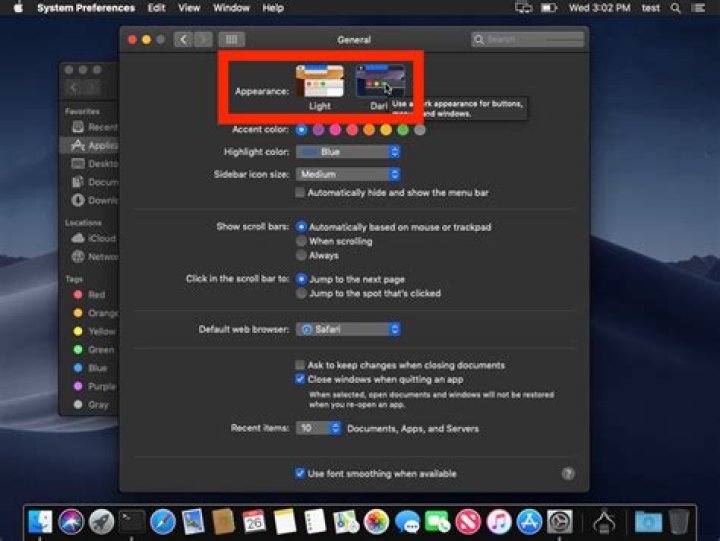

According to the release notes for 3.1.3 () dark mode support has been added to wxWidgets for Mojave+.
For the documentation for wxSysColourChanged, it still states that this is for Windows only but I thought the dark mode support for macOS should include this too? Dark mode is only a recent addition to Windows UWP apps and not Win32 (see dark mode on Windows 10 for a discussion of that on the forum).
In any case I cannot get the event to fire, although switching to dark mode does indeed correctly update the GUI elements eg. wxlistctrl and wxbutton without me having to manually enforce colour changes. I am trying to capture the system colour change event so that I can manually redraw my own "owner-drawn" custom GUI elements correctly dark/light.
I hook up the Bind in the constructor to my event but nothing works:
Bind(wxEVT_SYS_COLOUR_CHANGED, &myFrame::OnSystemColourChanged, this); void myFrame::OnSystemColourChanged(wxSysColourChangedEvent &event) { wxSystemAppearance s = wxSystemSettings::GetAppearance(); wxString dark = s.IsDark() ? "it's dark" : "it's light"; wxString m("System colour changed - "); m += dark; ::wxMessageBox(m); event.Skip(); } I have got this open as a query on the forum (here) and they recommended the mailing list but I notice that wxWidgets questions are quickly addressed on here, particularly by VZ so here's hoping!
Am I missing some method of detecting colour changes?
22 Answers
A lazy but useful method is:
In an OnPaint handler using this method to check the system's dark/light mode. So that you know how to "Paint" your objects:
#include <wx/settings.h> int main() { wxColour color = wxSystemSettingsNative::GetColour(wxSYS_COLOUR_WINDOW); // Use the color value to determine whether the system is in day mode or night mode return 0; }; OK, I managed to get the code to hit. I debugged it by adding a wxApp-level HandleEvent override function to see what events were being handled by the application (yes all events go through here):
void myApp::HandleEvent(wxEvtHandler *handler, wxEventFunction func, wxEvent& event) const { wxApp::HandleEvent(handler, func, event); } wxSysColourChanged events are indeed passing through this.
I managed to get my main frame's handler to hit by hooking up differently. Instead of
Bind(wxEVT_SYS_COLOUR_CHANGED, &myFrame::OnSystemColourChanged, this); I used this instead:
Bind(wxEVT_SYS_COLOUR_CHANGED, wxSysColourChangedEventHandler(myFrame::OnSystemColourChanged), this); I have no idea why &myFrame::OnSystemColourChanged wouldn't be recognised. Also, I could not get any message boxes to show up in my event handler. ::wxMessageBox and wxMessageDialog did not show. cout output did show up but no popup GUI dialogs. I am not going to be showing message boxes in this handler anyway so it isn't a problem but was trying to show a message for debugging/testing purposes.
3



