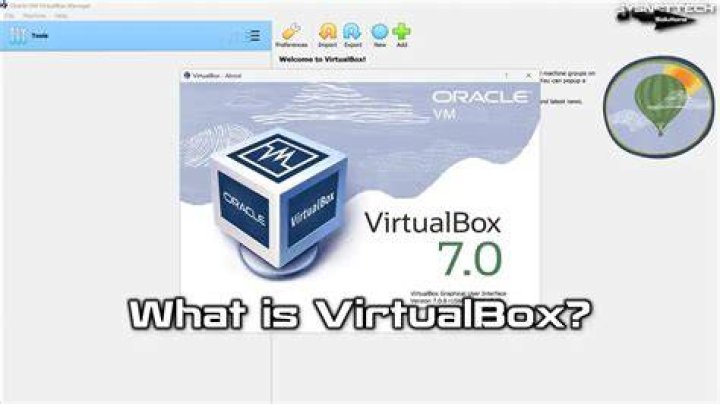
In Ubuntu, VirtualBox installation via apt install virtualbox only offers the old version v5.2.18.
user@linux:~$ apt show virtualbox Package: virtualbox Version: 5.2.18-dfsg-2~ubuntu18.04.5 Priority: optional Section: multiverse/misc Origin: Ubuntu Initially, I was using this version for a while.
Then, I decided to download and install the latest one (v6.0.8) available here.
user@linux:~$ sha256sum virtualbox-6.0_6.0.8-130520~Ubuntu~bionic_amd64.deb 17f1a24848dcf8ec1025790d35281f7f38b2c98740ddbccac6259a0f4c1786f7 virtualbox-6.0_6.0.8-130520~Ubuntu~bionic_amd64.deb user@linux:~$ Initially, I was not able to install the latest one.
user@linux:~$ sudo dpkg -i virtualbox-6.0_6.0.8-130520~Ubuntu~bionic_amd64.deb [sudo] password for user: Selecting previously unselected package virtualbox-6.0. dpkg: considering removing virtualbox in favour of virtualbox-6.0 ... dpkg: no, cannot proceed with removal of virtualbox (--auto-deconfigure will help): virtualbox-qt depends on virtualbox (= 5.2.18-dfsg-2~ubuntu18.04.5) virtualbox is to be removed. dpkg: regarding virtualbox-6.0_6.0.8-130520~Ubuntu~bionic_amd64.deb containing virtualbox-6.0: virtualbox-6.0 conflicts with virtualbox virtualbox (version 5.2.18-dfsg-2~ubuntu18.04.5) is present and installed. dpkg: error processing archive virtualbox-6.0_6.0.8-130520~Ubuntu~bionic_amd64.deb (--install): conflicting packages - not installing virtualbox-6.0 Errors were encountered while processing: virtualbox-6.0_6.0.8-130520~Ubuntu~bionic_amd64.deb user@linux:~$ Removing VirtualBox 5.2.18 fixed the issue
user@linux:~$ sudo apt remove virtualbox Reading package lists... Done Building dependency tree Reading state information... Done The following packages were automatically installed and are no longer required: libgsoap-2.8.60 virtualbox-dkms Use 'sudo apt autoremove' to remove them. The following packages will be REMOVED: virtualbox virtualbox-qt 0 upgraded, 0 newly installed, 2 to remove and 0 not upgraded. After this operation, 108 MB disk space will be freed. Do you want to continue? [Y/n] y (Reading database ... 229334 files and directories currently installed.) Removing virtualbox-qt (5.2.18-dfsg-2~ubuntu18.04.5) ... Removing virtualbox (5.2.18-dfsg-2~ubuntu18.04.5) ... Processing triggers for mime-support (3.60ubuntu1) ... Processing triggers for desktop-file-utils (0.23-1ubuntu3.18.04.2) ... Processing triggers for man-db (2.8.3-2ubuntu0.1) ... Processing triggers for shared-mime-info (1.9-2) ... Processing triggers for gnome-menus (3.13.3-11ubuntu1.1) ... Processing triggers for hicolor-icon-theme (0.17-2) ... user@linux:~$ Then, I proceed with the installation again without any problem.
user@linux:~$ sudo dpkg -i virtualbox-6.0_6.0.8-130520~Ubuntu~bionic_amd64.deb (Reading database ... 229023 files and directories currently installed.) Preparing to unpack virtualbox-6.0_6.0.8-130520~Ubuntu~bionic_amd64.deb ... Unpacking virtualbox-6.0 (6.0.8-130520~Ubuntu~bionic) over (6.0.8-130520~Ubuntu~bionic) ... Setting up virtualbox-6.0 (6.0.8-130520~Ubuntu~bionic) ... addgroup: The group `vboxusers' already exists as a system group. Exiting. Processing triggers for systemd (237-3ubuntu10.23) ... Processing triggers for ureadahead (0.100.0-21) ... ureadahead will be reprofiled on next reboot Processing triggers for gnome-menus (3.13.3-11ubuntu1.1) ... Processing triggers for desktop-file-utils (0.23-1ubuntu3.18.04.2) ... Processing triggers for mime-support (3.60ubuntu1) ... Processing triggers for hicolor-icon-theme (0.17-2) ... Processing triggers for shared-mime-info (1.9-2) ... user@linux:~$ Unfortunately, none of my previous image work with the new VirtualBox.

Failed to open a session for the virtual machine Ubuntu-18.04-Server. The virtual machine 'Ubuntu-18.04-Server' has terminated unexpectedly during startup with exit code 1 (0x1). Result Code: NS_ERROR_FAILURE (0x80004005) Component: MachineWrap Interface: IMachine {5047460a-265d-4538-b23e-ddba5fb84976} What happened and how to fix this issue?
2 Answers
I had the same problem installing virtualbox 6 while having virtualbox 5 already installed. Before installing virtualbox-6.0, I just tried
sudo apt remove virtualbox and then
sudo apt install virtualbox-6.0 but when trying "apt upgrade" lead to:
The following packages have unmet dependencies: virtualbox-6.0 : Conflicts: virtualbox Conflicts: virtualbox-qt but 5.2.18-dfsg-2~ubuntu18.04.5 is to be installed so I realized there was some package not correclty removed.
sudo apt autoremove --purge virtualbox* sudo apt install virtualbox-6.0 finally worked for me.
"The Virtualbox kernel module does not match this version of virtualbox"
I think that is explained quite well.
Your installed virtualbox kernel module is still the 5.x.x one. But your installed virtualbox version is 6.x.x. There is a mismatch.
Unload the modules
You can manually unload the module(s).
sudo modprobe -r vboxpci sudo modprobe -r vboxnetadp sduo mdoprobe -r vboxnetflt [...] sudo modprobe -r vboxdrv Note: don't mind if modprobe reports module not found
Then relaunch virtualbox.
Reboot
... or (not and) you can simply reboot.