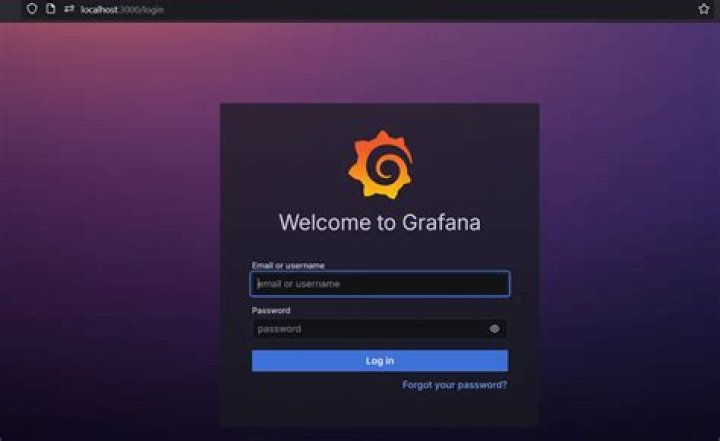
what is default username and password for Grafana for page ? attaching a home page screenshot also. I want to watch mySql database for through it.
10 Answers
By looking up the docs we can find that the magic combo is admin as username and admin as password.
However if you changed some configuration file you should be able to find it there. The default config file can be found here: $WORKING_DIR/conf/defaults.ini and can be overridden using the --config parameter
The item in the config you're looking for should be in the section:
[security] admin_user = admin admin_password = admin If you are using Prometheus Operator then user/pass is:
user: admin pass: prom-operator Install prometheus-operator using helm:
#helm3 helm repo add stable helm install my-prometheus-operator stable/prometheus-operator I had the same problem. I changed the password after the first login and then forgot what it was. However, I was able to fix it by using the grafana-CLI through the docker container. At the command line:
docker exec -it <name of grafana container> grafana-cli admin reset-admin-password <fill in password> This resets the admin password back to "admin". When you log in to grafana again, you will be prompted to change the password to something better.
3Default credentials for Grafana
username: admin password: admin In K8s, to get user/pass of grafana pod, do the following
Get pods and find out what's the name of grafana pod
kubectl get pod Describe grafana pod:
kubectl describe pod my-release-grafana-7f59ddb678-r4jq4 Or simple in one command (if you deployed it in helm chart)
kubectl get pods --namespace default -l "" The output should look like the following:
... Environment: GF_SECURITY_ADMIN_USER: <set to the key 'admin-user' in secret 'my-release-grafana'> Optional: false GF_SECURITY_ADMIN_PASSWORD: <set to the key 'admin-password' in secret 'my-release-grafana'> Optional: false ... get user name and password from secret:
kubectl get secret my-release-grafana -oyaml this should give you something similar to the following output:
apiVersion: v1 data: admin-password: T1lsV0ZPY2liM05Ceml5cVZkVmk3N1ZqWWtrS0phU3Jjdm9sMTNkWA== admin-user: YWRtaW4= ldap-toml: "" kind: Secret metadata: annotations: my-release default creationTimestamp: "2021-08-11T20:12:34Z" labels: my-release Helm grafana 8.1.0 grafana-6.15.0 name: my-release-grafana namespace: default resourceVersion: "842508" uid: 3d3326fb-a7c8-4382-9abc-8ffd2f4d7a11 type: Opaque decode user name and password
echo "T1lsV0ZPY2liM05Ceml5cVZkVmk3N1ZqWWtrS0phU3Jjdm9sMTNkWA==" | base64 --decode default grafana login is
username: admin password: admin here is a linux tutorial on how to reset grafana admin password if you lost it
The easiest thing is reset the password, if you don't have docker installed in your cluster you can use kubectl
kubectl exec -it <name of your pods> -n <name of your namespace> grafana-cli admin reset-admin-password <your reset password> so it will look like this
kubectl exec -it grafna-haks1k2-628181 -n my-grafana grafana-cli admin reset-admin-password admin remember: when you don't have a specific namespace in your cluster for Grafana you can remove -n my-grafana.
good luck
1Default password for grafana is "admin" for admin user. you can change the same on setting.
With grafana-5.1.4chart the user name is admin and the password is password :)
kubectl get secret --namespace $NAMESPACE grafana \ -o jsonpath="{.data.admin-password}" | base64 --decode ; echo 



