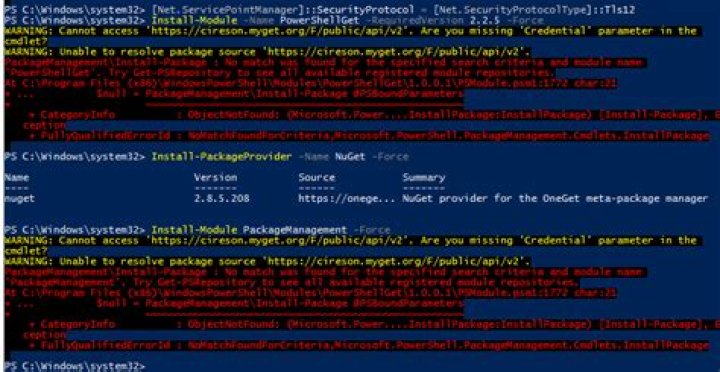
I tried to install Docker on activated windows server 2016 standard. I executed “Install-Module -Name DockerMsftProvider -Repository PSGallery -Force” but failed. It suggested that can not find PSGallery. I executed "Get-PSRepository".
The error:
WARNING: Unable to find module repositories.
I googled 3 ways to solve it but none of them worked.
I executed
Install-PackageProvider -Name NuGet -MinimumVersion 2.8.5.201 -Verbose -Forcesuccessfully.I installed chocolatey successfully.
I execute
"powershell Register-PSRepository -Name "PSGallery" –SourceLocation "" -InstallationPolicy Trusted"but failed. It asked me to use"Register-PSRepository -Default".
I tried "powershell Register-PSRepository -Default -Name "PSGallery" –SourceLocation "" -InstallationPolicy Trusted" but still failed.
How can I solve this problem?
15 Answers
With the deprecation of TLS 1.0 and 1.1 for PowerShell Gallery as of April 2020, the cmdlets Update-Module and Install-Module became broken. Thus, according to this article, some commands need to be executed to bring them alive again:
[Net.ServicePointManager]::SecurityProtocol = [Net.SecurityProtocolType]::Tls12 Install-Module PowerShellGet -RequiredVersion 2.2.4 -SkipPublisherCheck If that still doesn't work, then run the following commands:
[Net.ServicePointManager]::SecurityProtocol = [Net.ServicePointManager]::SecurityProtocol -bor [Net.SecurityProtocolType]::Tls12 Register-PSRepository -Default -Verbose Set-PSRepository -Name "PSGallery" -InstallationPolicy Trusted TLS 1.0 and 1.1 were also recently deprecated at NuGet.org: 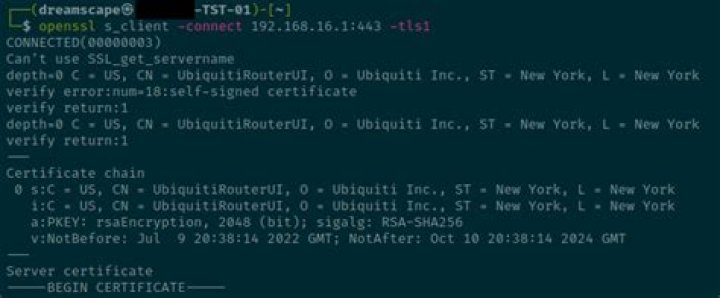 But that was also previously announced.
Simply running Register-PSRepository -Default (without any additional parameters) worked for me. After that, the Gallery was successfully registered:
PS C:\Windows\system32> Get-PSRepository Name InstallationPolicy SourceLocation ---- ------------------ -------------- PSGallery Untrusted My problem was the missing Proxy config
best solution from comments:
thanks to @Vadzim
In PowerShell open Profile
PS> notepad $PROFILE this opens Notepad with your profile setting, will be created of not exists.
then add:
[system.net.webrequest]::defaultwebproxy = new-object system.net.webproxy(') [system.net.webrequest]::defaultwebproxy.credentials = [System.Net.CredentialCache]::DefaultNetworkCredentials [system.net.webrequest]::defaultwebproxy.BypassProxyOnLocal = $true somehow my local proxy is set but doesn't work. same problem later with Docker, =>
> PS> [Environment]::SetEnvironmentVariable("HTTP_PROXY", ", [EnvironmentVariableTarget]::Machine) then restart docker service
4I got a similar message. I ran Register-PSRepository -default and it registered ok. Then I ran Set-PSRepository -Name PSGallery -InstallationPolicy Trusted. I didn't combine the commands, but it worked.
I spent over an hour trying to pass credentials to the proxy the same way I do for Exchange Online, but no love. I disconnected and used our guest WiFi instead.
0One more thing which hasn't been mentioned. You would indeed need to run
notepad $profile and copy paste this bit changing your proxy details:
[system.net.webrequest]::defaultwebproxy = new-object system.net.webproxy(') [system.net.webrequest]::defaultwebproxy.credentials = System.Net.CredentialCache]::DefaultNetworkCredentials [system.net.webrequest]::defaultwebproxy.BypassProxyOnLocal = $true But if you have HTTPS Inspection turned on, you might want to add the Man-in-the-middle Certificate to the "Trusted Root Certification Authorities"




