
I tried to change default shell in Ubuntu 14.04 using the following command
user@MyUbuntu:~$ sudo useradd -D -s /bin/tcsh user@MyUbuntu:~$ sudo useradd -D GROUP=101 HOME=/home INACTIVE=-1 EXPIRE= SHELL=/bin/sh SKEL=/etc/skel CREATE_MAIL_SPOOL=no Why defaults are not getting updated. I reboot the pc, but values still not updating. Why ?
Update: I don't want to add a new user, i want to update some defaults using useradd command
112 Answers
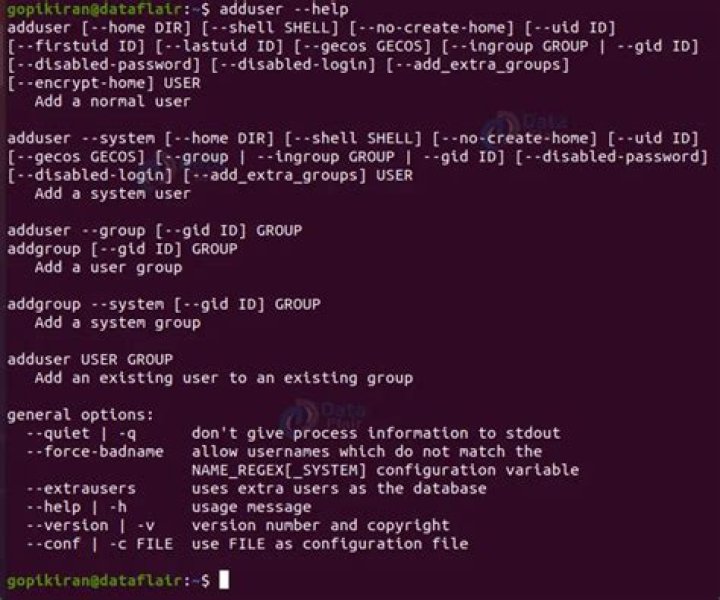
Use adduser command. The adduser command is a Perl implementation of useradd (which is a C binary).
$ cat /usr/sbin/adduser | grep useradd my $useradd = &which('useradd'); &systemcall($useradd, '--extrausers', '-d', $home_dir, '-g', $ingroup_name, '-s', &systemcall($useradd, '-d', $home_dir, '-g', $ingroup_name, '-s', my $useradd = &which('useradd'); &systemcall($useradd, '--extrausers', '-d', $home_dir, '-g', $ingroup_name, '-s', &systemcall($useradd, '-d', $home_dir, '-g', $ingroup_name, '-s', # useradd without -p has left the account disabled (password string is '!') adduser takes care of everything, i.e whether the user has been added to the /etc/passwd file or not.
For me changes are applying and I think I did same as you did.
gennu@gennu:~$ sudo useradd -D -s /bin/tcsh gennu@gennu:~$ useradd -D GROUP=100 HOME=/home INACTIVE=-1 EXPIRE= SHELL= SKEL=/etc/skel CREATE_MAIL_SPOOL=no gennu@gennu:~$ sudo useradd -D GROUP=100 HOME=/home INACTIVE=-1 EXPIRE= SHELL=/bin/tcsh SKEL=/etc/skel CREATE_MAIL_SPOOL=no gennu@gennu:~$ But I didnt see changes were done in my /etc/passwd file.
gennu@gennu:~$ cat /etc/passwd | grep 'root\|gennu' root:x:0:0:root:/root:/bin/bash gennu:x:1000:1000:gennu,,,:/home/gennu:/bin/bash