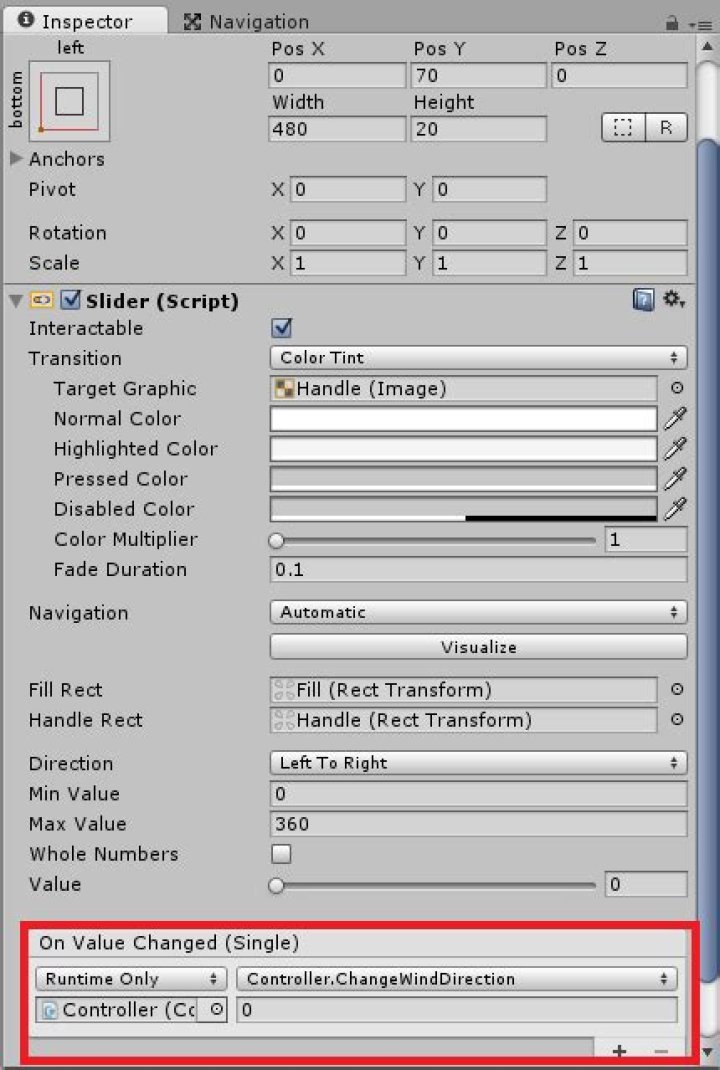

Ok, so, a Slider in Unity has an "On Value Changed (Single)" property. As far as I've managed so far, you can set on it a callback function that can take a parameter (e.g. a string) which you hardcode in the Inspector, and/or a function that takes a float (the new value that the slider has been set to). However, I'd like to be able to pass both, and I haven't seen a way to do it. For example, I'd like to have a function saveValue(string name, float value), and several sliders feeding their values into it - each slider would have a different name written in the Inspector, and the updated value would be passed as value. I suspect Unity does not support that, but I haven't found any documentation explicitly describing this feature, so I'm not sure. Can this be done?
1 Answer
This should get you started:
- Create a class that all of your sliders can access (for example by reference). And put the method you want them to call in there. The method should take the two parameters that you want to use (in my case I want it to take a GameObject and a float):
public class SliderManagerScript : MonoBehaviour { public void SliderValueChangeHandler(GameObject slider, float value) { Debug.Log("Slider name: " + slider.gameObject.transform.name); Debug.Log("Slider value: " + value); } } - On each of the sliders that you want to call the above method, add a script that can access the above class and add an event listener for the Slider's onValueChanged property. Register a delegate for that listener which calls the method shown above and passes in the appropriate values. E.g
public class SliderScript : MonoBehaviour { public GameObject sliderManager; void Start() { GetComponent<Slider>().onValueChanged.AddListener(delegate { sliderManager.GetComponent<SliderManagerScript>().SliderValueChangeHandler(this.gameObject, this.GetComponent<Slider>().value); }); } } And that should work fine. In fact, you should be able to simplify it a lot more depending on how you've architected your code.




