
This is my first question, so I hope I'm asking the right way. I am running docker inside a VirtualBox VM (guest OS is Ubuntu 18.04)
bink@bink-VirtualBox:~$ lsb_release -a No LSB modules are available. Distributor ID: Ubuntu Description: Ubuntu 18.04.4 LTS Release: 18.04 Codename: bionic The other day I had an "unscheduled reboot" (i.e. power failure) which must have corrupted some files, since the docker service will no longer start. I tried repairing and fixing docker, and ultimately ended up uninstalling docker according to the instructions at How to completely uninstall docker.
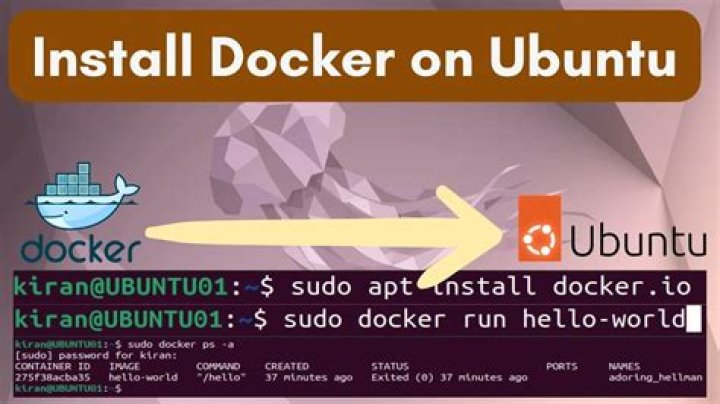
After that, I reinstalled docker from scratch, using the standard instructions at .
On the final step of the installation, I receive a few errors, see here:
bink@bink-VirtualBox:/var/lib$ sudo apt-get install docker-ce docker-ce-cli containerd.io Reading package lists... Done Building dependency tree Reading state information... Done containerd.io is already the newest version (1.2.13-2). The following additional packages will be installed: aufs-tools cgroupfs-mount pigz The following NEW packages will be installed: aufs-tools cgroupfs-mount docker-ce docker-ce-cli pigz 0 upgraded, 5 newly installed, 0 to remove and 27 not upgraded. Need to get 63.8 kB/63.9 MB of archives. After this operation, 282 MB of additional disk space will be used. Do you want to continue? [Y/n] y Get:1 bionic/universe amd64 pigz amd64 2.4-1 [57.4 kB] Get:2 bionic/universe amd64 cgroupfs-mount all 1.4 [6,320 B] Fetched 63.8 kB in 0s (268 kB/s) Selecting previously unselected package pigz. (Reading database ... 186105 files and directories currently installed.) Preparing to unpack .../archives/pigz_2.4-1_amd64.deb ... Unpacking pigz (2.4-1) ... Selecting previously unselected package aufs-tools. Preparing to unpack .../aufs-tools_1%3a4.9+20170918-1ubuntu1_amd64.deb ... Unpacking aufs-tools (1:4.9+20170918-1ubuntu1) ... Selecting previously unselected package cgroupfs-mount. Preparing to unpack .../cgroupfs-mount_1.4_all.deb ... Unpacking cgroupfs-mount (1.4) ... Selecting previously unselected package docker-ce-cli. Preparing to unpack .../docker-ce-cli_5%3a19.03.12~3-0~ubuntu-bionic_amd64.deb ... Unpacking docker-ce-cli (5:19.03.12~3-0~ubuntu-bionic) ... Selecting previously unselected package docker-ce. Preparing to unpack .../docker-ce_5%3a19.03.12~3-0~ubuntu-bionic_amd64.deb ... Unpacking docker-ce (5:19.03.12~3-0~ubuntu-bionic) ... Setting up aufs-tools (1:4.9+20170918-1ubuntu1) ... Setting up cgroupfs-mount (1.4) ... Setting up docker-ce-cli (5:19.03.12~3-0~ubuntu-bionic) ... Setting up pigz (2.4-1) ... Setting up docker-ce (5:19.03.12~3-0~ubuntu-bionic) ... Created symlink /etc/systemd/system/ → /lib/systemd/system/docker.service. Created symlink /etc/systemd/system/ → /lib/systemd/system/docker.socket. Job for docker.service canceled. invoke-rc.d: initscript docker, action "start" failed. ● docker.service - Docker Application Container Engine Loaded: loaded (/lib/systemd/system/docker.service; enabled; vendor preset: enabled) Active: deactivating (stop-sigterm) Docs: Main PID: 23326 (dockerd) Tasks: 1 CGroup: / └─23326 [dockerd] Aug 09 13:10:56 bink-VirtualBox systemd[1]: Starting Docker Application Container Engine... dpkg: error processing package docker-ce (--configure): installed docker-ce package post-installation script subprocess returned error exit status 1 Processing triggers for libc-bin (2.27-3ubuntu1.2) ... Processing triggers for systemd (237-3ubuntu10.41) ... Processing triggers for man-db (2.8.3-2ubuntu0.1) ... Processing triggers for ureadahead (0.100.0-21) ... Errors were encountered while processing: docker-ce E: Sub-process /usr/bin/dpkg returned an error code (1) I suspect that on the unscheduled reboot, something happened to containerd.io, but when I run the docker install, it says that containerd.io is already the newest version, so it doesn't reinstall it.
If I try systemctl start docker, it simply returns Job for docker.service canceled.. But I am actually able to run sudo dockerd and docker will start. I just can't get it to start as a service.
Does anyone have any suggestions? I've searched for these errors, and have found some slightly similar results, but not exactly the same situation as me. Do I just need to reinstall containerd.io? And if so, how do I do that, since the system thinks it is already installed correctly?
1 Answer
To find out what is wrong with the Docker service, the output of systemctl status docker.service or journalctl -e might help. Try those commands directly after a systemctl start docker.service.
To reinstall a package, you use sudo apt --reinstall install containerd.io or similar. This is explained here.
But I would try to find the root cause on why the service is not starting. It might fix other things as well, and you learn more from it 🌝.
3