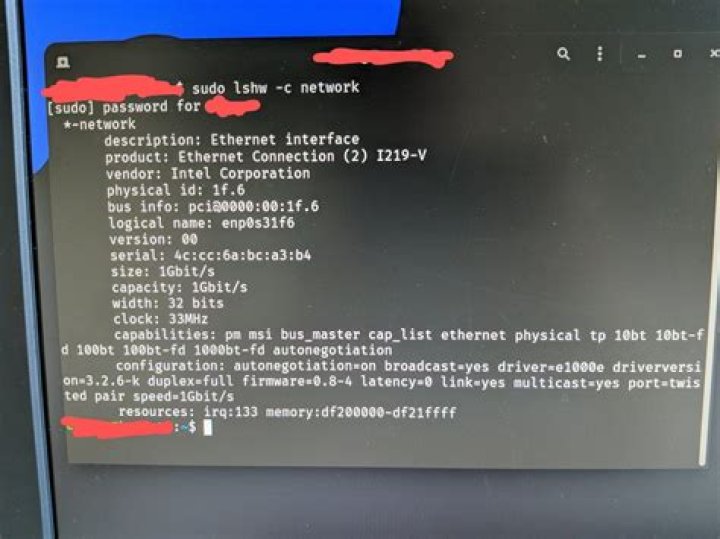

I have been installed ubuntu desktop 22.04 LTS with ethernet connetion on my Dell Inc. Latitude E7240 computer, it worked properly, but today in time of work, the ethernet connection is not working
In windows 10 it works properly, wirless connection it works too!
Only cable network connection is not working in my ubuntu 22.04
Anyone can help? Please!.
rfkill list all showed
1: hci0: Bluetooth Soft blocked: no Hard blocked: no 2: phy0: Wireless LAN Soft blocked: no Hard blocked: no 3: dell-wifi: Wireless LAN Soft blocked: no Hard blocked: no 4: nfc0: NFC Soft blocked: no Hard blocked: no .
sudo lshw -sanitize -c network showed
*-network DESABILITADO descrição: Ethernet interface produto: Ethernet Connection I218-LM fabricante: Intel Corporation ID físico: 19 informações do barramento: pci@0000:00:19.0 nome lógico: eno1 versão: 04 serial: [REMOVED] capacidade: 1Gbit/s largura: 32 bits clock: 33MHz capacidades: pm msi bus_master cap_list ethernet physical tp 10bt 10bt-fd 100bt 100bt-fd 1000bt-fd autonegotiation configuração: autonegotiation=on broadcast=yes driver=e1000e driverversion=5.15.0-33-generic firmware=0.7-3 latency=0 link=no multicast=yes port=twisted pair recursos: irq:46 memória:f7e00000-f7e1ffff memória:f7e3c000-f7e3cfff porta de E/S:f080(tamanho=32) *-network descrição: Interface sem fio produto: Wireless 7260 fabricante: Intel Corporation ID físico: 0 informações do barramento: pci@0000:02:00.0 nome lógico: wlp2s0 versão: 73 serial: [REMOVED] largura: 64 bits clock: 33MHz capacidades: pm msi pciexpress bus_master cap_list ethernet physical wireless configuração: broadcast=yes driver=iwlwifi driverversion=5.15.0-33-generic firmware=17.3216344376.0 7260-17.ucode ip=[REMOVED] latency=0 link=yes multicast=yes wireless=IEEE 802.11 recursos: irq:50 memória:f7d00000-f7d01fff 1 Answer
I runned bellow:
sudo systemctl restart NetworkManager 



