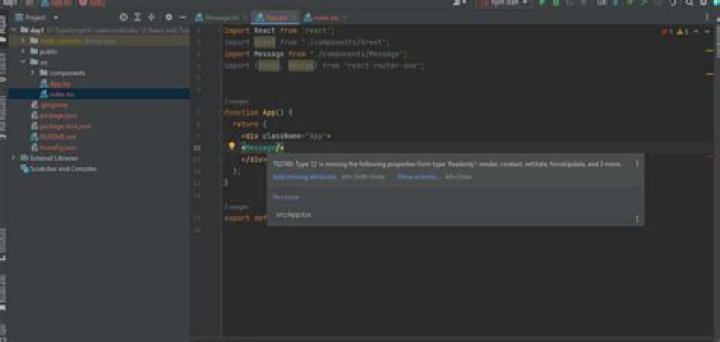

Since StatelessComponent is deprecated, I am trying to turn all the components into classes.
I have an interface, for example:
interface MyInterface{ prop1: number; prop2: boolean; } And I use it in the class:
class MyComponent extends React.Component<MyInterface> { ... public render(){...} } And when I try to use MyComponent like this:
<MyComponent prop1={3} prop2={false} /> I get this error:
TS2740: Type {prop1: 3, prop2: false} is missing the following properties from type ReadOnly: render, context, setState, forceUpdate, and 3 more.
Is there any workaround to this?
44 Answers
I finally solved the problem by changing the declaration of the class to class MyComponent extends React.Component<any, MyInterface>.
I had a similar case where I have encountered this error: Type '{ label: string; value: string; }' is missing the following properties from type ReadOnly is missing the following properties from type length, pop, push, concat, and 15 more.
I had this following code:
interface IState { currentEnvironment: IEnvironment; environmentOptions: IEnvironment[]; } interface IEnvironment { label: string; value: string; } I was initializing the states of array***(In this case environment options)*** as :
public state = { currentEnvironment: { label: '', value: '' }, environmentOptions: [], }; Initializing the state more specifically has resolved issue in my case which goes like:
public state = { currentEnvironment: { label: '', value: '' }, environmentOptions: [{ label: '', value: '' }],//Also initializing the properties of the Interface }; To fix this issue without explicitly typing the class, simply move the state out of the constructor as shown below:
class MyComponent extends React.Component<any> { state = { key1: value1, key2: value2 } render(){ return( <div>Hello World</div> ) } } This approach is useful when you have a function that set the state of form inputs like this:
handleInputChange = (event)=>{ const target = event.target; const value = target.type === 'checkbox' ? target.checked : target.value; const name = target.name; this.setState({ [name]: value }); } So the code below will just fine especially when you are using typescript:
class MyComponent extends React.Component<any> { state = { key1: value1, key2: value2 } handleInputChange = (event: React.ChangeEvent<HTMLInputElement>)=>{ const target = event.target; const value = target.type === 'checkbox' ? target.checked : target.value; const name = target.name; this.setState({ [name]: value // no typing error }); } render(){ return( <div>Hello World</div> ) } } For others like me that found this page for other reasons -- I was getting the same typescript error (TS2740) while trying to create an HTML5 canvas like this:
this.canvas = document.createElement("CANVAS"); It was creating a canvas fine, but to make the error go away I had to change it to lowercase:
this.canvas = document.createElement("canvas"); 



