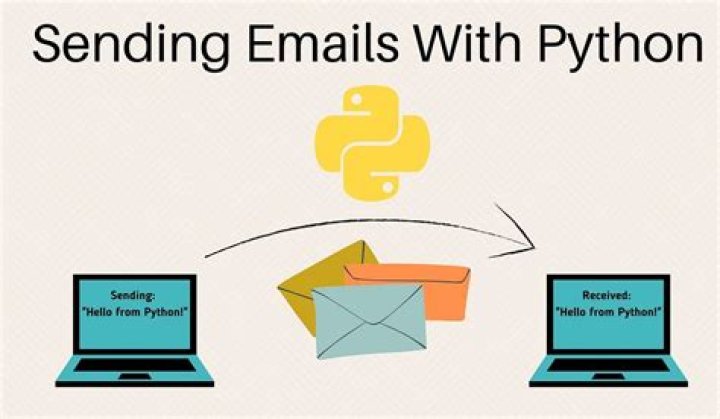

I am using Outlook 2003.
What is the best way to send email (through Outlook 2003) using Python?
9 Answers
import win32com.client as win32 outlook = win32.Dispatch('outlook.application') mail = outlook.CreateItem(0) mail.To = 'To address' mail.Subject = 'Message subject' mail.Body = 'Message body' mail.HTMLBody = '<h2>HTML Message body</h2>' #this field is optional # To attach a file to the email (optional): attachment = "Path to the attachment" mail.Attachments.Add(attachment) mail.Send() Will use your local outlook account to send.
Note if you are trying to do something not mentioned above, look at the COM docs properties/methods: . In the code above, mail is a MailItem Object.
For a solution that uses outlook see TheoretiCAL's answer.
Otherwise, use the smtplib that comes with python. Note that this will require your email account allows smtp, which is not necessarily enabled by default.
SERVER = "smtp.example.com" FROM = "" TO = ["listOfEmails"] # must be a list SUBJECT = "Subject" TEXT = "Your Text" # Prepare actual message message = """From: %s\r\nTo: %s\r\nSubject: %s\r\n\ %s """ % (FROM, ", ".join(TO), SUBJECT, TEXT) # Send the mail import smtplib server = smtplib.SMTP(SERVER) server.sendmail(FROM, TO, message) server.quit() EDIT: this example uses reserved domains like described in RFC2606
SERVER = "smtp.example.com" FROM = "" TO = [""] # must be a list SUBJECT = "Hello!" TEXT = "This is a test of emailing through smtp of example.com." # Prepare actual message message = """From: %s\r\nTo: %s\r\nSubject: %s\r\n\ %s """ % (FROM, ", ".join(TO), SUBJECT, TEXT) # Send the mail import smtplib server = smtplib.SMTP(SERVER) server.login("MrDoe", "PASSWORD") server.sendmail(FROM, TO, message) server.quit() For it to actually work with gmail, Mr. Doe will need to go to the options tab in gmail and set it to allow smtp connections.
Note the addition of the login line to authenticate to the remote server. The original version does not include this, an oversight on my part.
10Check via Google, there are lots of examples, see here for one.
Inlined for ease of viewing:
import win32com.client def send_mail_via_com(text, subject, recipient, profilename="Outlook2003"): s = win32com.client.Dispatch("Mapi.Session") o = win32com.client.Dispatch("Outlook.Application") s.Logon(profilename) Msg = o.CreateItem(0) Msg.To = recipient Msg.CC = "moreaddresses here" Msg.BCC = "address" Msg.Subject = subject Msg.Body = text attachment1 = "Path to attachment no. 1" attachment2 = "Path to attachment no. 2" Msg.Attachments.Add(attachment1) Msg.Attachments.Add(attachment2) Msg.Send() I wanted to send email using SMTPLIB, its easier and it does not require local setup. After other answers were not directly helpful, This is what i did.
Open Outlook in a browser; Go to the top right corner, click the gear icon for Settings, Choose 'Options' from the appearing drop-down list. Go to 'Accounts', click 'Pop and Imap', You will see the option: "Let devices and apps use pop",
Choose Yes option and Save changes.
Here is the code there after; Edit where neccesary. Most Important thing is to enable POP and the server code herein;
import smtplib body = 'Subject: Subject Here .\nDear ContactName, \n\n' + 'Email\'s BODY text' + '\nYour :: Signature/Innitials' try: smtpObj = smtplib.SMTP('smtp-mail.outlook.com', 587) except Exception as e: print(e) smtpObj = smtplib.SMTP_SSL('smtp-mail.outlook.com', 465) #type(smtpObj) smtpObj.ehlo() smtpObj.starttls() smtpObj.login('', "password") smtpObj.sendmail('', '', body) # Or recipient@outlook smtpObj.quit() pass using pywin32:
from win32com.client import Dispatch session = Dispatch('MAPI.session') session.Logon('','',0,1,0,0,'exchange.foo.com\nUserName'); msg = session.Outbox.Messages.Add('Hello', 'This is a test') msg.Recipients.Add('Corey', 'SMTP:') msg.Send() session.Logoff() A simple solution for Office 365 is
from O365 import Message html_template = """ <html> <head> <title></title> </head> <body> {} </body> </html> """ final_html_data = html_template.format(df.to_html(index=False)) o365_auth = ('sender_username@company_email.com','Password') m = Message(auth=o365_auth) m.setRecipients('receiver_username@company_email.com') m.setSubject('Weekly report') m.setBodyHTML(final) m.sendMessage() Here df is a dataframe converted to an html Table, which is being injected into html_template
Other than win32, if your company had set up you web outlook, you can also try PYTHON REST API, which is officially made by Microsoft. ()
This was one I tried using Win32:
import win32com.client as win32 import psutil import os import subprocess import sys # Drafting and sending email notification to senders. You can add other senders' email in the list def send_notification(): outlook = win32.Dispatch('outlook.application') olFormatHTML = 2 olFormatPlain = 1 olFormatRichText = 3 olFormatUnspecified = 0 olMailItem = 0x0 newMail = outlook.CreateItem(olMailItem) newMail.Subject = sys.argv[1] #newMail.Subject = "check" newMail.BodyFormat = olFormatHTML #or olFormatRichText or olFormatPlain #newMail.HTMLBody = "test" newMail.HTMLBody = sys.argv[2] newMail.To = "" attachment1 = sys.argv[3] attachment2 = sys.argv[4] newMail.Attachments.Add(attachment1) newMail.Attachments.Add(attachment2) newMail.display() # or just use this instead of .display() if you want to send immediately newMail.Send() # Open Outlook.exe. Path may vary according to system config # Please check the path to .exe file and update below def open_outlook(): try: subprocess.call(['C:\Program Files\Microsoft Office\Office15\Outlook.exe']) os.system("C:\Program Files\Microsoft Office\Office15\Outlook.exe"); except: print("Outlook didn't open successfully") # # Checking if outlook is already opened. If not, open Outlook.exe and send email for item in psutil.pids(): p = psutil.Process(item) if p.name() == "OUTLOOK.EXE": flag = 1 break else: flag = 0 if (flag == 1): send_notification() else: open_outlook() send_notification() This is a pretty old question but there is one more solution. The current Outlook SMTP server is (as of 2022):
- Host:
smtp.office365.com - Port:
587(for TLS)
Probably the easiest and cleanest solution is to use Red Mail that has these already set:
pip install redmail Then:
from redmail import outlook outlook.user_name = "" outlook.password = "<MY PASSWORD>" outlook.send( receivers=[""], subject="An example", text="Hi, this is an example." ) Red Mail supports all sorts of advanced features:
Links:
Disclaimer: I'm the author




