
Just a short, simple one about the excellent Requests module for Python.
I can't seem to find in the documentation what the variable 'proxies' should contain. When I send it a dict with a standard "IP:PORT" value it rejected it asking for 2 values. So, I guess (because this doesn't seem to be covered in the docs) that the first value is the ip and the second the port?
The docs mention this only:
proxies – (optional) Dictionary mapping protocol to the URL of the proxy.
So I tried this... what should I be doing?
proxy = { ip: port} and should I convert these to some type before putting them in the dict?
r = requests.get(url,headers=headers,proxies=proxy) 12 Answers
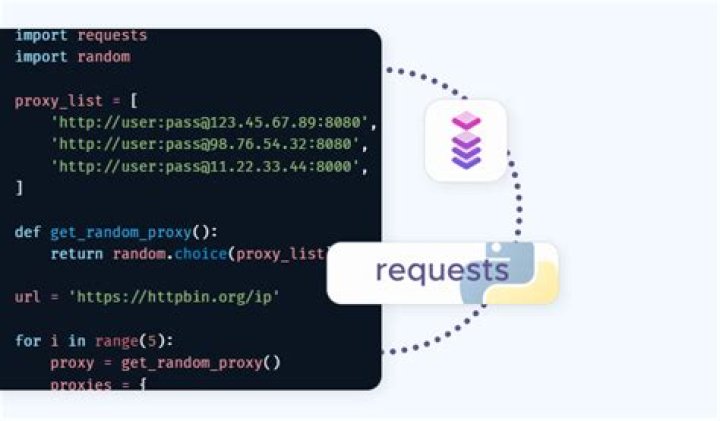
The proxies' dict syntax is {"protocol": "scheme://ip:port", ...}. With it you can specify different (or the same) proxie(s) for requests using http, https, and ftp protocols:
http_proxy = "" https_proxy = "" ftp_proxy = "ftp://10.10.1.10:3128" proxies = { "http" : http_proxy, "https" : https_proxy, "ftp" : ftp_proxy } r = requests.get(url, headers=headers, proxies=proxies) Deduced from the requests documentation:
Parameters:
method– method for the new Request object.
url– URL for the new Request object.
...
proxies– (optional) Dictionary mapping protocol to the URL of the proxy.
...
On linux you can also do this via the HTTP_PROXY, HTTPS_PROXY, and FTP_PROXY environment variables:
export HTTP_PROXY=10.10.1.10:3128 export HTTPS_PROXY=10.10.1.11:1080 export FTP_PROXY=10.10.1.10:3128 On Windows:
set http_proxy=10.10.1.10:3128 set https_proxy=10.10.1.11:1080 set ftp_proxy=10.10.1.10:3128 You can refer to the proxy documentation here.
If you need to use a proxy, you can configure individual requests with the proxies argument to any request method:
import requests proxies = { "http": "", "https": "", } requests.get("", proxies=proxies) To use HTTP Basic Auth with your proxy, use the syntax:
proxies = { "http": "" } I have found that urllib has some really good code to pick up the system's proxy settings and they happen to be in the correct form to use directly. You can use this like:
import urllib ... r = requests.get(' proxies=urllib.request.getproxies()) It works really well and urllib knows about getting Mac OS X and Windows settings as well.
7The accepted answer was a good start for me, but I kept getting the following error:
AssertionError: Not supported proxy scheme None Fix to this was to specify the http:// in the proxy url thus:
http_proxy = "" https_proxy = "" ftp_proxy = "10.10.1.10:3128" proxyDict = { "http" : http_proxy, "https" : https_proxy, "ftp" : ftp_proxy } I'd be interested as to why the original works for some people but not me.
Edit: I see the main answer is now updated to reflect this :)
1If you'd like to persisist cookies and session data, you'd best do it like this:
import requests proxies = { 'http': ' 'https': ' } # Create the session and set the proxies. s = requests.Session() s.proxies = proxies # Make the HTTP request through the session. r = s.get(') 8 years late. But I like:
import os import requests os.environ['HTTP_PROXY'] = os.environ['http_proxy'] = ' os.environ['HTTPS_PROXY'] = os.environ['https_proxy'] = ' os.environ['NO_PROXY'] = os.environ['no_proxy'] = '127.0.0.1,localhost,.local' r = requests.get(') # , verify=False The documentation gives a very clear example of the proxies usage
import requests proxies = { 'http': ' 'https': ' } requests.get(' proxies=proxies) What isn't documented, however, is the fact that you can even configure proxies for individual urls even if the schema is the same! This comes in handy when you want to use different proxies for different websites you wish to scrape.
proxies = { ' ' ' ' } requests.get(' proxies=proxies) Additionally, requests.get essentially uses the requests.Session under the hood, so if you need more control, use it directly
import requests proxies = { 'http': ' 'https': ' } session = requests.Session() session.proxies.update(proxies) session.get(') I use it to set a fallback (a default proxy) that handles all traffic that doesn't match the schemas/urls specified in the dictionary
import requests proxies = { 'http': ' 'https': ' } session = requests.Session() session.proxies.setdefault('http', ') session.proxies.update(proxies) session.get(') i just made a proxy graber and also can connect with same grabed proxy without any input here is :
#Import Modules from termcolor import colored from selenium import webdriver import requests import os import sys import time #Proxy Grab options = webdriver.ChromeOptions() options.add_argument('headless') driver = webdriver.Chrome(chrome_options=options) driver.get("") tbody = driver.find_element_by_tag_name("tbody") cell = tbody.find_elements_by_tag_name("tr") for column in cell: column = column.text.split(" ") print(colored(column[0]+":"+column[1],'yellow')) driver.quit() print("") os.system('clear') os.system('cls') #Proxy Connection print(colored('Getting Proxies from graber...','green')) time.sleep(2) os.system('clear') os.system('cls') proxy = {"http": "http://"+ column[0]+":"+column[1]} url = ' r = requests.get(url, proxies=proxy) print("") print(colored('Connecting using proxy' ,'green')) print("") sts = r.status_code here is my basic class in python for the requests module with some proxy configs and stopwatch !
import requests import time class BaseCheck(): def __init__(self, url): self.http_proxy = "" self.https_proxy = "" self.ftp_proxy = "" self.proxyDict = { "http" : self.http_proxy, "https" : self.https_proxy, "ftp" : self.ftp_proxy } self.url = url def makearr(tsteps): global stemps global steps stemps = {} for step in tsteps: stemps[step] = { 'start': 0, 'end': 0 } steps = tsteps makearr(['init','check']) def starttime(typ = ""): for stemp in stemps: if typ == "": stemps[stemp]['start'] = time.time() else: stemps[stemp][typ] = time.time() starttime() def __str__(self): return str(self.url) def getrequests(self): g=requests.get(self.url,proxies=self.proxyDict) print g.status_code print g.content print self.url stemps['init']['end'] = time.time() #print stemps['init']['end'] - stemps['init']['start'] x= stemps['init']['end'] - stemps['init']['start'] print x test=BaseCheck(url=') test.getrequests() It’s a bit late but here is a wrapper class that simplifies scraping proxies and then making an http POST or GET:
ProxyRequests
Already tested, the following code works. Need to use HTTPProxyAuth.
import requests from requests.auth import HTTPProxyAuth USE_PROXY = True proxy_user = "aaa" proxy_password = "bbb" http_proxy = "" https_proxy = "" proxies = { "http": http_proxy, "https": https_proxy } def test(name): print(f'Hi, {name}') # Press Ctrl+F8 to toggle the breakpoint. # Create the session and set the proxies. session = requests.Session() if USE_PROXY: session.trust_env = False session.proxies = proxies session.auth = HTTPProxyAuth(proxy_user, proxy_password) r = session.get(') print(r.status_code) if __name__ == '__main__': test('aaa') I share some code how to fetch proxies from the site "" and store data to a file compatible with tools like "Elite Proxy Switcher"(format IP:PORT):
##PROXY_UPDATER - get free proxies from
from lxml.html import fromstring import requests from itertools import cycle import traceback import re ######################FIND PROXIES######################################### def get_proxies(): url = ' response = requests.get(url) parser = fromstring(response.text) proxies = set() for i in parser.xpath('//tbody/tr')[:299]: #299 proxies max proxy = ":".join([i.xpath('.//td[1]/text()') [0],i.xpath('.//td[2]/text()')[0]]) proxies.add(proxy) return proxies ######################write to file in format IP:PORT###################### try: proxies = get_proxies() f=open('proxy_list.txt','w') for proxy in proxies: f.write(proxy+'\n') f.close() print ("DONE") except: print ("MAJOR ERROR") 



