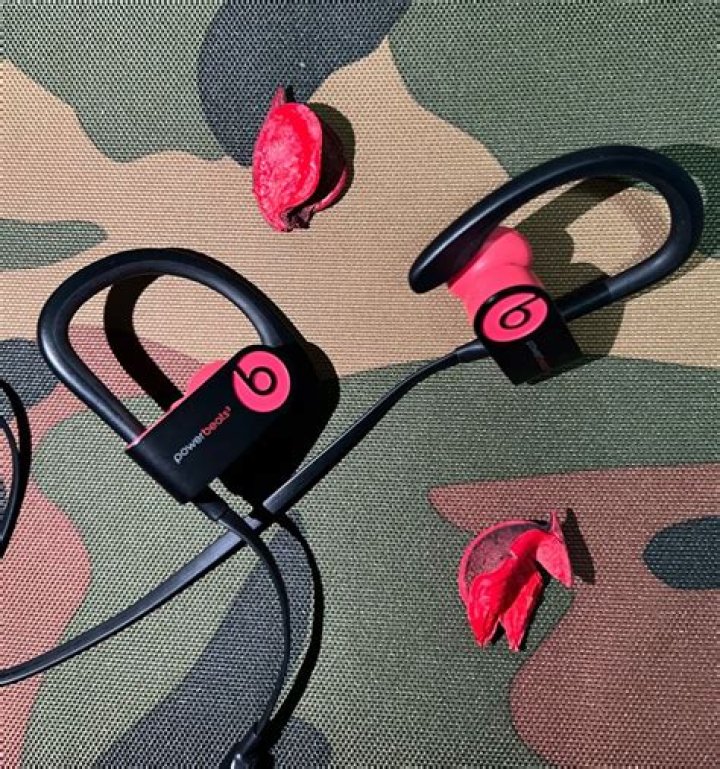

I've been trying to get this !&(@)&#$^@%& thing connected for about a month and it's honestly driving me crazy. I finally got it working, then restarted and now, it's just broken again.
- Ubuntu 17.04
- Killer AC 1535 Wifi/Bluetooth
- Blueman 2.0.4
systemctl status bluetooth
● bluetooth.service - Bluetooth service Loaded: loaded (/lib/systemd/system/bluetooth.service; enabled; vendor preset: enabled) Active: active (running) since Tue 2017-05-16 21:38:01 EDT; 13s ago Docs: man:bluetoothd(8) Main PID: 4810 (bluetoothd) Status: "Running" Tasks: 1 (limit: 4915) CGroup: / └─4810 /usr/lib/bluetooth/bluetoothd May 16 21:38:01 brandon-XPS-15-9560 systemd[1]: Starting Bluetooth service... May 16 21:38:01 brandon-XPS-15-9560 bluetoothd[4810]: Bluetooth daemon 5.43 May 16 21:38:01 brandon-XPS-15-9560 systemd[1]: Started Bluetooth service. May 16 21:38:01 brandon-XPS-15-9560 bluetoothd[4810]: Starting SDP server May 16 21:38:01 brandon-XPS-15-9560 bluetoothd[4810]: Bluetooth management interface 1.14 initialized May 16 21:38:01 brandon-XPS-15-9560 bluetoothd[4810]: Failed to obtain handles for "Service Changed" characteristic May 16 21:38:01 brandon-XPS-15-9560 bluetoothd[4810]: Sap driver initialization failed. May 16 21:38:01 brandon-XPS-15-9560 bluetoothd[4810]: sap-server: Operation not permitted (1) It seems as though I can pair without issue, but connecting is immediately declined.
sudo bluetoothctl
[bluetooth]# pair 2C:33:61:DA:A8:BF Attempting to pair with 2C:33:61:DA:A8:BF [CHG] Device 2C:33:61:DA:A8:BF Connected: yes [CHG] Device 2C:33:61:DA:A8:BF UUIDs: 00000000-deca-fade-deca-deafdecacaff [CHG] Device 2C:33:61:DA:A8:BF UUIDs: 00001000-0000-1000-8000-00805f9b34fb [CHG] Device 2C:33:61:DA:A8:BF UUIDs: 00001101-0000-1000-8000-00805f9b34fb [CHG] Device 2C:33:61:DA:A8:BF UUIDs: 0000110b-0000-1000-8000-00805f9b34fb [CHG] Device 2C:33:61:DA:A8:BF UUIDs: 0000110c-0000-1000-8000-00805f9b34fb [CHG] Device 2C:33:61:DA:A8:BF UUIDs: 0000110e-0000-1000-8000-00805f9b34fb [CHG] Device 2C:33:61:DA:A8:BF UUIDs: 0000111e-0000-1000-8000-00805f9b34fb [CHG] Device 2C:33:61:DA:A8:BF UUIDs: 00001200-0000-1000-8000-00805f9b34fb [CHG] Device 2C:33:61:DA:A8:BF UUIDs: 74ec2172-0bad-4d01-8f77-997b2be0722a [CHG] Device 2C:33:61:DA:A8:BF ServicesResolved: yes [CHG] Device 2C:33:61:DA:A8:BF Paired: yes Pairing successful [CHG] Device 2C:33:61:DA:A8:BF ServicesResolved: no [CHG] Device 2C:33:61:DA:A8:BF Connected: no [bluetooth]# connect 2C:33:61:DA:A8:BF Attempting to connect to 2C:33:61:DA:A8:BF Failed to connect: org.bluez.Error.Failed Following some instructions on arch wiki, I tried to get some more debug info:
systemctl status bluetooth
May 16 21:38:01 brandon-XPS-15-9560 systemd[1]: Starting Bluetooth service... May 16 21:38:01 brandon-XPS-15-9560 bluetoothd[4810]: Bluetooth daemon 5.43 May 16 21:38:01 brandon-XPS-15-9560 systemd[1]: Started Bluetooth service. May 16 21:38:01 brandon-XPS-15-9560 bluetoothd[4810]: Starting SDP server May 16 21:38:01 brandon-XPS-15-9560 bluetoothd[4810]: Bluetooth management interface 1.14 initialized May 16 21:38:01 brandon-XPS-15-9560 bluetoothd[4810]: Failed to obtain handles for "Service Changed" characteristic May 16 21:38:01 brandon-XPS-15-9560 bluetoothd[4810]: Sap driver initialization failed. May 16 21:38:01 brandon-XPS-15-9560 bluetoothd[4810]: sap-server: Operation not permitted (1) May 16 21:41:14 brandon-XPS-15-9560 bluetoothd[4810]: a2dp-sink profile connect failed for 2C:33:61:DA:A8:BF: Protocol not available May 16 21:42:45 brandon-XPS-15-9560 bluetoothd[4810]: a2dp-sink profile connect failed for 2C:33:61:DA:A8:BF: Protocol not available journalctl -n 20
-- Logs begin at Tue 2017-05-16 21:28:33 EDT, end at Tue 2017-05-16 21:45:01 EDT. -- May 16 21:44:48 brandon-XPS-15-9560 org.gnome.Shell.desktop[1364]: Window manager warning: 0x2400001 (Powerbeats) appears to be one of the offending windows with a timestamp of 97967 May 16 21:44:48 brandon-XPS-15-9560 org.gnome.Shell.desktop[1364]: Window manager warning: last_user_time (979735) is greater than comparison timestamp (979734). This most likely re May 16 21:44:48 brandon-XPS-15-9560 org.gnome.Shell.desktop[1364]: Window manager warning: 0x2400001 (Powerbeats) appears to be one of the offending windows with a timestamp of 97973 May 16 21:44:50 brandon-XPS-15-9560 org.gnome.Shell.desktop[1364]: Window manager warning: last_user_time (981071) is greater than comparison timestamp (981065). This most likely re May 16 21:44:50 brandon-XPS-15-9560 org.gnome.Shell.desktop[1364]: Window manager warning: 0x2400001 (Powerbeats) appears to be one of the offending windows with a timestamp of 98107 May 16 21:44:50 brandon-XPS-15-9560 org.gnome.Shell.desktop[1364]: Window manager warning: last_user_time (981102) is greater than comparison timestamp (981096). This most likely re May 16 21:44:50 brandon-XPS-15-9560 org.gnome.Shell.desktop[1364]: Window manager warning: 0x2400001 (Powerbeats) appears to be one of the offending windows with a timestamp of 98110 May 16 21:44:50 brandon-XPS-15-9560 org.gnome.Shell.desktop[1364]: Window manager warning: last_user_time (981132) is greater than comparison timestamp (981126). This most likely re May 16 21:44:50 brandon-XPS-15-9560 org.gnome.Shell.desktop[1364]: Window manager warning: 0x2400001 (Powerbeats) appears to be one of the offending windows with a timestamp of 98113 May 16 21:44:50 brandon-XPS-15-9560 org.gnome.Shell.desktop[1364]: Window manager warning: last_user_time (981162) is greater than comparison timestamp (981156). This most likely re May 16 21:44:50 brandon-XPS-15-9560 org.gnome.Shell.desktop[1364]: Window manager warning: 0x2400001 (Powerbeats) appears to be one of the offending windows with a timestamp of 98116 May 16 21:44:50 brandon-XPS-15-9560 org.gnome.Shell.desktop[1364]: Window manager warning: last_user_time (981252) is greater than comparison timestamp (981248). This most likely re May 16 21:44:50 brandon-XPS-15-9560 org.gnome.Shell.desktop[1364]: Window manager warning: 0x2400001 (Powerbeats) appears to be one of the offending windows with a timestamp of 98125 May 16 21:44:50 brandon-XPS-15-9560 org.gnome.Shell.desktop[1364]: Window manager warning: last_user_time (981282) is greater than comparison timestamp (981278). This most likely re May 16 21:44:50 brandon-XPS-15-9560 org.gnome.Shell.desktop[1364]: Window manager warning: 0x2400001 (Powerbeats) appears to be one of the offending windows with a timestamp of 98128 May 16 21:44:50 brandon-XPS-15-9560 org.gnome.Shell.desktop[1364]: Window manager warning: last_user_time (981313) is greater than comparison timestamp (981308). This most likely re May 16 21:44:50 brandon-XPS-15-9560 org.gnome.Shell.desktop[1364]: Window manager warning: 0x2400001 (Powerbeats) appears to be one of the offending windows with a timestamp of 98131 May 16 21:45:01 brandon-XPS-15-9560 CRON[5125]: pam_unix(cron:session): session opened for user root by (uid=0) May 16 21:45:01 brandon-XPS-15-9560 CRON[5126]: (root) CMD (command -v debian-sa1 > /dev/null && debian-sa1 1 1) May 16 21:45:01 brandon-XPS-15-9560 CRON[5125]: pam_unix(cron:session): session closed for user root 1 Answer
The following finally worked:
$ sudo apt-get install pulseaudio-module-bluetooth $ sudo bluetoothctl [NEW] Controller 9C:B6:D0:DF:14:76 brandon-XPS-15-9560 [default] [NEW] Device 2C:33:61:DA:A8:BF Powerbeats³ [NEW] Device 00:1F:FF:3F:BA:51 PR BT 6654 [bluetooth]# connect 2C:33:61:DA:A8:BF Attempting to connect to 2C:33:61:DA:A8:BF Failed to connect: org.bluez.Error.Failed [bluetooth]# quit [DEL] Controller 9C:B6:D0:DF:14:76 brandon-XPS-15-9560 [default] $ pactl load-module module-bluetooth-discover 18 $ sudo bluetoothctl [NEW] Controller 9C:B6:D0:DF:14:76 brandon-XPS-15-9560 [default] [NEW] Device 2C:33:61:DA:A8:BF Powerbeats³ [NEW] Device 00:1F:FF:3F:BA:51 PR BT 6654 [bluetooth]# connect 2C:33:61:DA:A8:BF Attempting to connect to 2C:33:61:DA:A8:BF [CHG] Device 2C:33:61:DA:A8:BF Connected: yes Connection successful [CHG] Device 2C:33:61:DA:A8:BF ServicesResolved: yes Yay!