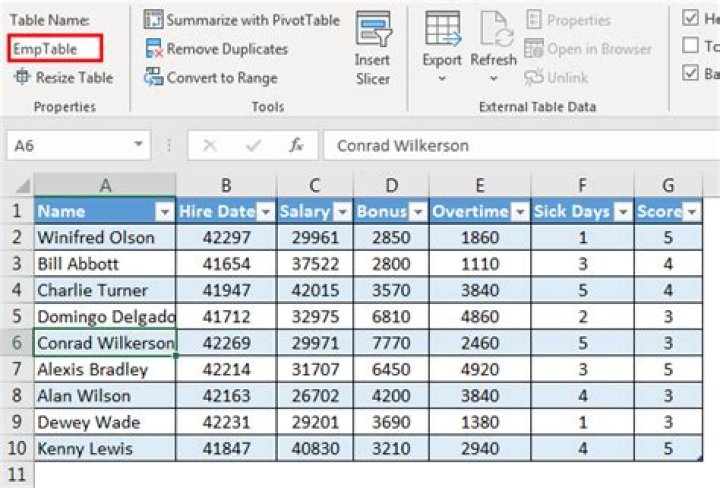

In one of my worksheets, I have a
Private Sub BuggingVba() That should replace the data in a table with an array of values
Dim MyTable As ListObject, myData() As Variant Set MyTable = Me.ListObjects(1) myData = collectMyData ' a function defined somewhere else in my workbook It is probably irrelevant, but before doing so, I resize the list object (I expand line by line because if I do it at once, I overwrite what is below my table instead of schifting it.)
Dim current As Integer, required As Integer, saldo As Integer current = MyTable.DataBodyRange.Rows.Count required = UBound(sourceData, 1) - LBound(sourceData, 1) ' current and required are size of the body, excluding the header saldo = required - current If required < current Then ' reduce size Range(DestinBody.Rows(1), DestinBody.Rows(current - required)).Delete xlShiftUp Else ' expland size DestinBody.Rows(1).Copy For current = current To required - 1 DestinBody.Rows(2).Insert xlShiftDown Next saldo End If If there is any data to insert, I overwrite the values
If required Then Dim FullTableRange As Range Set FullTableRange = MyTable.HeaderRowRange _ .Resize(1 + required, MyTable.HeaderRowRange.Columns.Count) FullTableRange.Value = sourceData End If And BAM, my table/ListObject is gone! Why does this happen and how can I avoid it?
End Sub 2 Answers
When we paste over the entire table or clear the contents of the entire table the collateral result is that the table object (ListObject) is deleted. That’s the reason the code works when the data is changed row by row.
However, there is no need to do it row by row, not even the insertion of new rows if we work with the properties of the ListObject as demonstrated in the code below.
In these procedures we assumed that the "Target" Table and the “New Data” are, in the same workbook holding the code, located at worksheets 1 and 2 respectively:
As we will work with the HeaderRowRange and the DataBodyRange of the ListObject then we need to obtain the “New Data” to replace the data in the table in the same manner. The code below will generate two arrays with the Header and Body Arrays.
Sub Dta_Array_Set(vDtaHdr() As Variant, vDtaBdy() As Variant) Dim vArray As Variant With ThisWorkbook.Worksheets("Sht(1)").Range("DATA") 'Change as required vArray = .Rows(1) vDtaHdr = vArray vArray = .Offset(1, 0).Resize(-1 + .Rows.Count) vDtaBdy = vArray End With End Sub Then use this code to replace the data in the table with the "New Data"
Private Sub ListObject_ReplaceData() Dim MyTable As ListObject Dim vDtaHdr() As Variant, vDtaBdy() As Variant Dim lRowsAdj As Long Set MyTable = ThisWorkbook.Worksheets(1).ListObjects(1) 'Change as required Call Data_Array_Set(vDtaHdr, vDtaBdy) With MyTable.DataBodyRange Rem Get Number of Rows to Adjust lRowsAdj = 1 + UBound(vDtaBdy, 1) - LBound(vDtaBdy, 1) - .Rows.Count Rem Resize ListObject If lRowsAdj < 0 Then Rem Delete Rows .Rows(1).Resize(Abs(lRowsAdj)).Delete xlShiftUp ElseIf lRowsAdj > 0 Then Rem Insert Rows .Rows(1).Resize(lRowsAdj).Insert Shift:=xlDown End If: End With Rem Overwrite Table with New Data MyTable.HeaderRowRange.Value = vDtaHdr MyTable.DataBodyRange.Value = vDtaBdy End Sub Old post, but the way I paste over a listobject table is to delete the databodyrange, set a range to the array size and then set the range to the array. Similar to the solution provided above, but doesn't require resizing the table.
'Delete the rows in the table If lo.ListRows.Count > 0 Then lo.DataBodyRange.Delete End If 'Assign the range to the array size then assign the array values to the range Set rTarget = wsTemplate.Range("A2:K" & UBound(arrTarget) + 1) rTarget = arrTarget 



