
I'm trying to install JDK7 on ubuntu 12.4.
In the first try, the power has gone and the laptop shutdown in the middle of downloading JDK7 using terminal as I was using the next terminal commands
sudo add-apt-repository ppa:webupd8team/java sudo apt-get update sudo apt-get install oracle-java7-installer when the power returned and I tried to install JDK7 again there was a problem with the lock but I fixed it using the following commands after restarting the machine
sudo apt-get install whatever after that I tried installing again using the three commands above, the first was done with no errors and the second too,
but the third command downloaded the package successfully but an error appeared
Download done. Removing outdated cached downloads... sha256sum mismatch jdk-7u51-linux-i586.tar.gz Oracle JDK 7 is NOT installed. dpkg: error processing oracle-java7-installer (--configure): subprocess installed post-installation script returned error exit status 1 Errors were encountered while processing: oracle-java7-installer E: Sub-process /usr/bin/dpkg returned an error code (1) I searched for solutions for this error and found some, tried the following instructions
sudo rm /var/lib/dpkg/info/oracle-java7-installer* sudo apt-get purge oracle-java7-installer* sudo rm /etc/apt/sources.list.d/*java* sudo apt-get update sudo add-apt-repository ppa:webupd8team/java sudo apt-get update sudo apt-get install oracle-java7-installer tried again but the same "Oracle JDK7 is NOT installed" error appeared.
tried sudo apt-get -f install
salahuddin@salahuddin:~$ sudo apt-get -f install [sudo] password for salahuddin: Reading package lists... Done Building dependency tree Reading state information... Done The following package was automatically installed and is no longer required: thunderbird-globalmenu Use 'apt-get autoremove' to remove them. 0 upgraded, 0 newly installed, 0 to remove and 259 not upgraded. 1 not fully installed or removed. After this operation, 0 B of additional disk space will be used. Setting up oracle-java7-installer (7u51-0~webupd8~1) ... Downloading Oracle Java 7... --2014-02-03 16:28:51-- Resolving download.oracle.com (download.oracle.com)... 41.128.128.35, 41.128.128.40 Connecting to download.oracle.com (download.oracle.com)|41.128.128.35|:80... connected. HTTP request sent, awaiting response... 302 Moved Temporarily Location: [following] --2014-02-03 16:28:51-- Resolving edelivery.oracle.com (edelivery.oracle.com)... 23.48.230.140 Connecting to edelivery.oracle.com (edelivery.oracle.com)|23.48.230.140|:443... connected. HTTP request sent, awaiting response... 302 Moved Temporarily Location: [following] --2014-02-03 16:28:53-- Connecting to download.oracle.com (download.oracle.com)|41.128.128.35|:80... connected. HTTP request sent, awaiting response... 416 Requested Range Not Satisfiable The file is already fully retrieved; nothing to do. Download done. Removing outdated cached downloads... sha256sum mismatch jdk-7u51-linux-i586.tar.gz Oracle JDK 7 is NOT installed. dpkg: error processing oracle-java7-installer (--configure): subprocess installed post-installation script returned error exit status 1 Errors were encountered while processing: oracle-java7-installer E: Sub-process /usr/bin/dpkg returned an error code (1) Don't know how to fix it
please help
thanks in advance
14 Answers
Run the below commands on terminal,
sudo dpkg -P oracle-java7-installer sudo apt-get -f install I have another potential workaround for this, but it requires manual intervention. The reason this has broken is because Oracle wants you to accept an OTN license. Here is workaround:
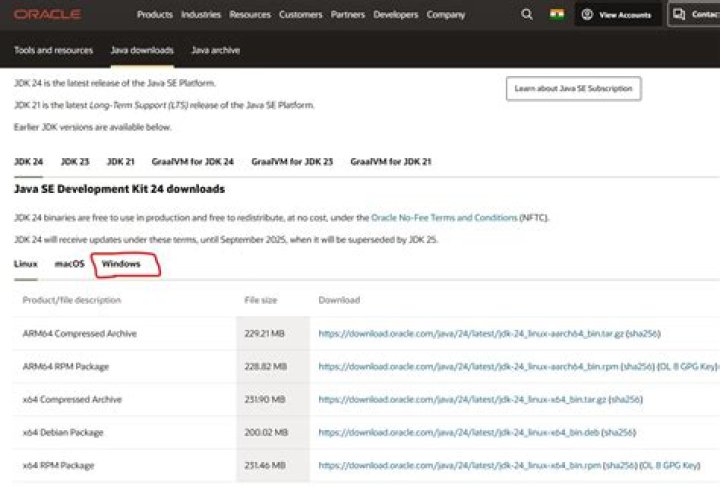
Go to Oracle Java7 JDK download site (I found it at Here). Agree to the OTN agreement, then find the file named "jdk-7u(whateverupdateislatest)-linux-x64.tar.gz"
sudo mv jdk-7u67-linux-x64.tar.gz /var/cache/oracle-jdk7-installer/ sudo apt-get install oracle-java7-installer I think that your download is corrupted . you have to remove the corrupted package first by code :
sudo apt-get purge oracle-java7-installer Clean your apt :
sudo apt clean Remove and reimport the ropsitory :
sudo add-apt-repository --remove ppa:webupd8team/java sudo apt-get update sudo apt-add-repository ppa:webupd8team/java sudo apt-get update Install your package again :
sudo apt-get install oracle-java7-installer Enjoy it bro ! if the problem hasn't solved try using VPN . Maybe there is a filtering between you and the oracle website
Check the file /var/cache/oracle-jdk7-installer/jdk-7u51-linux-*.tar.gz
If it is small (~5000 bytes) - then it contains text telling you to accept the OTN license.
If you can, switch to oracle-java8-installer