
I am trying to install shc on Ubuntu 18.04
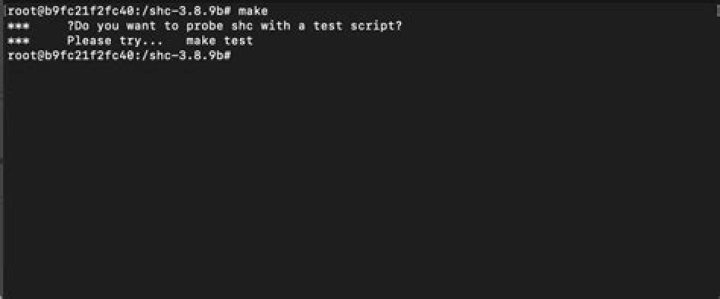
wget tar xvfz shc-3.8.9.tgz cd shc-3.8.9 make But receive the following error:
cc -Wall shc.c -o shc make: cc: Command not found makefile:31: recipe for target 'shc' failed make: *** [shc] Error 127 The makefile:
# Makefile # INSTALL_PATH = /usr/local # For SCO CFLAGS = -b elf -O -D_SVID # For IRIX CFLAGS = -xansi -fullwarn -O3 -g0 # For Solaris CFLAGS = -fast -xO4 -s -v -Xa # For HPUX CFLAGS = -Wall -O -Ae # For OSF1 CFLAGS = -w -verbose -fast -std1 -g0 # For GNU C compiler CFLAGS = -Wall # -O6 -pedantic #SHELL = /bin/sh SHCFLAGS = -v -T # Add -T option to allow binary to be traceable all: shc ask_for_test shc: shc.c $(CC) $(CFLAGS) $@.c -o $@ ask_for_test: @echo '*** �Do you want to probe shc with a test script?' @echo '*** Please try... make test' test: make_the_test ask_for_strings make_the_test: match.x @echo '*** Running a compiled test script!' @echo '*** It must show files with substring "sh" in your PATH...' ./match.x sh match.x: shc match @echo '*** Compiling script "match"' CFLAGS="$(CFLAGS)" ./shc $(SHCFLAGS) -f match ask_for_strings: @echo '*** �Do you want to see strings in the generated binary?' @echo '*** Please try... make strings' strings: make_the_strings ask_for_expiration make_the_strings: match.x @echo '*** Running: "strings -n 5 'match.x'"' @echo '*** It must show no sensible information...' strings -n 5 match.x ask_for_expiration: @echo '*** �Do you want to probe expiration date?' @echo '*** Please try... make expiration' expiration: til_yesterday ask_for_install til_yesterday: shc match @echo '*** Compiling "match" to expired date' CFLAGS="$(CFLAGS)" ./shc $(SHCFLAGS) -vv -e `date "+%d/%m/%Y"` -f match @echo '*** Running a compiled test script!' @echo '*** It must fail showing "./match.x: has expired!"' ./match.x ask_for_install: @echo '*** �Do you want to install shc?' @echo '*** Please try... make install' install: shc @echo '*** Installing shc and shc.1 on '$(INSTALL_PATH) @echo -n '*** �Do you want to continue? '; read ANS; case "$$ANS" in y|Y|yes|Yes|YES) ;; *) exit 1;; esac; install -c -s shc $(INSTALL_PATH)/bin/ install -c -m 644 shc.1 $(INSTALL_PATH)/man/man1/ clean: rm -f *.o *~ *.x.c cleanall: clean rm -f shc *.x I have no idea how to fix this error. Can anyone help?
22 Answers
cc is an alias for the GNU C compiler (gcc). You can install it as follows:
sudo apt install gcc If, for some reason, the gcc compiler is already installed, but the symbolic link /usr/bin/cc is missing, you can also do:
make CC=gcc sudo apt install build-essential
This will install a C compiler (providing the cc command) as well as other tools that you may need for building software from source.