
I installed Jetty 7 and configured it correcty for IdP Shibboleth following this guide:
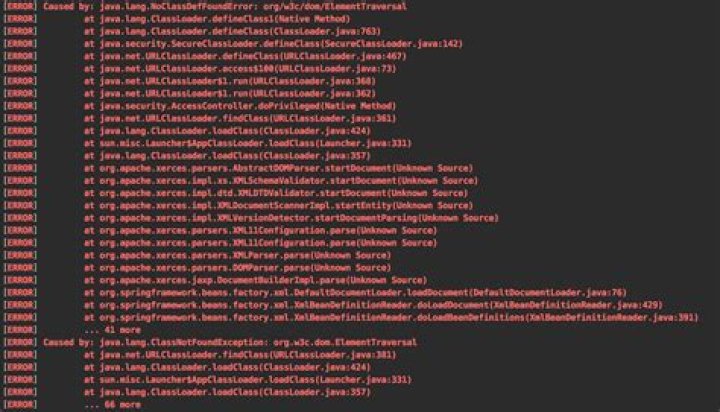
But when i try to start Jetty I get this error:
NoClassDefFoundError: org/w3c/dom/ElementTraversal To resolve this issue i need to install the ElementTraversal dependency and include it on my classpath.
But how can i accomplish this? Do i need to download this Class [ElementTraversal.class] or a .jar file? and where i can place it? in the JETTY_HOME? Do I need to export the CLASSPATH?
Can someone help me?
Thank you so much!
4 Answers
It looks like ElementTraversal is part of xml-apis-2.10.0.jar which should have been provided with your Shibboleth installation.
So if you were following these instructions you should also have followed this step:
Endorse Xerces and Xalan by creating the directory JETTY_HOME/lib/endorsed/ and copy the .jar files included in the IdP source endorsed/ directory into the newly created directory.
So long as you copied all the jar files appropriately, it should be okay. My guess is that you missed out that step - or perhaps only copied the jar files with Xalan or Xerces in the name, and missed the other two.
8In my case the problem was fixed by changing xml-apis version from 1.3.04 to 1.4.01.
BTW, version 2.10.0 doesn't exist in Maven Central (I'm curious where did Jon Skeet find it).
4Add this in your file, to resolve the dependency:
<dependency> <groupId>xml-apis</groupId> <artifactId>xml-apis</artifactId> <version>1.4.01</version> </dependency> In my case, it was gradle-spoon-plugin. None of the solutions did help. What we could do was just remove it totally from the project.




