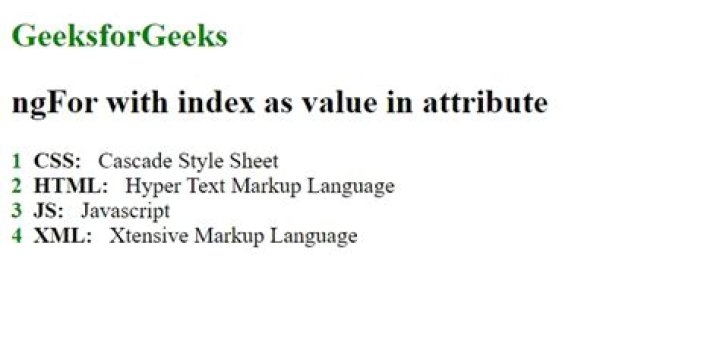

I have a simple ngFor loop which also keeps track of the current index. I want to store that index value in an attribute so I can print it. But I can't figure out how this works.
I basically have this:
<ul *ngFor="#item of items; #i = index"> <li>{{item}}</li> </ul> I want to store the value of #i in the attribute data-index. I tried several methods but none of them worked.
How can I store the index value in the data-index attribute?
9 Answers
I would use this syntax to set the index value into an attribute of the HTML element:
Angular >= 2
You have to use let to declare the value rather than #.
<ul> <li *ngFor="let item of items; let i = index" [attr.data-index]="i"> {{item}} </li> </ul> Angular = 1
<ul> <li *ngFor="#item of items; #i = index" [attr.data-index]="i"> {{item}} </li> </ul> In Angular 5/6/7/8:
<ul> <li *ngFor="let item of items; index as i"> {{i+1}} {{item}} </li> </ul> In older versions
<ul *ngFor="let item of items; index as i"> <li>{{i+1}} {{item}}</li> </ul> Angular.io ▸ API ▸ NgForOf
Unit test examples
Another interesting example
4Just an update to this, Thierry's answer is still correct, but there has been an update to Angular2 with regards to:
<ul *ngFor="let item of items; let i = index" [attr.data-index]="i"> <li>{{item}}</li> </ul> The #i = index should now be let i = index
EDIT/UPDATE:
The *ngFor should be on the element you're wanting to foreach, so for this example it should be:
<ul> <li *ngFor="let item of items; let i = index" [attr.data-index]="i">{{item}}</li> </ul> EDIT/UPDATE
Angular 5
<ul> <li *ngFor="let item of items; index as i" [attr.data-index]="i">{{item}}</li> </ul> EDIIT/UPDATE
Angular 7/8
<ul *ngFor="let item of items; index as i"> <li [attr.data-index]="i">{{item}}</li> </ul> I think its already been answered before, but just a correction if you are populating an unordered list, the *ngFor will come in the element which you want to repeat. So it should be insdide <li>. Also, Angular2 now uses let to declare a variable.
<ul> <li *ngFor="let item of items; let i = index" [attr.data-index]="i"> {{item}} </li> </ul> The other answers are correct but you can omit the [attr.data-index] altogether and just use
<ul> <li *ngFor="let item of items; let i = index">{{i + 1}}</li> </ul Adding this late answer to show a case most people will come across. If you only need to see what is the last item in the list, use the last key word:
<div *ngFor="let item of devcaseFeedback.reviewItems; let last = last"> <divider *ngIf="!last"></divider> </div> This will add the divider component to every item except the last.
Because of the comment below, I will add the rest of the ngFor exported values that can be aliased to local variables (As are shown in the docs):
- $implicit: T: The value of the individual items in the iterable (ngForOf).
- ngForOf: NgIterable: The value of the iterable expression. Useful when the expression is more complex then a property access, for example when using the async pipe (userStreams | async).
- index: number: The index of the current item in the iterable.
- count: number: The length of the iterable.
- first: boolean: True when the item is the first item in the iterable.
- last: boolean: True when the item is the last item in the iterable.
- even: boolean: True when the item has an even index in the iterable.
- odd: boolean: True when the item has an odd index in the iterable.
You can use [attr.data-index] directly to save the index to data-index attribute which is available in Angular versions 2 and above.
<ul*ngFor="let item of items; let i = index" [attr.data-index]="i"> <li>{{item}}</li> </ul> with laravel pagination
file.component.ts file datasource: any = { data: [] } loadData() { this.service.find(this.params).subscribe((res: any) => { this.datasource = res; }); } html file <tr *ngFor="let item of datasource.data; let i = index"> <th>{{ datasource.from + i }}</th> </tr> Try this
<div *ngFor="let piece of allPieces; let i=index"> {{i}} // this will give index </div> 



