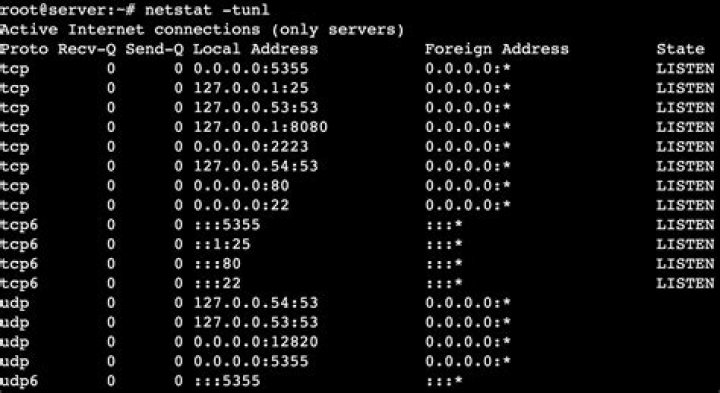

I am trying to install AdGuardHome but it is unable to bind to 0.0.0.0:53 because it is already being used. I tried their automated fix, as well as manually following their instructions:
Deactivate DNSStubListener and update DNS server address. Create a new file: /etc/systemd/resolved.conf.d/adguardhome.conf (create a /etc/systemd/resolved.conf.d directory if necessary): [Resolve] DNS=127.0.0.1 DNSStubListener=no Specifying 127.0.0.1 as DNS server address is necessary because otherwise the nameserver will be 127.0.0.53 which doesn't work without DNSStubListener. Activate another resolv.conf file: sudo mv /etc/resolv.conf /etc/resolv.conf.backup ln -s /run/systemd/resolve/resolv.conf /etc/resolv.conf Restart DNSStubListener: systemctl reload-or-restart systemd-resolved I followed another thread that suggested running netstat -pn to get a list of ports and processes, but was unable to find anything with port 53.
I also ran netstat -an | grep 192.168.1.17:53 and got:
tcp 0 0 192.168.1.17:53 0.0.0.0:* LISTEN udp 0 0 192.168.1.17:53 0.0.0.0:* I previously had installed adguard but I uninstalled it. I believe that is why the port is open. Is there a way to unbind it?
2 Reset to default



