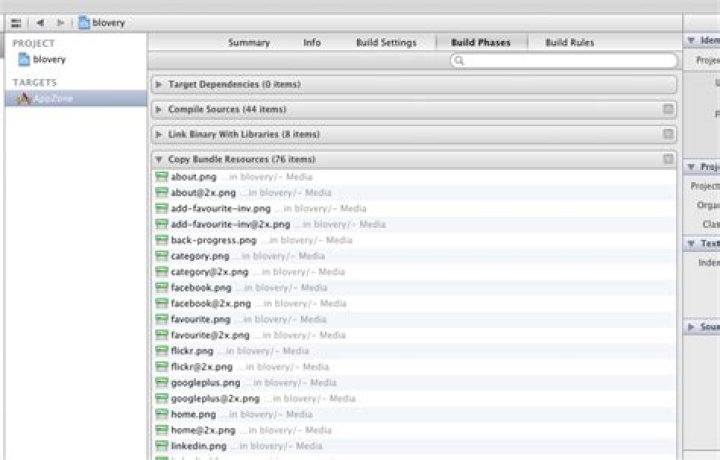
When I build my iPhone Project in XCode, I'm getting the following warning.
[WARN]Warning: Multiple build commands for output file /Users/SilentCoder/Library/Developer/Xcode/DerivedData/myProject-csfqcpziyuvhbiatwwjtkkmwbxwv/Build/Products/Debug-iphonesimulator/ I don't understand what does that mean. I have made targets for both iPhone and iPad for my project.
4 Answers
It's likely that you have specified the resource to be copied to your bundle/resources twice.
(check your copy resource build phases)
1Works for me. Check the list of resources in Project - Target - Build Phases - Copy Bundle Resources Section and remove the resources references.

I create my own first framework following [ (How to Create a Framework for iOS), appearing the same warning.
And I have no extra resources but two source code files (.h and .m).
Lastly, I found that the .h file appears in two place, one is Copy Files, the other is Copy Header, and I delete latter one, the warning disappeared
NB: you get the exact same error message in a slightly different situation: if a header file appears twice in Xcode's internal list of header-files to export.
If the affected file has a .h suffix, then ... instead of removing from the "Copy Bundle Resources" phase, you need to remove from the "Copy Headers" phase.
(NB: this ought to be impossible, and XCode SHOULD NOT allow it to happen, but Xcode's handling of header files is terrible (and doesn't adhere to the standards :( ), so it's quite easy to end up with this "duplicated commands for the same header file" problem)




