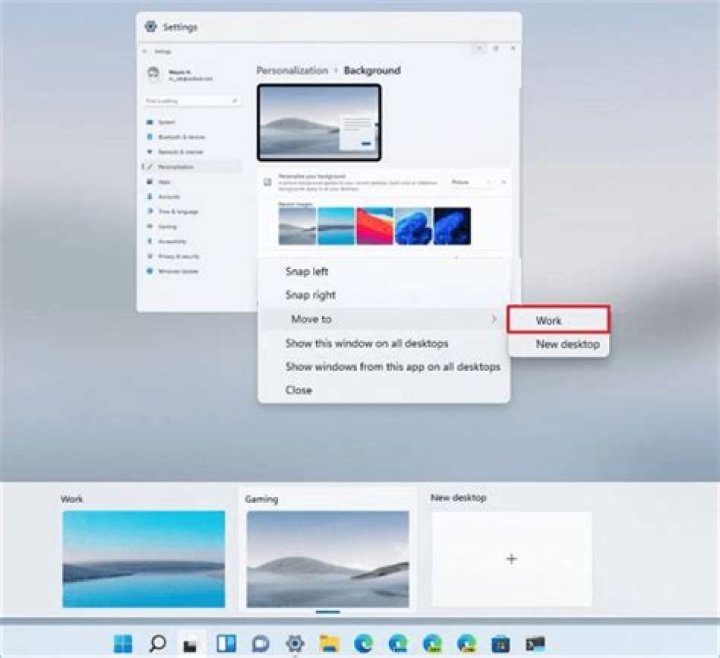

The year is 2021. In Windows 11, how can I move the current focused window to the next windows desktop using shortcut keys only?
I know that I can switch desktops using these combinations:
Win+Ctrl+→: Switch to the next desktop
Win+Ctrl+←: Switch to the previous desktop
Therefore, the folloqing shortcut keys would seem most comfortable to me (and I think these also are used in Ubuntu?)
Win+Ctrl+Shift+→: Move current window to the next desktop
Win+Ctrl+Shift+←: Move current window to the previous desktop
Similar shortcut keys to above would be acceptable... but even better if I can re-map them to my preferred combination.
Is there anything like this out of the box? Or do I need to install some 3rd party tools?
63 Answers
Win+Ctrl+Shift+→: Move current window to the next desktop
Win+Ctrl+Shift+←: Move current window to the previous desktop
This ahk script works for me:
^#+Left:: n := VD.getCurrentDesktopNum() if n = 1 { Return } n -= 1 VD.MoveWindowToDesktopNum("A",n), VD.goToDesktopNum(n) Return ^#+Right:: n := VD.getCurrentDesktopNum() if n = % VD.getCount() { Return } n += 1 VD.MoveWindowToDesktopNum("A",n), VD.goToDesktopNum(n) Return I put the full AutoHotKey script taken from the @void's answer for help unexpert/lazy people :)
;#SETUP START #NoEnv ; Recommended for performance and compatibility with future AutoHotkey releases. #SingleInstance force ListLines Off SetBatchLines -1 SendMode Input ; Recommended for new scripts due to its superior speed and reliability. SetWorkingDir %A_ScriptDir% ; Ensures a consistent starting directory. #KeyHistory 0 #WinActivateForce Process, Priority,, H SetWinDelay -1 SetControlDelay -1 ;include the library #Include VD.ahk ; VD.init() ;COMMENT OUT `static dummyStatic1 := VD.init()` if you don't want to init at start of script ;you should WinHide invisible programs that have a window. WinHide, % "Malwarebytes Tray Application" ;#SETUP END VD.createUntil(3) ;create until we have at least 3 VD return ^#+Left:: n := VD.getCurrentDesktopNum() if n = 1 { Return } n -= 1 VD.MoveWindowToDesktopNum("A",n), VD.goToDesktopNum(n) Return ^#+Right:: n := VD.getCurrentDesktopNum() if n = % VD.getCount() { Return } n += 1 VD.MoveWindowToDesktopNum("A",n), VD.goToDesktopNum(n) Return I haven't found a way to do this myself nor have I found any information online to do this either. It would be nice, but there is sort of a work around for this. If you go to settings-->system-->multitasking, you can set a few desktop settings that enables you to see all of your apps across your desktops from alt-tab and/or on the taskbar.
I personally left alt-tab desktop specific (since I find it to be too cluttered otherwise) but I like to be able to switch to personal chat or whatever without having to desktop over, then go to the window.
5



