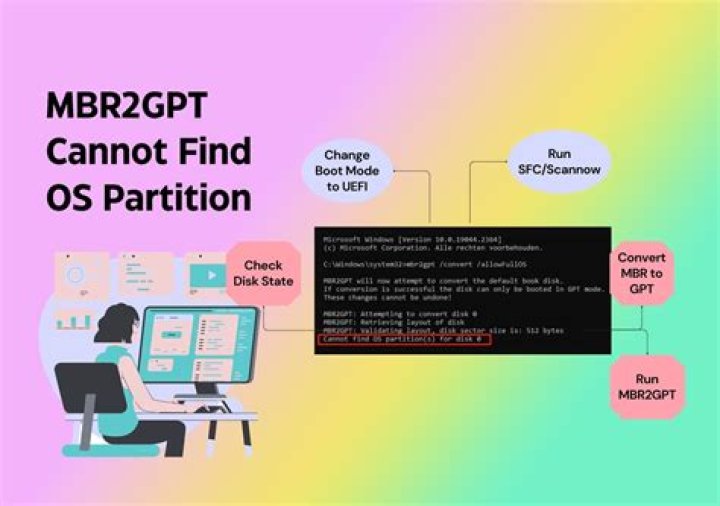
I'm trying to use MBR2GPT to convert an MBR/BIOS disk to GPT/UEFI. I'm getting the error Cannot find OS partition(s) for disk 0. I found this in setupact.log:
GetOSDeviceVolume: Cannot get NT path for entry.[gle=0x000000ea] FindOSPartitions: Cannot get volume name for the recovery boot entry. Error: 0x000000EA[gle=0x000000ea] Cannot find OS partition(s) for disk 0[gle=0x000000ea] My OS is a recent Windows 10 version. It might be a Windows 7 upgrade, and the disk has been resized in the past with gparted. This is in a VM with a snapshot, so I can run risky commands and revert without any problems.
Command I'm running:
C:\WINDOWS\system32>MBR2GPT.EXE /convert /allowfullos MBR2GPT will now attempt to convert the default book disk. If conversion is successful the disk can only be booted in GPT mode. These changes cannot be undone! MBR2GPT: Attempting to convert disk 0 MBR2GPT: Retrieving layout of disk MBR2GPT: Validating layout, disk sector size is: 512 bytes Cannot find OS partition(s) for disk 0 Complete setupact.log:
2021-09-28 10:10:50, Info MBR2GPT was explicitly asked to run in full OS mode. 2021-09-28 10:10:50, Info MBR2GPT: System disk number is 0 2021-09-28 10:10:50, Info MBR2GPT: Attempting to convert disk 0 2021-09-28 10:10:50, Info MBR2GPT: Retrieving layout of disk 2021-09-28 10:10:50, Info MBR2GPT: Initial partition information 2021-09-28 10:10:50, Info =========================================================== 2021-09-28 10:10:50, Info Partition layout for disk: 0 2021-09-28 10:10:50, Info Partition style : MBR 2021-09-28 10:10:50, Info MBR signature: 53033256 2021-09-28 10:10:50, Info Number of partitions : 3 2021-09-28 10:10:50, Info ===================PARTITION=============================== 2021-09-28 10:10:50, Info Number: 1 2021-09-28 10:10:50, Info Type: 7 2021-09-28 10:10:50, Info Boot: Yes 2021-09-28 10:10:50, Info Recognized: Yes 2021-09-28 10:10:50, Info Style: 0 2021-09-28 10:10:50, Info Offset: 1048576 2021-09-28 10:10:50, Info Length: 524288000 2021-09-28 10:10:50, Info Volume: \\?\Volume{03293928-0000-0000-0000-100000000000}\ 2021-09-28 10:10:50, Info Drive: None 2021-09-28 10:10:50, Info NT Path: \Device\HardDisk0\Partition1 2021-09-28 10:10:50, Info ===================PARTITION=============================== 2021-09-28 10:10:50, Info Number: 2 2021-09-28 10:10:50, Info Type: 7 2021-09-28 10:10:50, Info Boot: No 2021-09-28 10:10:50, Info Recognized: Yes 2021-09-28 10:10:50, Info Style: 0 2021-09-28 10:10:50, Info Offset: 525336576 2021-09-28 10:10:50, Info Length: 79455782912 2021-09-28 10:10:50, Info Volume: \\?\Volume{03293928-0000-0000-0000-501f00000000}\ 2021-09-28 10:10:50, Info Drive: C:\ 2021-09-28 10:10:50, Info NT Path: \Device\HardDisk0\Partition2 2021-09-28 10:10:50, Info ===================PARTITION=============================== 2021-09-28 10:10:50, Info Number: 3 2021-09-28 10:10:50, Info Type: 39 2021-09-28 10:10:50, Info Boot: No 2021-09-28 10:10:50, Info Recognized: Yes 2021-09-28 10:10:50, Info Style: 0 2021-09-28 10:10:50, Info Offset: 79982622720 2021-09-28 10:10:50, Info Length: 542868480 2021-09-28 10:10:50, Info Volume: \\?\Volume{03293928-0000-0000-00f8-559f12000000}\ 2021-09-28 10:10:50, Info Drive: None 2021-09-28 10:10:50, Info NT Path: \Device\HardDisk0\Partition3 2021-09-28 10:10:50, Info =========================================================== 2021-09-28 10:10:50, Info ESP partition size will be 104857600 2021-09-28 10:10:50, Info MBR2GPT: Validating layout, disk sector size is: 512 bytes 2021-09-28 10:10:50, Info BCD: Opening store. Flags: 0x0 2021-09-28 10:10:50, Info BCD: Store path: "\??\GLOBALROOT\device\harddisk0\partition1\Boot\BCD" 2021-09-28 10:10:50, Info BCD: Loaded hive at BCD00000000 2021-09-28 10:10:50, Info BCD: Opening object {9dea862c-5cdd-4e70-acc1-f32b344d4795} 2021-09-28 10:10:50, Info FindOSPartitions: Default boot entry: {001E9BBC-213D-11EB-B4BB-F2D0CE0F2B87} 2021-09-28 10:10:50, Info BCD: Opening object {001e9bbc-213d-11eb-b4bb-f2d0ce0f2b87} 2021-09-28 10:10:50, Info VERBOSE: Device path: \Device\HarddiskVolume2 2021-09-28 10:10:50, Info VERBOSE: Dos path: \\?\GLOBALROOT\Device\HarddiskVolume2 2021-09-28 10:10:50, Info FindOSPartitions: Volume name for the default boot entry: \\?\Volume{03293928-0000-0000-0000-501f00000000}\ 2021-09-28 10:10:50, Info BCD: Opening object {1cac28c7-213d-11eb-8bd4-98ea449f7573} 2021-09-28 10:10:50, Error GetOSDeviceVolume: Cannot get NT path for entry.[gle=0x000000ea] 2021-09-28 10:10:50, Error FindOSPartitions: Cannot get volume name for the recovery boot entry. Error: 0x000000EA[gle=0x000000ea] 2021-09-28 10:10:50, Error Cannot find OS partition(s) for disk 0[gle=0x000000ea] 2021-09-28 10:10:50, Info MBR2GPT: Partition information at error point 2021-09-28 10:10:50, Info =========================================================== 2021-09-28 10:10:50, Info Partition layout for disk: 0 2021-09-28 10:10:50, Info Partition style : MBR 2021-09-28 10:10:50, Info MBR signature: 53033256 2021-09-28 10:10:50, Info Number of partitions : 3 2021-09-28 10:10:50, Info ===================PARTITION=============================== 2021-09-28 10:10:50, Info Number: 1 2021-09-28 10:10:50, Info Type: 7 2021-09-28 10:10:50, Info Boot: Yes 2021-09-28 10:10:50, Info Recognized: Yes 2021-09-28 10:10:50, Info Style: 0 2021-09-28 10:10:50, Info Offset: 1048576 2021-09-28 10:10:50, Info Length: 524288000 2021-09-28 10:10:50, Info Volume: \\?\Volume{03293928-0000-0000-0000-100000000000}\ 2021-09-28 10:10:50, Info Drive: None 2021-09-28 10:10:50, Info NT Path: \Device\HardDisk0\Partition1 2021-09-28 10:10:50, Info ===================PARTITION=============================== 2021-09-28 10:10:50, Info Number: 2 2021-09-28 10:10:50, Info Type: 7 2021-09-28 10:10:50, Info Boot: No 2021-09-28 10:10:50, Info Recognized: Yes 2021-09-28 10:10:50, Info Style: 0 2021-09-28 10:10:50, Info Offset: 525336576 2021-09-28 10:10:50, Info Length: 79455782912 2021-09-28 10:10:50, Info Volume: \\?\Volume{03293928-0000-0000-0000-501f00000000}\ 2021-09-28 10:10:50, Info Drive: C:\ 2021-09-28 10:10:50, Info NT Path: \Device\HardDisk0\Partition2 2021-09-28 10:10:50, Info ===================PARTITION=============================== 2021-09-28 10:10:50, Info Number: 3 2021-09-28 10:10:50, Info Type: 39 2021-09-28 10:10:50, Info Boot: No 2021-09-28 10:10:50, Info Recognized: Yes 2021-09-28 10:10:50, Info Style: 0 2021-09-28 10:10:50, Info Offset: 79982622720 2021-09-28 10:10:50, Info Length: 542868480 2021-09-28 10:10:50, Info Volume: \\?\Volume{03293928-0000-0000-00f8-559f12000000}\ 2021-09-28 10:10:50, Info Drive: None 2021-09-28 10:10:50, Info NT Path: \Device\HardDisk0\Partition3 2021-09-28 10:10:50, Info =========================================================== bcdedit:
C:\WINDOWS\system32>bcdedit Windows Boot Manager -------------------- identifier {bootmgr} device partition=\Device\HarddiskVolume1 description Windows Boot Manager locale en-US inherit {globalsettings} default {current} resumeobject {001e9bbb-213d-11eb-b4bb-f2d0ce0f2b87} displayorder {current} toolsdisplayorder {memdiag} timeout 30 Windows Boot Loader ------------------- identifier {current} device partition=C: path \WINDOWS\system32\winload.exe description Windows 10 locale en-US inherit {bootloadersettings} recoverysequence {1cac28c7-213d-11eb-8bd4-98ea449f7573} displaymessageoverride Recovery recoveryenabled Yes allowedinmemorysettings 0x15000075 osdevice partition=C: systemroot \WINDOWS resumeobject {001e9bbb-213d-11eb-b4bb-f2d0ce0f2b87} nx OptIn bootmenupolicy Standard 




