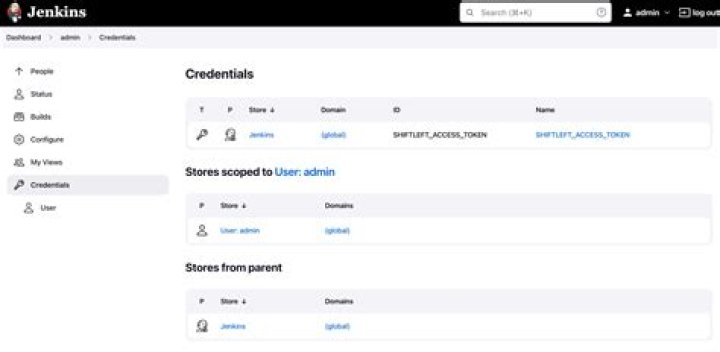

I have found a way to access the credentials store in Jenkins:
def getPassword = { username -> def creds = com.cloudbees.plugins.credentials.CredentialsProvider.lookupCredentials( com.cloudbees.plugins.credentials.common.StandardUsernamePasswordCredentials.class, jenkins.model.Jenkins.instance ) def c = creds.findResult { it.username == username ? it : null } if ( c ) { println "found credential ${c.id} for username ${c.username}" def credentials_store = jenkins.model.Jenkins.instance.getExtensionList( 'com.cloudbees.plugins.credentials.SystemCredentialsProvider' )[0].getStore() println "result: " + credentials_store } else { println "could not find credential for ${username}" } } getPassword("XYZ") But now i would like to get the password for the appropriate user which i can't do...
I always get unknown method etc. if i try to access passord etc.
The reason for doing this is to use this user/password to call git and extract information from repository..
I always get something like this:
result: com.cloudbees.plugins.credentials.SystemCredentialsProvider$StoreImpl@1639eab2 Update
After experimenting more (and the hint of Jeanne Boyarsky) with it i found that i was thinking to compilcated. The following already gives me the password for the user:
def getUserPassword = { username -> def creds = com.cloudbees.plugins.credentials.CredentialsProvider.lookupCredentials( com.cloudbees.plugins.credentials.common.StandardUsernamePasswordCredentials.class, jenkins.model.Jenkins.instance ) def c = creds.findResult { it.username == username ? it : null } if ( c ) { return c.password } else { println "could not find credential for ${username}" } } Furthermore by using the following snippet you can iterate over the whole credentials store:
def credentials_store = jenkins.model.Jenkins.instance.getExtensionList( 'com.cloudbees.plugins.credentials.SystemCredentialsProvider' ) println "credentials_store: ${credentials_store}" println " Description: ${credentials_store.description}" println " Target: ${credentials_store.target}" credentials_store.each { println "credentials_store.each: ${it}" } credentials_store[0].credentials.each { it -> println "credentials: -> ${it}" if (it instanceof com.cloudbees.plugins.credentials.impl.UsernamePasswordCredentialsImpl) { println "XXX: username: ${it.username} password: ${it.password} description: ${it.description}" } } And you will get an output like this:
[(master)]: credentials_store: [com.cloudbees.plugins.credentials.SystemCredentialsProvider@5a2822be] Description: [The descriptions...] Target: [com.cloudbees.plugins.credentials.SystemCredentialsProvider@5a2822be] credentials_store.each: com.cloudbees.plugins.credentials.SystemCredentialsProvider@5a2822be credentials: -> com.cloudbees.jenkins.plugins.sshcredentials.impl.BasicSSHUserPrivateKey@38357ca1 credentials: -> com.cloudbees.jenkins.plugins.sshcredentials.impl.BasicSSHUserPrivateKey@47cf7703 credentials: -> com.cloudbees.plugins.credentials.impl.UsernamePasswordCredentialsImpl@739abac5 XXX: username: User1 password: Password description: The description of the user. credentials: -> com.cloudbees.plugins.credentials.impl.UsernamePasswordCredentialsImpl@884a53e6 XXX: username: User2 password: Password1 description: The description of the user1. Result: [com.cloudbees.jenkins.plugins.sshcredentials.impl.BasicSSHUserPrivateKey@38357ca1, com.cloudbees.jenkins.plugins.sshcredentials.impl.BasicSSHUserPrivateKey@47cf7703, com.cloudbees.plugins.credentials.impl.UsernamePasswordCredentialsImpl@739abac5, com.cloudbees.plugins.credentials.impl.UsernamePasswordCredentialsImpl@884a53e6] So by using the appropriate class in the instanceof clause you can select what you need.
4 Answers
This works. It gets the credentials rather than the store.
I didn't write any error handling so it blows up if you don't have a credentials object set up (or probably if you have two). That part is easy to add though. The tricky part is getting the right APIs!
def getPassword = { username -> def creds = com.cloudbees.plugins.credentials.CredentialsProvider.lookupCredentials( com.cloudbees.plugins.credentials.common.StandardUsernamePasswordCredentials.class, jenkins.model.Jenkins.instance ) def c = creds.findResult { it.username == username ? it : null } if ( c ) { println "found credential ${c.id} for username ${c.username}" def systemCredentialsProvider = jenkins.model.Jenkins.instance.getExtensionList( 'com.cloudbees.plugins.credentials.SystemCredentialsProvider' ).first() def password = systemCredentialsProvider.credentials.first().password println password } else { println "could not find credential for ${username}" } } getPassword("jeanne") The official solution n the jenkins wiki
Printing a list of all the credentials in the system and their IDs.
def creds = com.cloudbees.plugins.credentials.CredentialsProvider.lookupCredentials( com.cloudbees.plugins.credentials.Credentials.class, Jenkins.instance, null, null ); for (c in creds) { println(c.id + ": " + c.description) } If you just want to retrieve the credentials for a given credentials ID, the simplest way is to use the withCredentials pipeline step to bind credentials to variables.
withCredentials([usernamePassword( credentialsId: 'myCredentials', usernameVariable: 'MYUSER', passwordVariable: 'MYPWD' )]) { echo "User: $MYUSER, Pwd: $MYPWD" } One liner to get the value of a credential
Assuming...
def CREDENTIAL_ID = "<key_credential_id" One liner to get a private key credential:
See ssh credentials implementations for methods to extract values
def PRIVATE_KEY = com.cloudbees.plugins.credentials.SystemCredentialsProvider.getInstance().getStore().getCredentials(com.cloudbees.plugins.credentials.domains.Domain.global()).find { it.getId().equals(CREDENTIAL_ID) }.getPrivateKey() One liner to get a username/password credentials:
See username password credentials implementations for methods to extract values
def PASSWORD = com.cloudbees.plugins.credentials.SystemCredentialsProvider.getInstance().getStore().getCredentials(com.cloudbees.plugins.credentials.domains.Domain.global()).find { it.getId().equals(CREDENTIAL_ID) }.getPassword() def USERNAME = com.cloudbees.plugins.credentials.SystemCredentialsProvider.getInstance().getStore().getCredentials(com.cloudbees.plugins.credentials.domains.Domain.global()).find { it.getId().equals(CREDENTIAL_ID) }.getUsername() One liner to get a string credential:
See plain credentials implementation for methods to extract values
def SECRET = com.cloudbees.plugins.credentials.SystemCredentialsProvider.getInstance().getStore().getCredentials(com.cloudbees.plugins.credentials.domains.Domain.global()).find { it.getId().equals(CREDENTIAL_ID) }.getSecret().getPlainText() This allows you to do things like injecting credentials into a docker agent:
def CREDENTIAL_ID = "<key_credential_id" def SECRET = com.cloudbees.plugins.credentials.SystemCredentialsProvider.getInstance().getStore().getCredentials(com.cloudbees.plugins.credentials.domains.Domain.global()).find { it.getId().equals(CREDENTIAL_ID) }.getSecret().getPlainText() pipeline { agent { dockerfile { filename "build/Jenkins.Dockerfile" additionalBuildArgs "--build-arg SECRET=${SECRET}" } } ... } 



