
I cannot find an option to delete a PR on BitBucket. Am I overlooking something or it's really not possible?
25 Answers
You can decline a pull request which has the same result -- stopping / removing the PR.
1As per the link jonrsharpe mentioned, to the right of the merge button there are 3 dots. Under that menu you should have a delete option if you have permission to delete.
This is available only for BitBucket Server, not on BitBucket.org. In BitBucket.org there is no option to delete the PR.
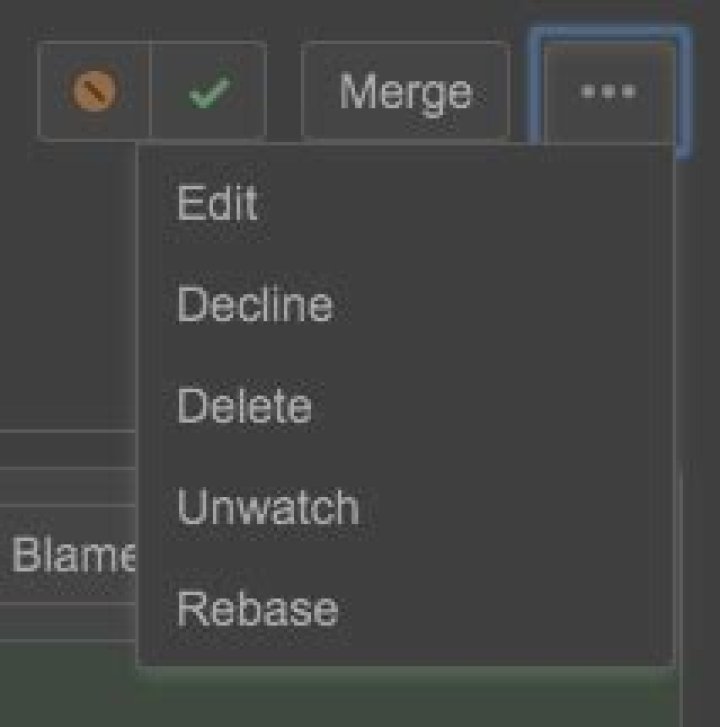
For Bitbucket Cloud, there are no way to do this. One way of getting by is to have a 'dev/junk' branch, used for declined or useless pull requests. Then just edit the existing request to go into this branch and merge. Data is still there, in case you need it some day, or if it's sensitive info you can remove the whole branch. If its already declined before, well, nothing can be done then other than recreating that repo
See for the update on this feature request and vote on it!
I wanted to delete a pull request of a branch that had already been merged and deleted. Even though I am an admin of my project, I cannot see any "delete" options. For me what worked was to recreate the deleted branch from the main branch and push it. E.g.
git checkout master git checkout -b [deleted branch name] git push -u origin [deleted branch name] Then I opened Bitbucket and the branch showed up as "merged" and disappeared from the PRs list.
You cannot delete the PR in bitbucket.org . Using Decline option will do exactly what you want - the PR won't be visible in the tab Pull requests (you need to sort PR by Decline to see it) but on tab Branches you will see that in column Pull request you have removed your problematic PR.
PS you cannot undo Decline of PR, so take care




