In my docker file, I want to install med2image python package (). I use the following code:
FROM ubuntu:16.04 RUN apt-get update && apt-get install -y --no-install-recommends \ python3.5 \ python3-pip \ && \ apt-get clean && \ rm -rf /var/lib/apt/lists/* RUN pip install nibabel pydicom matplotlib pillow RUN pip install med2image But I get the following error when I want to build the image:
Downloading Complete output from command python setup.py egg_info: Sorry, only Python 3.5+ is supported. ---------------------------------------- Command "python setup.py egg_info" failed with error code 1 in /tmp/pip-install-FnNb_S/med2image/ The command '/bin/sh -c pip install med2image' returned a non-zero code: 1 What should I do?!
24 Answers
Recommended base image
As suggested in my comment, you could write a Dockerfile that looks like:
FROM python:3 RUN pip install --no-cache-dir --upgrade pip && \ pip install --no-cache-dir nibabel pydicom matplotlib pillow && \ pip install --no-cache-dir med2image CMD ["cat", "/etc/os-release"] And the command example above could confirm at runtime (docker build --pull -t test . && docker run --rm -it test) that this image is based on the GNU/Linux distribution "Debian stable".
Generic Dockerfile template
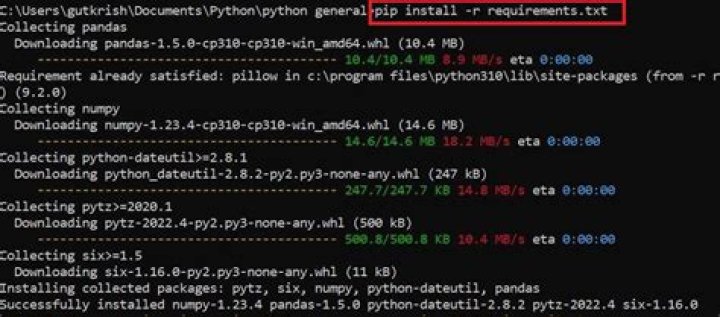
Finally to give a comprehensive answer, note that a good practice regarding Python dependencies consists in specifying them in a declarative way in a dedicated text file (in alphabetical order, to ease review and update) so that for your example, you may want to write the following file:
requirements.txt
matplotlib med2image nibabel pillow pydicom and use the following generic
Dockerfile
FROM python:3 WORKDIR /usr/src/app COPY requirements.txt ./ RUN pip install --no-cache-dir --upgrade pip && \ pip install --no-cache-dir -r requirements.txt COPY . . CMD [ "python", "./your-daemon-or-script.py" ] To be more precise, this is the approach suggested in the documentation of the Docker official image python, §. How to use this image
Some of the other answers/comments are suggesting to change your base image but if you want to keep your ubuntu 16.04 you can also simply specify your version of pip/python to use pip3 or pip3.5 like shown below.
FROM ubuntu:16.04 RUN apt-get update && apt-get install -y --no-install-recommends \ python3.5 \ python3-pip \ && \ apt-get clean && \ rm -rf /var/lib/apt/lists/* RUN pip3 install nibabel pydicom matplotlib pillow RUN pip3 install med2image Try pip3
RUN pip3 install nibabel pydicom matplotlib pillow RUN pip3 install med2image If you have Jupyter Notebook in your docker container, you can install any python package by running a new Terminal in Jupyter by clicking the button shown here:

and running: pip install <package-name>
The package stays in the docker container even after you exit the container.




