TensorFlow MNIST example not running with fully_connected_feed.py
I checked this out and realized that input_data was not built-in. So I downloaded the whole folder from here. How can I start the tutorial:
import input_data mnist = input_data.read_data_sets("MNIST_data/", one_hot=True) --------------------------------------------------------------------------- ImportError Traceback (most recent call last) <ipython-input-6-a5af65173c89> in <module>() ----> 1 import input_data 2 mnist = tf.input_data.read_data_sets("MNIST_data/", one_hot=True) ImportError: No module named input_data I'm using iPython (Jupyter) so do I need to change my working directory to this folder I downloaded? or can I add this to my tensorflow directory? If so, where do I add the files? I installed tensorflow with pip (on my OSX) and the current location is ~/anaconda/lib/python2.7/site-packages/tensorflow/__init__.py
Are these files meant to be accessed directly through tensorflow like sklearn datasets? or am I just supposed to cd into the directory and work from there? The example is not clear.
EDIT:
This post is very out-dated
15 Answers
So let's assume that you are in the directory: /somePath/tensorflow/tutorial (and this is your working directory).
All you need to do is to download the input_data.py file and place it like this. Let's assume that the file name you invoke:
import input_data mnist = input_data.read_data_sets("MNIST_data/", one_hot=True) ... is main.py and it is also in the same directory.
Once this is done, you can just start running main.py which will start downloading the files and will put them in the MNIST_data folder (once they are there the script will not be downloading them next time).
The old tutorial said, to import the MNIST data, use:
import input_data mnist = input_data.read_data_sets('MNIST_data', one_hot=True) This will cause the error. The new tutorial uses the following code to do so:
from tensorflow.examples.tutorials.mnist import input_data mnist = input_data.read_data_sets("MNIST_data", one_hot=True) And this works well.
4I am using different version - following Install on Windows with Docker here - and had similar problem.
An easy workaround I've found was:
1.Into the Linux command line, figure out where is the input_data.py on my Docker image (in your case you mentionned that you had to download it manually. In my case, it was already here). I used the follwing linux command:
$ sudo find . -print | grep -i '.*[.]py' I've got the files & path
./tensorflow/g3doc/tutorials/mnist/mnist.py ./tensorflow/g3doc/tutorials/mnist/input_data.py 2.launch Python and type the following command using SYS:
>> import sys >> print(sys.path) you will get the existing paths.
['', '/usr/lib/python2.7', '/usr/lib/python2.7/plat-x86_64-linux-gnu', '/usr/lib/python2.7/lib-tk', '/usr/lib/python2.7/lib-old', '/usr/lib/python2.7/lib-dynload', '/usr/local/lib/python2.7/dist-packages', '/usr/lib/python2.7/dist-packages', '/usr/lib/python2.7/dist-packages/PILcompat'] 4.add the path of inputa_data.py:
>> sys.path.insert(1,'/tensorflow/tensorflow/g3doc/tutorials/mnist') Hope that it can help. If you found better option, let me know. :)
1How can I start the tutorial
I didn't download the folder you did but I installed tensorflow by pip and then I had similar problem.
My workaround was to replace
import tensorflow.examples.tutorials.mnist.input_data
with
import tensorflow.examples.tutorials.mnist.input_data as input_data
If you're using Tensorflow 2.0 or higher, you need to install tensorflow_datasets first:
pip install tensorflow_datasets or if you're using an Anaconda distribution:
conda install tensorflow_datasets from the command line.
If you're using a Jupyter Notebook you will need to install and enable ipywidgets. According to the docs () using pip:
pip install ipywidgets jupyter nbextension enable --py widgetsnbextension If you're using an Anaconda distribution, install ipywidgets from the command line like such:
conda install -c conda-forge ipywidgets With the Anaconda distribution there is no need to enable the extension, conda handles this for you.
Then import into your code:
import tensorflow_datasets as tfds mnist = tfds.load(name='mnist') You should be able to use it without error if you follow these instructions.
I might be kinda late, but for tensorflow version 0.12.1, you might wanna use input_data.read_data_sets instead.
Basically using this function to load the data from your local drive that you had downloaded from .
from tensorflow.examples.tutorials.mnist import input_data mnist = input_data.read_data_sets('data_set/')
For TensorFlow API 2.0 the mnist data changed place to: tf.keras.datasets.mnist.load_data
There's now a much easier way to load MNIST data into tensorflow without having to download the data by using Tensorflow 2 and Tensorflow Datasets
To get started, make sure you import Tensorflow and specify the 2nd version:
%tensorflow_version 2.x import tensorflow as tf Then load the data into a dictionary using the following code:
MNIST_data = tfds.load(name = "mnist") and Then split the data into train and test:
train, test = MNIST_data['train'] , MNIST_data['test'] Now you can use these data generators however you like.
Remove the lines:
from tensorflow.examples.tutorials.mnist import input_data fashion_mnist = input_data.read_data_sets('input/data',one_hot=True) and the line below will suffice:
fashion_mnist = keras.datasets.fashion_mnist Note that if the dataset is not available in the examples built-in to the keras, this will download the dataset and solve the problem. :)
cd your_mnist_dir &&\ wget &&\ wget &&\ wget &&\ wget &&\ wget MNIST input_data was built-in, it's just not a individual module, it's inside Tensorflow module, try
from tensorflow.examples.tutorials.mnist import input_data MNIST data set included as a part of tensorflow examples tutorial, If we want to use this :
Import MNIST data to identify handwritten digites
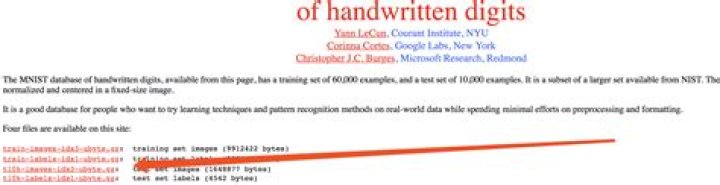
from tensorflow.examples.tutorials.mnist import input_data mnist = input_data.read_data_sets("MNIST data", one_hot=True) As TensorFlow official website shown, All MNIST data is hosted on

For Tensorflow API above 2.0, to use MNIST dataset following command can be used,
import tensorflow_datasets as tfds data = tfds.load(name = "mnist") The following steps work perfectly in my Notebook:
step 1 : get Python files from github : !git clone
step 2 : append these files in my Python path :
import sys
sys.path.append('/content/tensorflow/tensorflow/examples/tutorials/mnist')
step 3 : load the MNIST data with 'input_data' fonction
import input_data
mnist = input_data.read_data_sets("MNIST_data/", one_hot=True)
That's all !




