
I am in CentOS Linux release 7.5.1804 (Core)
When I login as postgres and run:
bash-4.2$ /usr/pgsql-11/bin/initdb -D /var/lib/pgsql/11/data The files belonging to this database system will be owned by user "postgres". This user must also own the server process. The database cluster will be initialized with locale "en_US.UTF-8". The default database encoding has accordingly been set to "UTF8". The default text search configuration will be set to "english". Data page checksums are disabled. creating directory /var/lib/pgsql/11/data ... ok creating subdirectories ... ok selecting default max_connections ... 100 selecting default shared_buffers ... 128MB selecting dynamic shared memory implementation ... posix creating configuration files ... ok running bootstrap script ... ok performing post-bootstrap initialization ... ok syncing data to disk ... ok WARNING: enabling "trust" authentication for local connections You can change this by editing pg_hba.conf or using the option -A, or --auth-local and --auth-host, the next time you run initdb. Success. You can now start the database server using: /usr/pgsql-11/bin/pg_ctl -D /var/lib/pgsql/11/data -l logfile start bash-4.2$ then I run
bash-4.2$ /usr/pgsql-11/bin/pg_ctl start -l logfile -D /var/lib/pgsql/11/data waiting for server to start..../bin/sh: logfile: Permission denied stopped waiting pg_ctl: could not start server Examine the log output. bash-4.2$ date Wed Oct 24 01:50:44 -05 2018 bash-4.2$ I search in GOOGLE for "waiting for server to start..../bin/sh: logfile: Permission denied" but this error only happened in MAC and no solutions is displayed...
Also I run
bash-4.2$ postgres --version;postmaster --version; postgres (PostgreSQL) 11.0 postgres (PostgreSQL) 11.0 bash-4.2$ then I believe PostgreSQL 11 is fine installed, but I can't start server.
I install with this line:
yum install postgresql-jdbc.noarch postgresql-jdbc-javadoc.noarch postgresql-unit11.x86_64 postgresql-unit11-debuginfo.x86_64 postgresql11.x86_64 postgresql11-contrib.x86_64 postgresql11-debuginfo.x86_64 postgresql11-devel.x86_64 postgresql11-docs.x86_64 postgresql11-libs.x86_64 postgresql11-odbc.x86_64 postgresql11-plperl.x86_64 postgresql11-plpython.x86_64 postgresql11-pltcl.x86_64 postgresql11-server.x86_64 postgresql11-tcl.x86_64 postgresql11-test.x86_64 I didn't add [postgresql11-llvmjit.x86_64] because this requires many dependences.
CentOS Linux release 7.5.1804 + PostgreSQL 11 ?
Do I need install aditional software?
44 Answers
The logfile is not to be taken literally, it should be replaced with a file where the PostgreSQL server process has write permission.
You don't do it that way normally, rather you edit postgresql.conf and configure log_destination, logging_collector, log_directory and log_filename. Then you start PostgreSQL without the -l option.
Your attempt to start PostgreSQL with systemctl probably did work; you can check with
systemctl status postgresql-11 So, I faced the same issue. First I checked for if and what all servers were active on my machine using :
brew services list Then I had some servers active so I stopped them as you need to stop them for posgresql server to work.
brew services stop < name of the server/s active > Then I created a new database
initdb /usr/local/var/postgres2 and started the server using
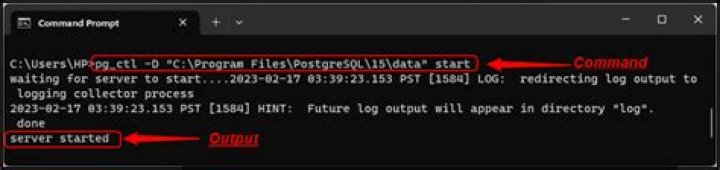
pg_ctl -D /usr/local/var/postgres2 -l logfile start Worked fine for me !! enter image description here
1I think there is a background postgres process running and firstly you need to kill this service. I had same problem and fixed by this command:
sudo /etc/init.d/postgresql stop or you can try to kill all postgres named processes in your system monitor and delete postmaster.pid file in your database directory.
Then you can start the server as:
sudo -u <your-username> pg_ctl -D <your-database-file-location> start An example for this:
sudo -u shc /home/shc/postgres-built/bin/pg_ctl -D /home/shc/mydatabase start After you are done, to not face same problems again, stop the server as:
sudo -u <your-username> pg_ctl -D <your-database-file-location> stop Actually the problem that causing the error is that you have initiated the postgresql database through initdb in /var directory where only the root user has the write privilege. The command that you are trying to run, actually tries to generate logfile in the /var directory which does not have the permission, therefore you get the permission denied error.
To solve this just try to initiate postgresql database in other directories where other users also have write privilege.




