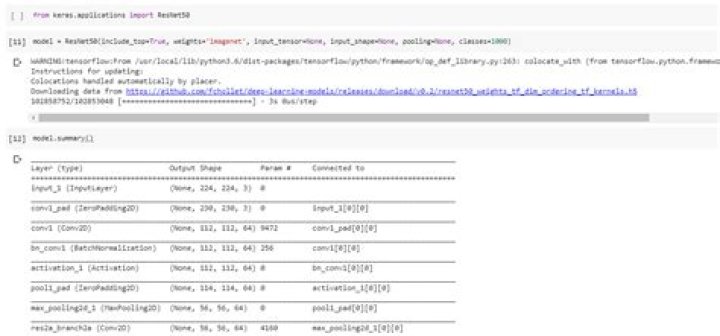
I'm unable to import this module
import keras.applications.resnet ModuleNotFoundError
in () ----> 1 import keras.applications.resnet
ModuleNotFoundError: No module named 'keras.applications.resnet'
keras resnet link
7 Answers
Keras team hasn't included resnet, resnet_v2 and resnext in the current module, they will be added from Keras 2.2.5, as mentioned here.
For a workaround, you can use keras_applications module directly to import all ResNet, ResNetV2 and ResNeXt models, as given below
from keras_applications.resnet import ResNet50 Or if you just want to use ResNet50
from keras.applications.resnet50 import ResNet50 Alternatively, you can always build from source as mentioned here.
2try to use
from tensorflow.keras.applications.resnet50 import ResNet50 Found a workaround to use ResNeXt in Keras 2.2.4 here.
ResNeXt50() function needs 4 more arguments: backend, layers, models and utils.
import keras from keras_applications.resnext import ResNeXt50 model = ResNeXt50(weights='imagenet', backend=keras.backend, layers=keras.layers, models=keras.models, utils=keras.utils) In Keras there are multiple flavours of ResNet, you will have to specify the version of ResNet that you want e.g. You wish to load the ResNet50.
Use
from keras.applications import ResNet50
Edit 2 This is the list you get when you use dir() command on applications
['DenseNet121', 'DenseNet169', 'DenseNet201', 'InceptionResNetV2', 'InceptionV3', 'MobileNet', 'MobileNetV2', 'NASNetLarge', 'NASNetMobile', 'ResNet50', 'VGG16', 'VGG19', 'Xception', '__builtins__', '__cached__', '__doc__', '__file__', '__loader__', '__name__', '__package__', '__path__', '__spec__', 'absolute_import', 'backend', 'densenet', 'division', 'inception_resnet_v2', 'inception_v3', 'keras_applications', 'keras_modules_injection', 'layers', 'mobilenet', 'mobilenet_v2', 'models', 'nasnet', 'print_function', 'resnet50', 'utils', 'vgg16', 'vgg19', 'xception'], the models visible here can be laoded like this, There are some models like ResNet101 missing here, let me see if I can come up with a way to fix this.
Edit Proof that this works too

To see all the available versions of the Resnet models, visit
9There is a python package named 'keras-resnet' which has ResNet50, ResNet101, ResNet152 and many more variants of ResNet. ()
Installation is also quite easy. Just type
pip install keras-resnet It will install this module and then use it like:
from keras_resnet.models import ResNet50, ResNet101, ResNet152 backbone = ResNet50(inputs=image_input, include_top=False, freeze_bn=True) C2, C3, C4, C5 = backbone.outputs # this will give you intermediate # outputs of four blocks of resnet if you want to merge low and high level features I am using backbones from this module and is working fine for me!
1Check the versions:
pip list | grep Keras If it's already installed, uninstall and upgrade:
pip uninstall Keras pip install Keras==2.3.1 pip uninstall Keras-Applications pip install Keras-Applications==1.0.8 pip uninstall Keras-Preprocessing pip install Keras-Preprocessing==1.1.0 from keras.applications.resnet import ResNet101 tf.keras.backend.clear_session model=VGG19() model.summary() tf.keras.utils.plot_model(model,show_shapes=True) visualkeras.layered_view(model,legend=True) 



