I try to integrate the QtVirtualKeyboard into a prototype, but I fail. It is the first time I work with multiple projects or where I have to include non-basic-stuff in QML/QMake-Project.
I got the code from the git-repository and were successfully running the examples. But now I am puzzled on how to integrate it into my own project.
My project structure is as follows
Proto (dir) +- Proto.pro +- main.cpp +- ... +---QML (dir) <--- QML-Files | +-main.qml | +---CustomControls (dir) | +---... +---CPP (dir) <--- C++-Files and Headers +---RES <--- Icons and stuff Now I thought I might just add the src-project from the virtual keyboard to the root-folder (Proto), and add something like:
SUBDIR += src/src.pro to the Proto.pro-file
=> Yes, I can do that, but there is no merrit in it.
So what do I need to do, to actually use it? It must be really easy, for I can't find any question regarding it anywhere on google, youtube or SO.
EDIT => I still fail. This is my story:
I tried the deployment-method, followed the instructions here.
As I'd prefer to have the keyboard within the application, I did the following:
- I added the
make install-stept - I passed
qmakean additional argument"CONFIG+=disable-desktop
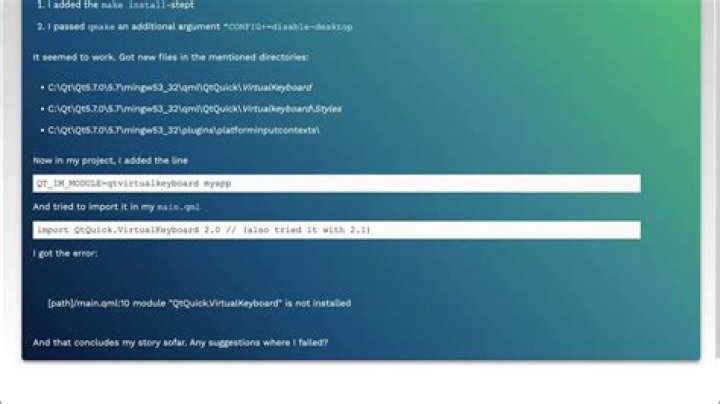
It seemed to work. Got new files in the mentioned directories:
- C:\Qt\Qt5.7.0\5.7\mingw53_32\qml\QtQuick\VirtualKeyboard
- C:\Qt\Qt5.7.0\5.7\mingw53_32\qml\QtQuick\Virtualkeyboard\Styles
- C:\Qt\Qt5.7.0\5.7\mingw53_32\plugins\platforminputcontexts\
Now in my project, I added the line
QT_IM_MODULE=qtvirtualkeyboard myapp And tried to import it in my main.qml
import QtQuick.VirtualKeyboard 2.0 // (also tried it with 2.1) I got the error:
[path]/main.qml:10 module "QtQuick.VirtualKeyboard" is not installed
And that concludes my story sofar. Any suggestions where I failed?
52 Answers
Ok, I finally succeeded. Though it is indeed very close to the documentation I don't think the documentation is easily understood. Therefor I will post this step-by-step-guid, where I will clear my own misconceptions.
- Download the sourcecode from the git-repository
- Open the project qtvirtualkeyboard.pro with the QtCreator, and run it with the configuration
release
It will create some directories and files in your Qt-installation dir. You do not need to add anything in your project directory. Once done and your good for all projects to come. Make sure, you set the
QT_IM_MODULEenvironment variable to includeqtvirtualkeyboard. My mistake was, to assume (I don't know why) this might be done in the projects.pro-file. This seems to be wrong. The C++-method seems safe:
qputenv("QT_IM_MODULE", QByteArray("qtvirtualkeyboard"));If you want to have the keyboard within your application, add
CONFIG += disable-desktopto your projects.pro-fileHave fun!
If you select the Qt Virtual Keyboard component under a particular Qt version, you should get the prebuilt binaries:

The Qt Enterprise Add-ons component has a virtual keyboard sub-component (?) which might only give you the sources.. not sure.
If you really need to have the module in your project's Git repo, it might be easier to just add it as a submodule, and reference that in a "3rdparty" SUBDIRS sub-project.
3



