I`m here because after weeks of trying different solutions and don't come with the right answer and functional in-app I am exhausted. I need to track the time of finger on-screen and if a finger is on screen longer than 1 sec I need to call function. But also if now user is performing gestures like a pan or pinch function must be not called.
override func touchesBegan(_ touches: Set<UITouch>, with event: UIEvent?) { super.touchesBegan(touches, with: event) let touch = touches.first guard let touchLocation = touch?.location(in: self) else {return } let tile: Tile? switch atPoint(touchLocation){ case let targetNode as Tile: tile = targetNode case let targetNode as SKLabelNode: tile = targetNode.parent as? Tile case let targetNode as SKSpriteNode: tile = targetNode.parent as? Tile default: return } guard let tile = tile else {return } paint(tile: tile) } override func touchesEnded(_ touches: Set<UITouch>, with event: UIEvent?) { super.touchesEnded(touches, with: event) } private func paint(tile: Tile){ let col = tile.column let row = tile.row let colorPixel = gridAT(column: col, row: row) if !tile.isTouchable { }else { if !selectedColor.isEmpty { if tile.mainColor == selectedColor { tile.background.alpha = 1 tile.background.color = UIColor(hexString:selectedColor) tile.text.text = "" tile.backgroundStroke.color = UIColor(hexString:selectedColor) uniqueColorsCount[selectedColor]?.currentNumber += 1 didPaintCorrect(uniqueColorsCount[selectedColor]?.progress ?? 0) colorPixel?.currentState = .filledCorrectly tile.isTouchable = false } else if tile.mainColor != selectedColor { tile.background.color = UIColor(hexString:selectedColor) tile.background.alpha = 0.5 colorPixel?.currentState = .filledIncorrectly } } } } 1 Answer
Here is a small example I created for you with my suggestion of using UILongPressGestureRecognizer as it seems easier to manage for your situation than processing touchesBegin and touchesEnded
You can give it the minimum time the user needs to tap so it seems perfect for your requirement.
You can read more about it here
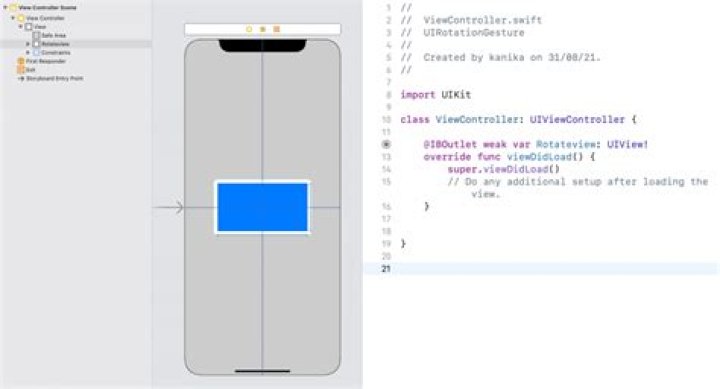
First I just set up a basic UIView inside my UIViewController with this code and add a long tap gesture recognizer to it:
override func viewDidLoad() { super.viewDidLoad() // Create a basic UIView longTapView = UIView(frame: CGRect(x: 15, y: 30, width: 300, height: 300)) longTapView.backgroundColor = .blue view.addSubview(longTapView) // Initialize UILongPressGestureRecognizer let longTapGestureRecognizer = UILongPressGestureRecognizer(target: self, action: #selector(self.handleLongTap(_:))) // Configure gesture recognizer to trigger action after 2 seconds longTapGestureRecognizer.minimumPressDuration = 2 // Add gesture recognizer to the view created above view.addGestureRecognizer(longTapGestureRecognizer) } This gives me something like this:
Next, to get the location of the tap, the main question to ask yourself is - Where did the user tap in relation to what view ?
For example, let's say the user taps here:

Now we can ask what is location of the tap in relation to
- The blue UIView - It is approx x = 0, y = 0
- The ViewController - It is approx x = 15, y = 30
- The UIView - It is approx x = 15, y = 120
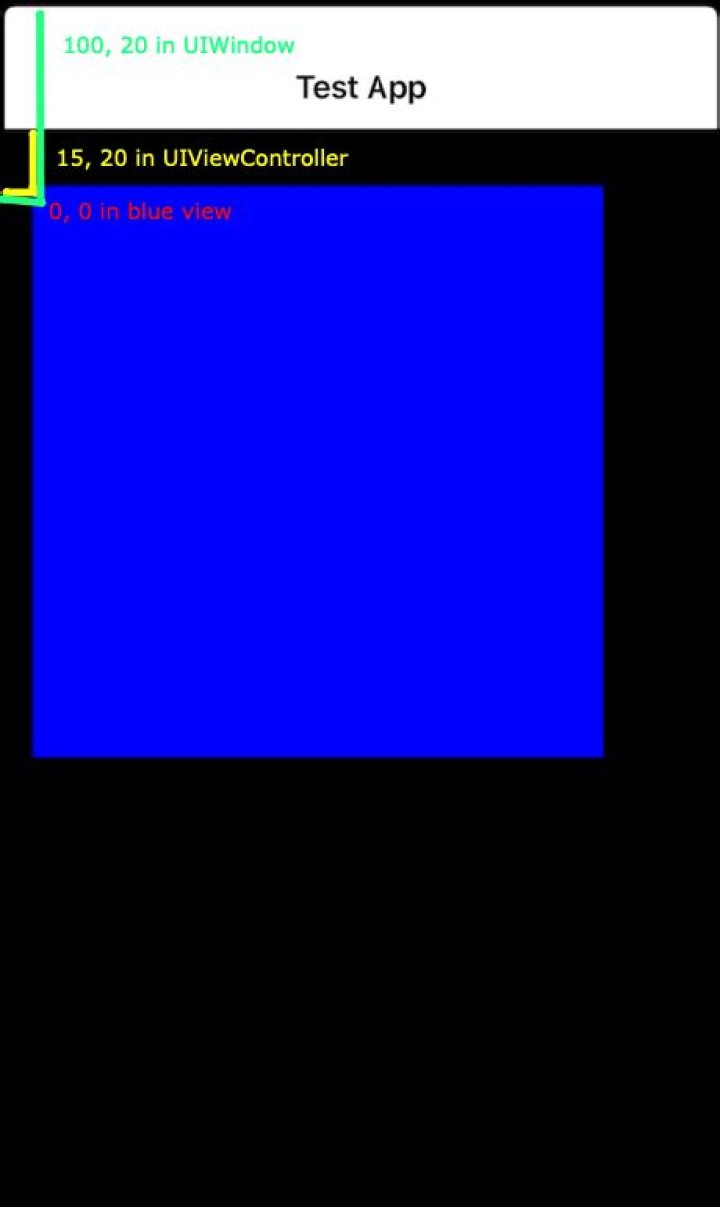
So based on your application, you need to decide, in relation to which view do you want the touch.
So here is how you can get the touch based on the view:
@objc private func handleLongTap(_ sender: UITapGestureRecognizer) { let tapLocationInLongTapView = sender.location(in: longTapView) let tapLocationInViewController = sender.location(in: view) let tapLocationInWindow = sender.location(in: view.window) print("Tap point in blue view: \(tapLocationInLongTapView)") print("Tap point in view controller: \(tapLocationInViewController)") print("Tap point in window: \(tapLocationInWindow)") // do your work and function here } For same touch as above image, I get the following output printed out:
Tap point in blue view: (6.5, 4.5) Tap point in view controller: (21.5, 34.5) Tap point in window: (21.5, 98.5) 



