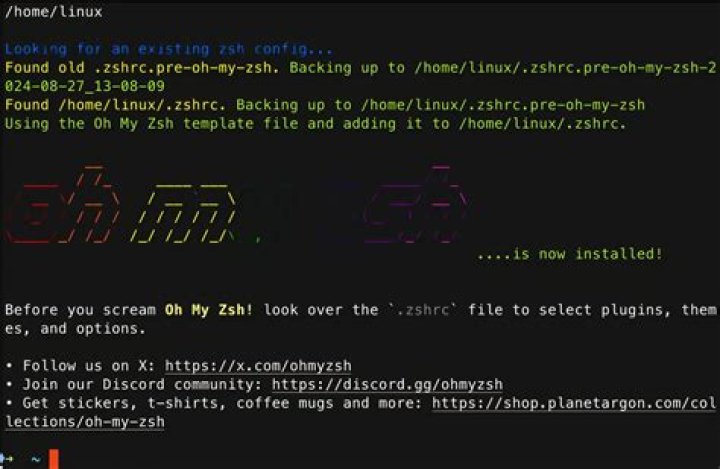

In the system there is a nodejs, installed through nvm. The command is not running npm. Console is Oh my zsh
9 Answers
You can use zsh-nvm or enable it yourself by adding following lines to your ~/.zshrc
export NVM_DIR=~/.nvm [ -s "$NVM_DIR/nvm.sh" ] && . "$NVM_DIR/nvm.sh" Extra:
For faster shell initialization, I use lazynvm which only loads node when needed
lazynvm() { unset -f nvm node npm export NVM_DIR=~/.nvm [ -s "$NVM_DIR/nvm.sh" ] && . "$NVM_DIR/nvm.sh" # This loads nvm } nvm() { lazynvm nvm $@ } node() { lazynvm node $@ } npm() { lazynvm npm $@ } Reference: Lazy load nvm for faster shell start
4Switching from Bash to Oh-My-Zsh
If you already have nvm installed and you're switching from bash to oh-my-zsh you can simply open up your .zshrc file and add the nvm plugin that is included with oh-my-zsh:
- Open your zsh config file
.zshrcin nano with this command:nano ~/.zshrc - Scroll down to where it shows
plugins=(git)and addnvminside the parentheses to make it show asplugins=(git nvm)(separate plugins with spaces) - Press
control+O(on macOS), thenenter, to save, then presscontrol+Xto exit - Then open a new terminal window/tab and enter
nvm lsto confirm it works. Note that you must open a new window/tab for your shell to use the newly updated.zshrcconfig (or entersource ~/.zshrc, etc.)
This worked for me on Ubuntu 20.04.
Install or update nvm
wget -qO- | bash Add in your ~/.zshrc
echo 'export NVM_DIR=~/.nvm' >> ~/.zshrc echo '[ -s "$NVM_DIR/nvm.sh" ] && . "$NVM_DIR/nvm.sh"' >> ~/.zshrc Load in the current shell environment
source ~/.zshrc Check the nvm version
nvm -v use homebrew to install nvm
brew install nvmedit your system configuration
vim ~/.zshrc # or vim ~/.bashrc export NVM_DIR=~/.nvm esc > :wq
save file
reload the configuration
source $(brew --prefix nvm)/nvm.shview nvm version
$ nvm --version # 0.36.0 enjoy it.
2A much easier solution is to use the nvm plugin that is shipped by default:
It also automatically sources nvm, so you don't need to do it manually in your .zshrc
git clone ~/.nvmcd ~/.nvm && git checkout v0.35.1(current latest release)- Add
nvmto your~/.zshrc. Ex:plugins=(... nvm)
I discovered that there is a nvm plug-in shipping with oh-my-zsh (that's different from lukechilds plugin). After short inspection, I think it adds the necessary modifications to .zshrc when loading, so simply adding nvm to the plugins list in .zshrc should work as well (and it does for me).
I did not find any more details on that default nvm plugin via google so I don't know whether this is the "go-to" solution.
2Add this code to .zshrc on your user directory
export NVM_DIR="$HOME/.nvm" [ -s "/usr/local/opt/nvm/nvm.sh" ] && . "/usr/local/opt/nvm/nvm.sh" # This loads nvm [ -s "/usr/local/opt/nvm/etc/bash_completion.d/nvm" ] && . "/usr/local/opt/nvm/etc/bash_completion.d/nvm" # This loads nvm bash_completion Then run this code on your terminal:
source ~/.zshrc With Linux (Ubuntu 20.04 - 22.04)
With your favorite editor, you edit ~/.zshrc
nano or vi ~/.zshrc At the end of the file your add:
# NVM export NVM_DIR=~/.nvm [ -s "$NVM_DIR/nvm.sh" ] && . "$NVM_DIR/nvm.sh" And then you run:
source ~/.zshrc I strongly suggest using christophemarois' approach to lazy loading nvm (node, npm and global packages) in order to avoid slow shell starting times:
# Add every binary that requires nvm, npm or node to run to an array of node globals NODE_GLOBALS=(`find ~/.nvm/versions/node -maxdepth 3 -type l -wholename '*/bin/*' | xargs -n1 basename | sort | uniq`) NODE_GLOBALS+=("node") NODE_GLOBALS+=("nvm") # Lazy-loading nvm + npm on node globals call load_nvm () { export NVM_DIR=~/.nvm [ -s "$(brew --prefix nvm)/nvm.sh" ] && . "$(brew --prefix nvm)/nvm.sh" } # Making node global trigger the lazy loading for cmd in "${NODE_GLOBALS[@]}"; do eval "${cmd}(){ unset -f ${NODE_GLOBALS}; load_nvm; ${cmd} \$@ }" done 



