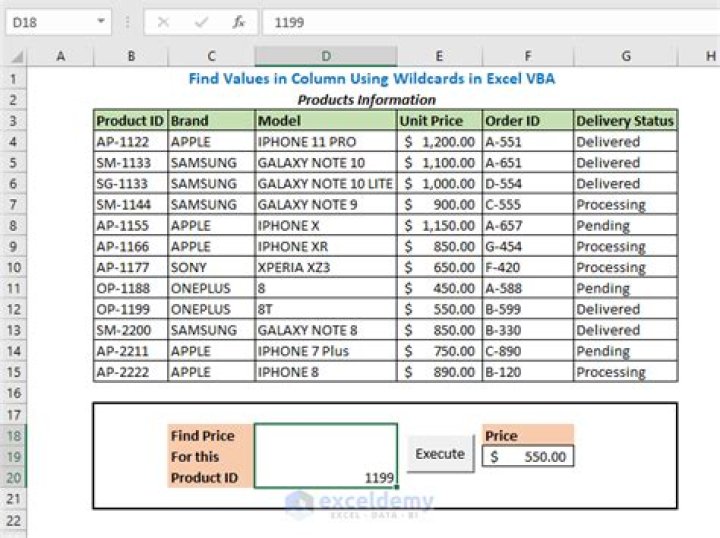

I have to find a value celda in an Excel sheet. I was using this vba code to find it:
Set cell = Cells.Find(What:=celda, After:=ActiveCell, LookIn:= _ xlFormulas, LookAt:=xlWhole, SearchOrder:=xlByRows, SearchDirection:= _ xlNext, MatchCase:=False, SearchFormat:=False) If cell Is Nothing Then 'do it something Else 'do it another thing End If The problem is when I have to find the value only in a excel column. I find it with next code:
Columns("B:B").Select Selection.Find(What:="VA22GU1", After:=ActiveCell, LookIn:=xlFormulas, _ LookAt:=xlWhole, SearchOrder:=xlByRows, SearchDirection:=xlNext, _ MatchCase:=False, SearchFormat:=False).Activate But I don't know how to adapt it to the first vba code, because I have to use the value nothing.
4 Answers
Just use
Dim Cell As Range Columns("B:B").Select Set cell = Selection.Find(What:="celda", After:=ActiveCell, LookIn:=xlFormulas, _ LookAt:=xlWhole, SearchOrder:=xlByRows, SearchDirection:=xlNext, _ MatchCase:=False, SearchFormat:=False) If cell Is Nothing Then 'do it something Else 'do it another thing End If Just for sake of completeness, you can also use the same technique above with excel tables.
In the example below, I'm looking of a text in any cell of a Excel Table named "tblConfig", place in the sheet named Config that normally is set to be hidden. I'm accepting the defaults of the Find method.
Dim list As ListObject Dim config As Worksheet Dim cell as Range Set config = Sheets("Config") Set list = config.ListObjects("tblConfig") 'search in any cell of the data range of excel table Set cell = list.DataBodyRange.Find(searchTerm) If cell Is Nothing Then 'when information is not found Else 'when information is found End If I'd prefer to use the .Find method directly on a range object containing the range of cells to be searched. For original poster's code it might look like:
Set cell = ActiveSheet.Columns("B:B").Find( _ What:=celda, _ After:=ActiveCell _ LookIn:=xlFormulas, _ LookAt:=xlWhole, _ SearchOrder:=xlByRows, _ SearchDirection:=xlNext, _ MatchCase:=False, _ SearchFormat:=False _ ) If cell Is Nothing Then 'do something Else 'do something else End If I'd prefer to use more variables (and be sure to declare them) and let a lot of optional arguments use their default values:
Dim rng as Range Dim cell as Range Dim search as String Set rng = ActiveSheet.Columns("B:B") search = "String to Find" Set cell = rng.Find(What:=search, LookIn:=xlFormulas, LookAt:=xlWhole, MatchCase:=False) If cell Is Nothing Then 'do something Else 'do something else End If I kept LookIn:=, LookAt::=, and MatchCase:= to be explicit about what is being matched. The other optional parameters control the order matches are returned in - I'd only specify those if the order is important to my application.
Dim strFirstAddress As String Dim searchlast As Range Dim search As Range Set search = ActiveSheet.Range("A1:A100") Set searchlast = search.Cells(search.Cells.Count) Set rngFindValue = ActiveSheet.Range("A1:A100").Find(Text, searchlast, xlValues) If Not rngFindValue Is Nothing Then strFirstAddress = rngFindValue.Address Do Set rngFindValue = search.FindNext(rngFindValue) Loop Until rngFindValue.Address = strFirstAddress 



