There are a lot of topics about the HTTP/2 protocol, but I wonder if there is a working website with this protocol.
I.e.
We can decide to use http:// or https://, but how can we write a HTTP/2 request?
I am aware that this protocol depends on the server capability, but I can not find a way to check if a website, e.g. google.com, has HTTP/2 support enabled.
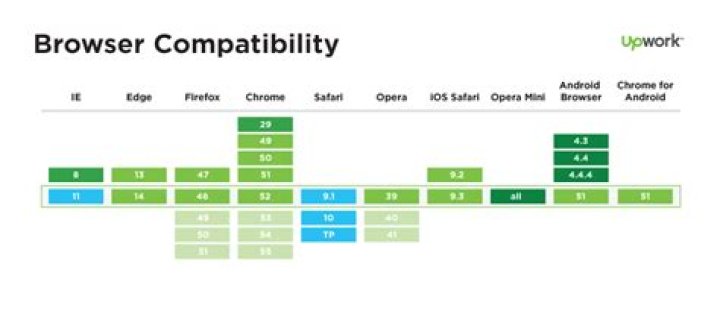
As I can see in this picture, all modern browsers support this protocol. I have not seen any link that could look like a new generation protocol.
Are we using the HTTP/2 protocol without knowing or it is just a fairy tale?
29 Answers
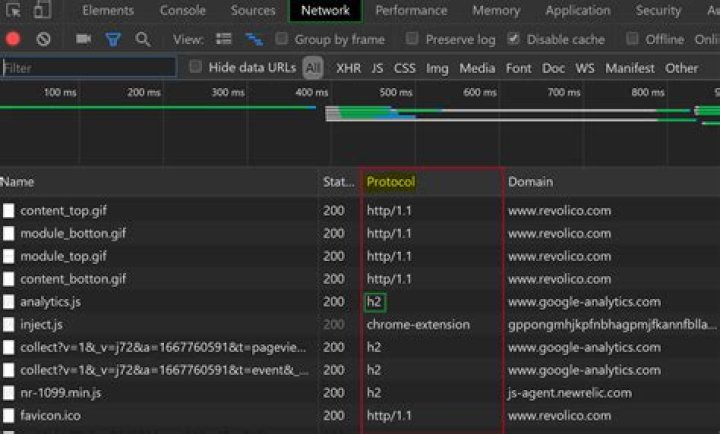
You can just check it in: Chrome Dev Tool (F12) → Network → Protocol.
It will tell you the protocol used and the domain of each transfer.
Legend
http/1.1 = HTTP/1.1
h2 = HTTP/2
Note: If you cannot see the Protocol column, just right-click on any header and check the "Protocol" label.
3You can use the curl command to find out if a particular website has HTTP/2 protocol support or not. In the following example, just replace with the URL you want to check for HTTP/2 support:
% curl -vso /dev/null --http2 If you see offering h2 among the output messages, that means that the given URL supports HTTP/2. For example:
.... * ALPN, offering h2 * ALPN, offering http/1.1 .... HTTP/2 reuses the http:// and https:// schemes rather than use new ones.
All browsers only support HTTP/2 over https:// and part of the SSL/TLS negotiation is to communicate whether both sides support HTTP/2 and are willing to use it (using an extension to SSL/TLS called ALPN).
The advantage for this is you can just connect to a website and if your browser supports it, it will automatically negotiate HTTP/2, and if not it will automatically fall back to HTTP/1.1.
So to test for HTTP/2 support you can use the browser as Markus's suggests (make sure to add the Protocol column to the Network tab in Chrome for example).
Or you can use an online tester like
Or you can use a command line tool like openssl (assuming it's been built with ALPN support): openssl s_client -alpn h2 -connect -status.
Most of the larger websites (e.g. Twitter, Facebook, Amazon, Stack Overflow) are using HTTP/2 now.
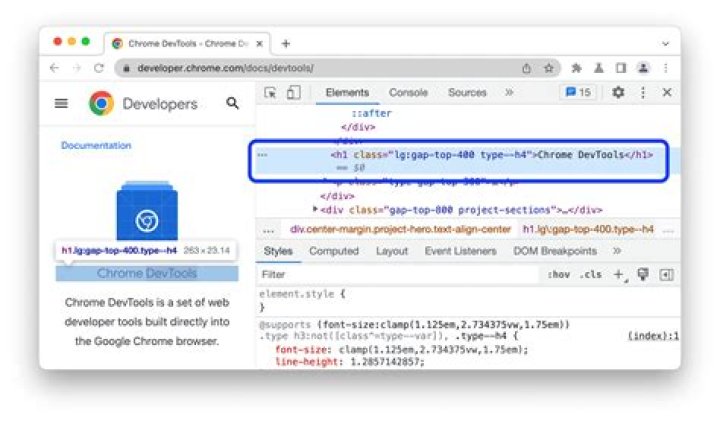
5Open Dev Tools in Chrome using F12. Then go to the Network tab.
Right click on a row, select Header Options, and then select Protocol from the menu.

Open the browser development tools and switch to the network tab. There you'll see h2 if HTTP/2 is available.
1You can also use a cool Chrome/Firefox extension called HTTP/2 and SPDY indicator to check the website protocol.
Solution using curl command as the existing curl solution did not work well for me. curl provides a switch --http2-prior-knowledge which ensures a direct HTTP/2 request is sent without attempting a HTTP/1.1 upgrade request. Below examples can help understand the behavior in different cases:
Curl to Google which supports HTTP/2 - automatically HTTP/2 is chosen.
curl -Iks HTTP/2 200 accept-ranges: bytes vary: Accept-Encoding content-type: text/plain content-length: 7199 cross-origin-resource-policy: cross-origin date: Fri, 21 May 2021 13:39:02 GMT expires: Fri, 21 May 2021 13:39:02 GMT cache-control: private, max-age=0 Curl to my server which does not supports HTTP/2 - response states HTTP/1.1
curl -Iks HTTP/1.1 502 Bad Gateway connection: close content-length: 0 Curl to my server with --http2 switch. Response still states HTTP/1.1
curl -Iks --http2 HTTP/1.1 502 Bad Gateway connection: close content-length: 0 Curl to my server with --http2-prior-knowledge. Note that no response is obtained.
curl -Iks --http2-prior-knowledge If the above is executed with v switch (verbose), the output would include the below line.
* http2 error: Remote peer returned unexpected data while we expected SETTINGS frame. Perhaps, peer does not support HTTP/2 properly. Note:
- Switch
kis forinsecure- my server uses a self signed certificate. Not needed otherwise. - Switch
Iis to send aHEADrequest and avoid noise in output. - Above is captured with curl 7.58.0 on Ubuntu 18.04
This question has been answered already but I am going to answer this still.
Go to Chrome's Developer Tools. You can open up the Developer tools in many ways like:
- I am on Mac so I use ⌥⌘i (⌥+⌘+i)combination to open up the dev tools on the Chrome browser. It does select the
Networktab by default if you use the keyboard combination. - You can use alternatively
F12on your keyboard to do the same. - You can open up Developer Tools just by clicking the three dots, also known as ellipsis, shown on the top right corner of your browser. Click on
Three dots aka ellipsis -> More Tools -> Developer Tools
In the Name column right-click and make sure Protocol is checked. Now you can see the Protocol Column where h2 refers to HTTP/2 and h3 refers to HTTP/3 in case you see them and http/1.1 refers to HTTP/1.1.
You can see the Protocol Column alternatively the following way:
Right-click the row that you see under the
Namecolumn and the click onHeader Optionsand checkProtocol. You can also check from here for free. An example is here: type in there or your site with HTTPS protocol.
There is also a chrome browser extension that can help you. The ref link is here.
You can also use
curlcommand to check. This thread has an accepted answer for this.You can use this command if you like CLI
curl -sI --http2 | grep -i "HTTP/2"
curl -I --http2 -s | grep HTTP 



