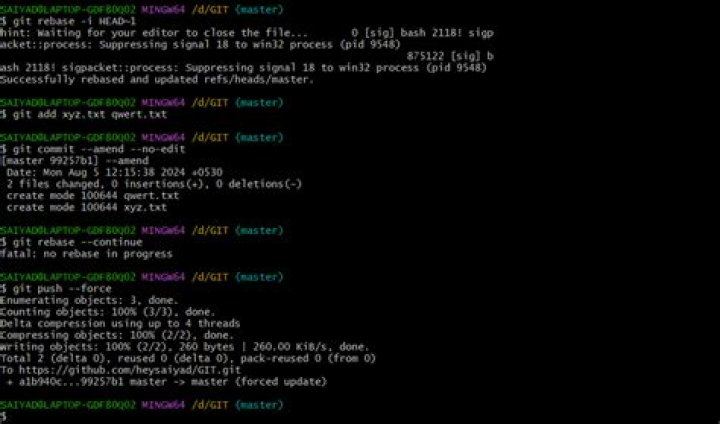

Is there a way to amend a commit without vi (or your $EDITOR) popping up with the option to modify your commit message, but simply reusing the previous message?
6 Answers
Since Git 1.7.9 you can also use git commit --amend --no-edit to get your result.
Note that this will not include metadata from the other commit such as the timestamp or tag, which may or may not be important to you.
4git commit -C HEAD --amend will do what you want. The -C option takes the metadata from another commit.
Another (silly) possibility is to git commit --amend <<< :wq if you've got vi(m) as $EDITOR.
To extend on the accepted answer, you can also do:
git commit --amend --no-edit -a to add the currently changed files.
You can save an alias that uses the accepted answer so it can be used like this:
git opps adds everything, and amends using the same commit message
git oops -m "new message" uses a new commit message.
This is the alias:
oops = "!f(){ \ git add -A; \ if [ \"$1\" == '' ]; then \ git commit --amend --no-edit; \ else \ git commit --amend \"$@\"; \ fi;\ }; f" just to add some clarity, you need to stage changes with git add, then amend last commit:
git add /path/to/modified/files git commit --amend --no-edit This is especially useful for if you forgot to add some changes in last commit or when you want to add more changes without creating new commits by reusing the last commit.




