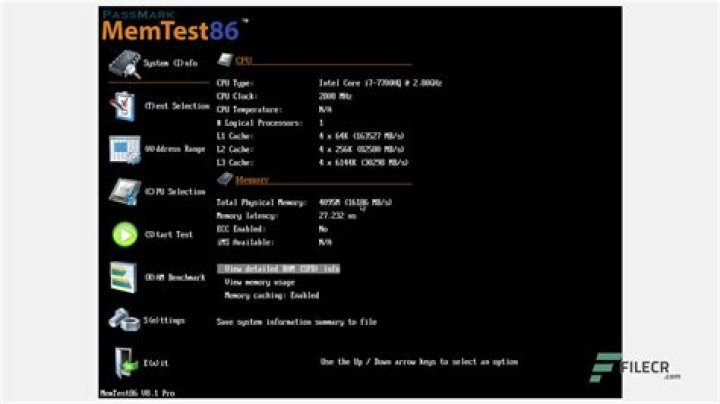

If using UEFI Please see this question, "Can I boot memtest86+ if I'm using UEFI?"
After having installed the 64bit version of Ubuntu 12.04 on my Lenovo B570 I ran into the same problems I had when installing 11.10 with Grub not playing nicely with a uEFI system. I used the same technique as last time to solve the problem (using a Super Grub Disc LiveCD session to repair Grub) and my system happily dual boots between Ubuntu and Windows 7
However now when I boot up the Grub menu only displays
- Ubuntu, with Linux 3.2.0-24-generic
- Ubuntu, with Linux 3.2.0-24-generic (recovery mode)
- Previous Linux versions
- Windows 7 (loader) (on /dev/sda1)
- Windows Recovery Environment (loader) (on /dev/sda4)
I no longer see the option to use Memtest86+ which was there previously, having checked in the Ubuntu Software Center I can see that the package is installed, but how to I make the option to run it once again appear in the Grub menu?
I've tried:
sudo update-grub which doesn't make any difference.
sudo chmod +x /etc/grub.d/20_memtest86+ results in:
chmod: cannot access /etc/grub.d/20_memtest86+': No such file or directory
and entering
ls /etc/grub.d/ results in:
00_header 10_linux 30_os-prober 41_custom 05_debian_theme 20_linux_xen 40_custom README 6 Answers
Try opening a terminal and running
sudo chmod +x /etc/grub.d/20_memtest86+ sudo update-grub Check to see if it's there
grep memtest /boot/grub/grub.cfg Just done the same as I had it disabled
hob@hob-HP-dx5150-MT:~$ cat /boot/grub/grub.cfg |grep memtest hob@hob-HP-dx5150-MT:~$ sudo chmod +x /etc/grub.d/20_memtest86+ [sudo] password for hob: hob@hob-HP-dx5150-MT:~$ sudo update-grub Generating grub.cfg ... Found linux image: /boot/vmlinuz-3.2.0-24-generic Found initrd image: /boot/initrd.img-3.2.0-24-generic Found linux image: /boot/vmlinuz-3.2.0-23-generic Found initrd image: /boot/initrd.img-3.2.0-23-generic Found memtest86+ image: /boot/memtest86+.bin Found Ubuntu 11.10 (11.10) on /dev/sda6 Found Trisquel 5.5 (5.5) on /dev/sda8 Found Ubuntu 12.04 LTS (12.04) on /dev/sda9 done hob@hob-HP-dx5150-MT:~$ cat /boot/grub/grub.cfg |grep memtest ### BEGIN /etc/grub.d/20_memtest86+ ### menuentry "Memory test (memtest86+)" { linux16 /boot/memtest86+.bin menuentry "Memory test (memtest86+, serial console 115200)" { linux16 /boot/memtest86+.bin console=ttyS0,115200n8 ### END /etc/grub.d/20_memtest86+ ### You could try creating the file if it's not there, using nano in a terminal
sudo nano /etc/grub.d/20_memtest86+ or with a gui editor
gksudo gedit /etc/grub.d/20_memtest86+ Fill it with
#!/bin/sh set -e if [ -f /usr/lib/grub/grub-mkconfig_lib ]; then . /usr/lib/grub/grub-mkconfig_lib LX=linux16 elif [ -f /usr/lib/grub/update-grub_lib ]; then . /usr/lib/grub/update-grub_lib LX=linux else # no grub file, so we notify and exit gracefully echo "Cannot find grub config file, exiting." >&2 exit 0 fi # We can't cope with loop-mounted devices here. case ${GRUB_DEVICE_BOOT} in /dev/loop/*|/dev/loop[0-9]) exit 0 ;; esac prepare_boot_cache="$(prepare_grub_to_access_device ${GRUB_DEVICE_BOOT} | sed -e "s/^/\t/")" if test -e /boot/memtest86+.bin ; then MEMTESTPATH=$( make_system_path_relative_to_its_root "/boot/memtest86+.bin" ) echo "Found memtest86+ image: $MEMTESTPATH" >&2 cat << EOF menuentry "Memory test (memtest86+)" { EOF printf '%s\n' "${prepare_boot_cache}" cat << EOF $LX $MEMTESTPATH } menuentry "Memory test (memtest86+, serial console 115200)" { EOF printf '%s\n' "${prepare_boot_cache}" cat << EOF $LX $MEMTESTPATH console=ttyS0,115200n8 } EOF fi #if test -e /boot/memtest86+_multiboot.bin ; then # MEMTESTPATH=$( make_system_path_relative_to_its_root "/boot/memtest86+_multiboot.bin" ) # echo "Found memtest86+ multiboot image: $MEMTESTPATH" >&2 # cat << EOF #menuentry "Memory test (memtest86+, experimental multiboot)" { #EOF # printf '%s\n' "${prepare_boot_cache}" # cat << EOF # multiboot $MEMTESTPATH #} #menuentry "Memory test (memtest86+, serial console 115200, experimental multiboot)" { #EOF # printf '%s\n' "${prepare_boot_cache}" # cat << EOF # multiboot $MEMTESTPATH console=ttyS0,115200n8 #} #EOF #fi Make sure to run the chmod +x command on it afterwards.
I'd be a bit concerned that it's missing though - do you have everything else in grub.d ?
ls /etc/grub.d/ 00_header 10_linux.bak 20_memtest86+ 41_custom 05_debian_theme 10_linux.dpkg-old 30_os-prober README 10_linux 20_linux_xen 40_custom apt install memtest86+ This will automatically reconfigure grub and add the entry to the boot menu.
If you get the error memtest86+ is already the newest version then use sudo apt-get install --reinstall memtest86+
If all else fails you can get a bootable ISO that you can burn to a CD and boot from. Of course if you are booting UEFI you should be here instead.
5I had the same issue, and due to the fact that I have EFI on my laptop the memtest86+ version 4.x shipped by ubuntu won't work, since EFI is only supported by version 5 and newer.
The latest versions are non-GPL and must be downloaded manually from the memtest website(they have ISO and USB images), but at least they are free of charge.
2I didn't managed to make this work in 2 days, then I checked Synaptic for grub packages... Seems to be, that the absence of package grub-imageboot are the root of the problem.
sudo apt-get install grub-imageboot This what I did to add the now latest (non free) memtest86+ to the grub boot menu for UEFI booting. Current memtest version is 8.2. Tools needed: Disk Image Mounter and grub-customizer, the latter is only for convenience :) Files: memtest binary (see below)
- Download the memtest binary from: The 'Image for creating bootable USB Drive on a Windows/Linux/Mac system' is fine.
- Extract the IMG file (memtest86-usb.img)
- open the img file with disk image mounter (right mouse button on Ubuntu)
- from the mounted image extract /EFI/BOOT/BOOTX64.efi
- make memtest86 boot directory:
sudo mkdir /boot/efi/EFI/memtest86
- copy the BOOTX64.efi to your new folder on the boot partition (eg /boot/efi/EFI/memtest86)
- open grub-customizer
- Add menu item, give it a name, choose type: other
- add the following boot sequence (assuming you boot from hd0):
insmod part_gpt insmod fat set root='hd0,gpt2' if [ x$feature_platform_search_hint = xy ]; then search --no-floppy --fs-uuid --set=root --hint-bios=hd0,gpt2 --hint-efi=hd0,gpt2 --hint-baremetal=ahci0,gpt2 1A22-970F else search --no-floppy --fs-uuid --set=root 1A22-970F fi chainloader /EFI/memtest86/BOOTX64.efi save and quit grub-customizer
reboot and enjoy Memtest86
See also this answer on the Unix StackExchange. In short, the Linux Kernel has a simple memory test built in.
Do grep CONFIG_MEMTEST "/boot/config-$(uname -r)" to determine if it's enabled or not (it'll be commented out if it's not enabled).
Then, edit /etc/default/grub and add memtest to GRUB_CMDLINE_LINUX_DEFAULT, run sudo update-grub, and then reboot.
Once it's finished booting up (it'll take longer than normal given it has to also run the memory test), check /var/log/kern.log for the result of the test.




