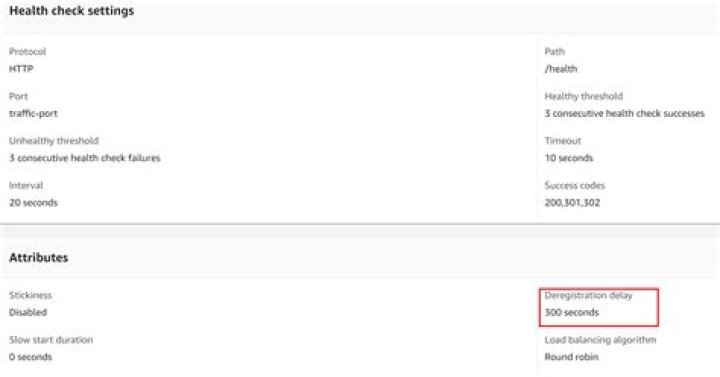
I have ECS containers running. when I run this command:
aws ecs update-service --region us-east-1 --cluster my-cluster --service my-service --force-new-deployment it take about 5 minutes to load balancer to replace the container. and another 5 minutes to shutdown the old container.
I want to make it immediately without change the any configuration.
So I find the option health-check-grace-period-seconds in the docs:
The period of time, in seconds, that the Amazon ECS service scheduler should ignore unhealthy Elastic Load Balancing target health checks after a task has first started. This is only valid if your service is configured to use a load balancer. If your service's tasks take a while to start and respond to Elastic Load Balancing health checks, you can specify a health check grace period of up to 2,147,483,647 seconds. During that time, the Amazon ECS service scheduler ignores the Elastic Load Balancing health check status. This grace period can prevent the ECS service scheduler from marking tasks as unhealthy and stopping them before they have time to come up.
if I use like that:
aws ecs update-service --region us-east-1 --cluster my-cluster --service my-service --force-new-deployment --health-check-grace-period-seconds 10 This is mean the value is "override" the default 300 to the 10 seconds or it change the default to 10 seconds?

1 Answer
On the screenshot you are marking deregistration delay which is different then health check grace period.
Deregistration delay - By default, Elastic Load Balancing waits 300 seconds before completing the deregistration process, which can help in-flight requests to the target to complete.
Deregistration delay is a property of your target group. Thus if you want to modify it, you should be using modify-target-group-attributes AWS CLI call.
By default health check grace period should be 0. You can check it in console: Your cluster->Service->Details:




