I upgraded my IntelliJ IDEA installation from 2018.3 to 2019.1 and am now seeing errors in my build.gradle that were not there before. I suspect changed preferences but can not find any.
I am seeing two kinds of errors:
- Almost everything is underlined and the warning message popup says "No candidates found for method call plugins." or "No candidates found for method call buildscript."
- I use the Spring Boot plugin and import it on the first line. This is now red and the popup says "Cannot resolve symbol 'SpringBootPlugin'".
This worked fine in 2018.3. The gradle build works, i.e. running ./gradlew …:build from the command line works and so does running gradle tasks from the IDE.
Update I noticed that in "Project structure" the root module (this is a multi-module build) existed twice: once with the name in settings.gradle and once with the name of the directory the code is in. When changing the name in settings.gradle to the name of the directory, the duplicate entry in "Project structure" disappeared and the errors in build.gradle disappeared.
9 Answers
Try re-importing the gradle project to do a "Gradle Sync" operation:
IntelliJ IDEA ➔ Help ➔ Find Action ➔ search for "import" or "reimport" ➔ Click on: "Reimport All Gradle Projects"
Edit: This has changed in August 2020: Click the Gradle toolbar/tab at the top-right to expand it, then locate a small refresh button at the top that looks like this 🔄 ➔ click "Reload All Gradle Projects" (it's the small refresh button).
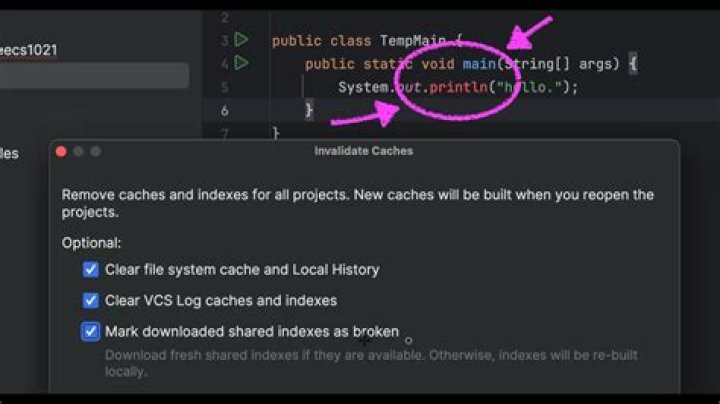
2Fixed with File -> Invalidate caches / Restart
Help -> Find action... -> Reload All Gradle Projects didn't work in Idea 2020.2 with me.
You can do the same by clicking on the Reload All Gradle Projects icon in intelliJ 2020 
The same occurred to me in Idea 2019.2 created the spring project from idea and by deleting the .iml file and .idea folder it was fixed
1I had problem with JaCoCo plugin. Reload All Gradle Projects has resolved my issue. Thanks a lot.
go to help -> actions and search for reload all gradle projects
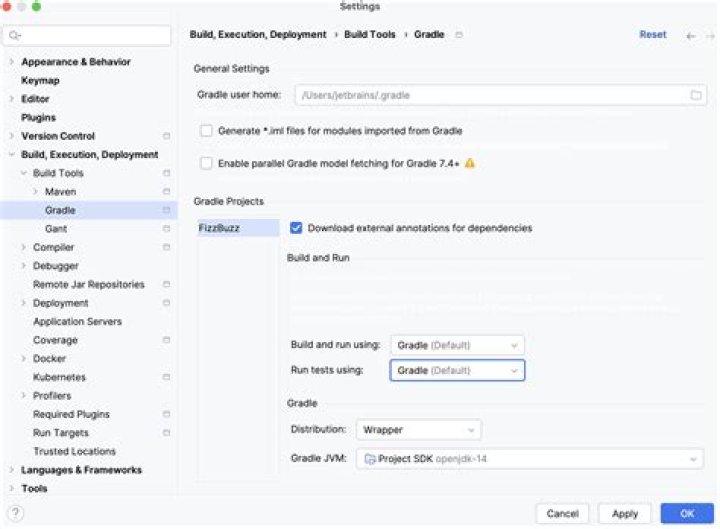
I tried with Gradle settings, usually the issue is with gradle JVM
Preference - > Build, execution and deployment -> Gradle Update the JVM to the required version.
1Go to:
File -> Invalidate caches / Restart
Help -> Find action... -> Reload All Gradle Projects : this does not work anymore.
in intelij IntelliJ IDEA 2022.3 (Community Edition)
Help -> Find action... -> Reload All Gradle Projects this steps work for me Thanks
1



