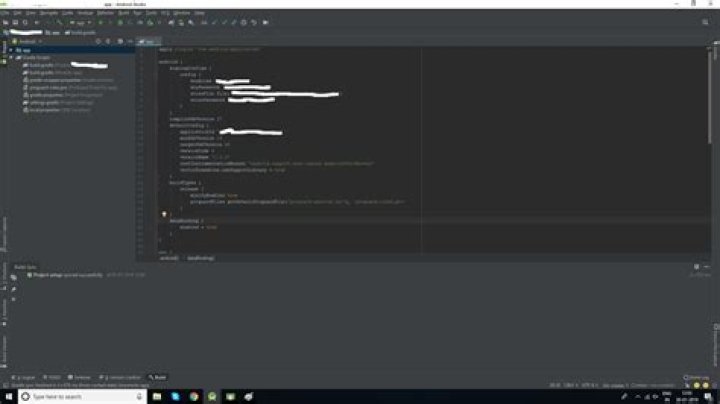
I used to generate a signed apk from Android Studio and everything was working well until I updated Android Studio to 3.3. It generates an apk but after I try to install it, it says: App Not Installed!
My Trial was by:
- Click on
build - Generate Signed Apk
- Choose
APKand click Next - Insert the Key Store Path, Key Store Password, Key Alias, Key Password
- Click Next
- Choose Release Variant
- Click Finish
The Apk is generated but it's not signed! What is the problem ?

Here is my app build.gradle
buildscript { repositories { maven { url ' } } dependencies { classpath 'io.fabric.tools:gradle:1.+' } } apply plugin: 'com.android.application' apply plugin: 'io.fabric' repositories { maven { url ' } } android { useLibrary 'org.apache.http.legacy' compileSdkVersion 27 defaultConfig { applicationId "com.twobreathe.soft2breathe" minSdkVersion 23 targetSdkVersion 27 versionCode 9 versionName "1.1" testInstrumentationRunner "android.support.test.runner.AndroidJUnitRunner" externalNativeBuild { cmake { cppFlags "" } } vectorDrawables { useSupportLibrary true } resConfigs "en", "ja" } signingConfigs { release { keyAlias "[my key alias]" keyPassword "[my key password]" storeFile file("[path to the keystore file]") storePassword "[my store password]" } } buildTypes { release { minifyEnabled true proguardFiles getDefaultProguardFile('proguard-android.txt'), 'proguard-rules.pro' shrinkResources true pseudoLocalesEnabled false } debug { minifyEnabled false proguardFiles getDefaultProguardFile('proguard-android.txt'), 'proguard-rules.pro' debuggable true } } externalNativeBuild { cmake { path "src/main/cpp/fluidsynth/android/CMakeLists.txt" } } lintOptions { checkReleaseBuilds false abortOnError false } dataBinding { enabled true } compileOptions { sourceCompatibility JavaVersion.VERSION_1_8 targetCompatibility JavaVersion.VERSION_1_8 } buildToolsVersion '28.0.3' productFlavors { } } dependencies { implementation fileTree(include: ['*.jar'], dir: 'libs') implementation 'com.android.support:appcompat-v7:27.1.1' implementation 'com.android.support.constraint:constraint-layout:1.1.3' implementation 'com.github.parse-community.Parse-SDK-Android:parse:1.18.4' implementation 'com.jjoe64:graphview:4.2.2' implementation 'io.reactivex.rxjava2:rxjava:2.2.0' implementation 'io.reactivex.rxjava2:rxandroid:2.1.0' testImplementation 'junit:junit:4.12' implementation 'com.orhanobut:hawk:2.0.1' implementation 'xyz.sahildave:arclayout:1.0.0' implementation 'com.mikhaellopez:circularprogressbar:2.0.0' androidTestImplementation 'com.android.support.test:runner:1.0.2' implementation 'com.github.GrenderG:Toasty:1.3.0' implementation 'com.kyleduo.switchbutton:library:2.0.0' implementation 'com.github.franmontiel:LocaleChanger:0.9.2' implementation 'cn.aigestudio.wheelpicker:WheelPicker:1.1.2' androidTestImplementation 'com.android.support.test.espresso:espresso-core:3.0.2' implementation 'com.crashlytics.sdk.android:crashlytics:2.9.8' } 7 Answers
After updating to 3.3, many problems are occuring related to signing an APK. Sometime it doesn't sign the apk and sometime it says the key is not private.
Well i also faced this problem after upgrading to android studio 3.3 and i resolved in 3 steps. But firstly make sure you backup your whole project.
- In Android Studio goto File > Project Structure and untick from "use embedded JDK" then click OK
- Goto Computer Settings (system settings) (win + pause key) then go to Advanced system settings>Environment variables. if JAVA_HOME not present then add it and set path to your installed JDK.
As i couldn't find a direct approach to modify jdk path in my project that is upgraded in some way to android studio 3.3 settings, i did following(for the last step) BUT MAKE SURE YOU MAKE BACKUP BEFORE THIS. - To make sure where i am guiding come to project view, I deleted ".grade", ".idea", "capture", "gradle" folders from the root and "build", "release", "lib" folder from "app" leaving "src" as it is. Deleted root.iml and did not delete app.iml file Then rebuild the project and then created the Signed package.
It went successful after 2 try. To be very honest i did the last step twice by restoring files from backup. As deleting these folders i messed up 1 time.
1From your Gradle its visible that you have not configured your Signing Config with it.
Please check image below:

Step 1:
Go to your project settings > select your module (Let's say "app") > go to signing > enter proper information and keystore.jks file
Step 2:
Go to Build Types > select Release type > assign signing config as you created on step 1. > after that your gradle will have config as there in image.
Step 3:
Try generating signed APK.
It will be success!!!
Happy Coding..
5Not strictly related, but I ended up in this questions when searching for a fix to my problem. In my case I forgot to remove 'debuggable true' for one of my non-debug built-types. When I was generating the bundle the google play store wouldn't complain about it just said that it wasn't signed. But when I tried uploading an apk it showed the true error.
Double check both of the values on the final dialog, labelled by "Signature Versions". For more information please check the following link:
Anyway this question seems duplicate as the following: android studio: release apk is not signed
8friend when you go for build the signed apk now in android studio 3.3 , you will 2 option for build the signed apk. 1. Android App Bundle 2.APK
i will suggest to use option 2
select option 2 and Click on Next button now studio ask for your password details now fill all details and select Remember password checkbox for feature and now next . now again studio ask for debug and release build confirmation now here select release and select 2 checkbox at bottom and then continue
hope your signed apk will be generate .
7When generating an APK, make sure both the signature types are checked, otherwise Fabric (and other places) may not recognise it as signed.
Additionally you probably want to remove debuggable true from your release config, as debuggable builds can't be uploaded to Google Play. There's a chance this is also causing an issue.

Try to sign it using command-line tools. I may help you to identify the problem. ().
In my case, it was JAVA_HOME problem (as in @Vanshaj Daga answer).




