
This is the folder structure of my app
.idea .vscode android build fonts Oxygen-Bold.tff Oxygen-Light.tff Oxygen-Regular.tff images pizza0.png pizza1.png ios lib ui home.dart main.dart test .gitignore .metadata .packages app_widgets.iml pubspec.lock pubspec.yaml README.md In my pubspec.yaml file, I load the fonts and assets like this
flutter: uses-material-design: true assets: - images/pizza0.png - images/pizza1.png fonts: - family: Oxygen fonts: - asset: fonts/Oxygen-Regular.ttf - asset: fonts/Oxygen-Bold.ttf weight: 700 - asset: fonts/Oxygen-Light.ttf weight: 300 I'm not getting any errors for this pubspec.yaml, and running flutter packages get gives an exit code of 0.
In my home.dart I have the following class:
class PizzaImageWidget extends StatelessWidget { @override Widget build(BuildContext context) { AssetImage pizzaAsset = AssetImage('images/pizza0.png'); Image image = Image(image: pizzaAsset, width: 400, height: 400); return Container( child: image, ); } } Which I use elsewhere, in order to show the image (code omitted):
), PizzaImageWidget(), ], The building gives no errors. Flutter Doctor -v doesn't give any errors, neither does Flutter Analyze -v. The .apk seems to build just fine but when the app opens up on my phone I get the following error in asset_bundle.dart:
Exception has occurred. FlutterError (Unable to load asset: images/pizza0.png)
The error is thrown by this class in the asset_bundle.dart file:
/// An [AssetBundle] that loads resources using platform messages. class PlatformAssetBundle extends CachingAssetBundle { @override Future<ByteData> load(String key) async { final Uint8List encoded = utf8.encoder.convert(Uri(path: Uri.encodeFull(key)).path); final ByteData asset = await BinaryMessages.send('flutter/assets', encoded.buffer.asByteData()); if (asset == null) throw FlutterError('Unable to load asset: $key'); return asset; } } This happens both for the pizza0.png file as well as the pizza1.png file. The files are visible in the tree structure, both in Windows Explorer as in VS Code. The font assets load without issue.
This is the output I am getting when running Flutter Run -v:
8[+1068 ms] I/flutter ( 6489): ══╡ EXCEPTION CAUGHT BY IMAGE RESOURCE SERVICE ╞════════════════════════════════════════════════════ [ +9 ms] I/flutter ( 6489): The following assertion was thrown resolving an image codec: [ +2 ms] I/flutter ( 6489): Unable to load asset: images/pizza0.png [ +2 ms] I/flutter ( 6489): [ +1 ms] I/flutter ( 6489): When the exception was thrown, this was the stack: [ +2 ms] I/flutter ( 6489): #0 PlatformAssetBundle.load (package:flutter/src/services/asset_bundle.dart:221:7) [ +1 ms] I/flutter ( 6489): [ +1 ms] I/flutter ( 6489): #1 AssetBundleImageProvider._loadAsync (package:flutter/src/painting/image_provider.dart:429:44) [ +1 ms] I/flutter ( 6489): [ +1 ms] I/flutter ( 6489): #2 AssetBundleImageProvider.load (package:flutter/src/painting/image_provider.dart:414:14) [ +1 ms] I/flutter ( 6489): #3 ImageProvider.resolve.. (package:flutter/src/painting/image_provider.dart:267:86) [ +4 ms] I/flutter ( 6489): #4 ImageCache.putIfAbsent (package:flutter/src/painting/image_cache.dart:143:20) [ +3 ms] I/flutter ( 6489): #5 ImageProvider.resolve. (package:flutter/src/painting/image_provider.dart:267:63) [ +3 ms] I/flutter ( 6489): (elided 8 frames from package dart:async) [ +1 ms] I/flutter ( 6489): [ +1 ms] I/flutter ( 6489): Image provider: AssetImage(bundle: null, name: "images/pizza0.png") [ +3 ms] I/flutter ( 6489): Image key: AssetBundleImageKey(bundle: PlatformAssetBundle#20fc8(), name: "images/pizza0.png", [ +1 ms] I/flutter ( 6489): scale: 1.0) [ +2 ms] I/flutter ( 6489): ════════════════════════════════════════════════════════════════════════════════════════════════════
51 Answers
You should consider the indentation for assets
flutter: assets: - images/pizza1.png - images/pizza0.png More details:
flutter: [2 whitespaces or 1 tab]assets: [4 whitespaces or 2 tabs]- images/pizza1.png [4 whitespaces or 2 tabs]- images/pizza0.png After all this, you can make a hot-restart.
13Running flutter clean solved my issue.
Considering your app will have multiple assets it is better to reference the assets folder and not the asset itself. Ensure you use proper indentations as the pubspec.yaml is indent sensitive.
flutter: uses-material-design: true assets: - images/ and then you can access the image asset by prefixing the referenced folder path
Image.asset('images/pizza1.png', width:300, height:100) Note that when an asset’s path is specified in the assets section of pubspec.yaml, the build process looks for any files with the same name in adjacent subdirectories. Such files are then included in the asset bundle along with the specified asset.
See Adding asset variants section in the official flutter docs
5Encountered the same issue with a slightly different code. In my case, I was using a "assets" folder subdivided into sub-folders for assets (sprites, audio, UI).
My code was simply at first in pubspec.yaml- alternative would be to detail every single file.
flutter: assets: - assets Indentation and flutter clean was not enough to fix it. The files in the sub-folders were not loading by flutter. It seems like flutter needs to be "taken by the hand" and not looking at sub-folders without explicitly asking it to look at them. This worked for me:
flutter: assets: - assets/sprites/ - assets/audio/ - assets/UI/ So I had to detail each folder and each sub-folder that contains assets (mp3, jpg, etc). Doing so made the app work and saved me tons of time as the only solution detailed above would require me to manually list 30+ assets while the code here is just a few lines and easier to maintain.
2For me,
flutter clean,- Restart the android studio and emulator,
giving full patth in my image
image: AssetImage( './lib/graphics/logo2.png' ), width: 200, height: 200, );
these three steps did the trick.
1I also had this problem. I think there is a bug in the way Flutter caches images. My guess is that when you first attempted to load pizza0.png, it wasn't available, and Flutter has cached this failed result. Then, even after adding the correct image, Flutter still assumes it isn't available.
This is all guess-work, based on the fact that I had the same problem, and calling this once on app start fixed the problem for me:
imageCache.clear(); This clears the image cache, meaning that Flutter will then attempt to load the images fresh rather than search the cache.
PS I've also found that you need to call this whenever you change any existing images, for the same reason - Flutter will load the old cached version. The alternative is to rename the image.
2inside pubspec.yaml, DON'T USE TAB!
flutter: <space><space>assets: <space><space><space><space>assets/ example:
flutter: assets: assets/ Some times cache will create a problem so first run
flutter clean after this run
flutter pub get i just Re-run My app instead of just hot Reload.
1Actually the problem is in pubspec.yaml, I put all images to assets/images/ and
This wrong way
flutter: uses-material-design: true assets: - images/ Correct
flutter: uses-material-design: true assets: - assets/images/ if you're developing flutter packages, please add package param after image path like this:
AssetImage('images/heart.png', package: 'my_icons') // my_icons is your plugin name, in flutter plugin is also a package. Here is the link from flutter docs
0In my case a restart didn't help.
I had to uninstall the app and then run everything again.
It did worked!
2I haved a similar problem, I fixed here:
uses-material-design: true assets: - assets/images/ After, do:
Flutter Clean After you did all things and still not working, try:
flutter clean flutter pub get sometimes after updating pubspec.yaml file, it can not run pub get although it shows it is running.
try commands above
- you should start image path with assets word:
image: AssetImage('assets/images/pizza0.png')
- you must add each sub folder in a new line in pubspec.yaml
The only thing that worked for me to mention THE WHOLE PATH in the CODE. That is you must mention the image path from the root directory on the code page, in YAML it works with the top-level directory.
You probably can't get away only with the main directory path in code, I have tried a lot and that's the only thing that works.
hope it solved the issue and saved your time.
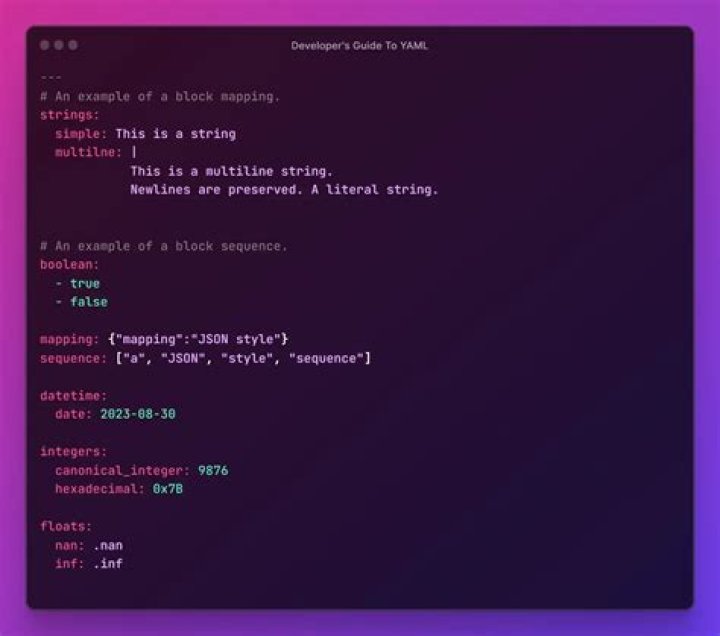
The 1st image is of code and the second is of the yaml.
There is clearly some sort of flutter bug. This is my directory structure:
<project>/assets/images/myimage.png This is what I have in pubspec.yaml:
flutter: uses-material-design: true assets: - assets/images/ And this is how it used to work and still works when I compile for web:
const DecorationImage(image: AssetImage("images/myimage.png") But it will only work when I compile for ios like this:
const DecorationImage(image: AssetImage("assets/images/myimage.png") Luckily adding "assets/" as a prefix works now in all cases.
While I was loading a new image in my asset folder, I just encountered the problem every time.
I run flutter clean & then restarted the Android Studio. Seems like flutter packages caches the asset folder and there is no mechanism to update the cache when a developer adds a new image in the project (Personal thoughts).
Make a habit to check pubspec.yaml when you are struggling to load an image in a Flutter project. Most of the time, the problem is with it.
The correct way is mentioned below. Do not use the Tab key to keep the spaces. Instead, use the Space bar.
flutter: uses-material-design: tru assets: - images/image1.jpg And make sure you include the same correct path in your dart file.
- One trick I always use is renaming the image with a very short name to avoid typo errors.
Hope this would be helpful to anyone who faces these kinds of problems.
If everything is ok, correct path, correct pubspec spaces, etc, the last thing that could cause this is cache. You can close the simulator and start your application again, it helps for my case.
One more answer in the mix:
My pubspec.yaml looked like this:
flutter: assets: - assets/us_defs/ - assets/eu_defs/ - assets/images/ and in the invoking code:
Center( child: Image( image: AssetImage('assets/images/<name.png>') ) ) (The *_defs folders contain json files for various other purposes and I can load them just fine.)
But, the image wouldn't load, no matter what I tried. Checked and double checked the indent spacing, spelling, invoked flutter clean and flutter pub get, cold started the app, etc. Tried referencing 'images/<name.png>' vs 'assets/images/<name.png>'.
Nada.
Finally, I lifted the images folder to the top level under the project folder:
flutter: assets: - assets/us_defs/ - assets/eu_defs/ - images/ <-- now a top level folder and in the invoking code:
Center( child: Image( image: AssetImage('images/<name.png>'); ) ) ... and that worked.
I have no idea why.
Now, I'd rather keep the images folder in assets since it fits my sensibilities, but if this reorg gets me going, I'll live with it.
assets: - assets/ It was working until I upgraded my Flutter version to 3.12.0 .
So the fix was for me to load images was to change it like below
assets: - assets/images/ This is issue has almost driven me nut in the past. To buttress what others have said, after making sure that all the indentations on the yaml file has been corrected and the problem persist, run a 'flutter clean' command at the terminal in Android studio. As at flutter 1.9, this should fix the issue.
Another cause of similar problem: On Windows you should not use \ sign as directory separator. So
instead of
AssetImage('images\heart.png') use
AssetImage('images/heart.png') It can be a bug of Windows version of Flutter. It solved my problem.
I had the same issue I corrected it, you just need to put the two(uses-material-design: true and assets) in the same column and click in the upgrade dependencies but before restart android studio.
Make sure the file names do not contain special characters such as ñ for example
Dec 25th, 2019 :
Whoever facing issue regarding Image not showing in Flutter , let me give you simple checkpoints :
- Image.asset('assets/images/photo1.png'); -- here make sure dont use / (forward slash ) before assets.
- YAML file always be clear dont use space , instead use TAB.
- YAML file add entries for assets. as mentioned in above comment.
First point is very important
This issue still existed in my case even after, flutter clean (deletes build folder) and proper indentations in yaml file
It got fixed by itself, as it could be an issue related to Android Studio.
Fix 1) Restart the emulator in Cold Boot mode, In Android Studio, after clicking List Virtual Devices button, click Drop down arrow (last icon next to edit icon) => Choose Cold Boot Now option. If issue still exist, follow as below
Fix 2) After changing the emulator virtual device as a workaround,
For Example : From Nexus 6 to Pixel emulator
--happy coding!
After declaring correctly in pubspec.yaml, consider giving full path of the image ex.
'assets/images/about_us.png' instead of just images/..
worked for me after wasting 2 hours on such a trivial error.
I was also facing the same issue . The issue on my side was that the image name was having the space in between its name so I updated the image name with the new name that does not have any space.
Image name creating the error was comboclr emtpy no circle.png
I updated this name to comboclr_emtpy_no_circle.png




