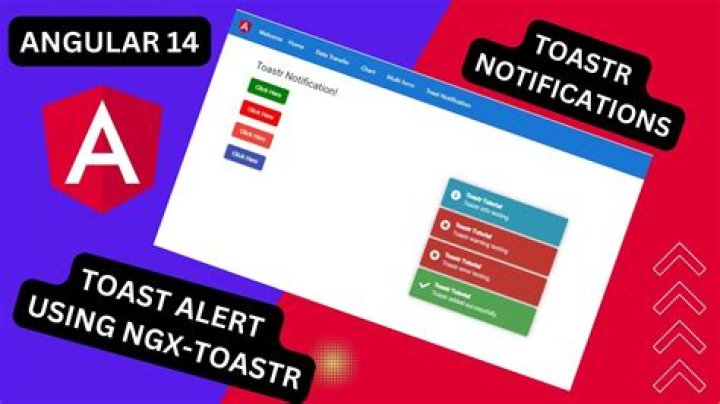

I am using this service for notifications:
Is working perfectly. Already configured for that anywhere in my application I create a pop () button, clicking the trigger notification toaster.
What I need now is any controller in my application, can call triggering the notification method.
For example, within the controller ProductController, I call pop () at any time and then the notification would be triggered.
Despite any view the pop () method function within the controller does not work at all.
Is there some detail I'm not watching?
My index.html
<!DOCTYPE html> <html lang="en"> <head> <meta charset="utf-8" /> <title>My App</title> <meta name="description" content="app, web app, responsive, responsive layout, admin, admin panel, admin dashboard, flat, flat ui, ui kit, AngularJS, ui route, charts, widgets, components" /> <meta name="viewport" content="width=device-width, initial-scale=1, maximum-scale=1" /> <link rel="stylesheet" href="css/bootstrap.css" type="text/css" /> <link rel="stylesheet" href="css/animate.css" type="text/css" /> <link rel="stylesheet" href="css/font-awesome.min.css" type="text/css" /> <link rel="stylesheet" href="css/simple-line-icons.css" type="text/css" /> <link rel="stylesheet" href="css/font.css" type="text/css" /> <link rel="stylesheet" href="css/app.css" type="text/css" /> <link rel="stylesheet" href="js/modules/toaster/toaster.css" type="text/css" /> </head> <body ng-controller="AppCtrl"> <div ng-class="{'app-header-fixed':app.settings.headerFixed, 'app-aside-fixed':app.settings.asideFixed, 'app-aside-folded':app.settings.asideFolded, 'app-aside-dock':app.settings.asideDock, 'container':app.settings.container}" ui-view></div> <!-- jQuery --> <script src="js/jquery/jquery.min.js"></script> <!-- Angular --> <script src="js/libs/angular/angular.js"></script> <script src="js/libs/angular/angular-cookies.js"></script> <script src="js/libs/angular/angular-animate.js"></script> <script src="js/libs/angular/angular-resource.js"></script> <script src="js/libs/angular/angular-ui-router.js"></script> <script src="js/libs/angular/ngStorage.js"></script> <script src="js/libs/angular/ocLazyLoad.js"></script> <script src="js/libs/angular/ui-bootstrap-tpls.js"></script> <script src="js/angular/angular-translate.js"></script> <script src="js/angular/ui-jq.js"></script> <script src="js/angular/ui-load.js"></script> <script src="js/angular/ui-validate.js"></script> <!-- App --> <script src="js/app.js"></script> <script src="js/services.js"></script> <script src="js/controllers.js"></script> <script src="js/controller-university.js"></script> <script src="js/filters.js"></script> <script src="js/directives.js"></script> <script src="js/modules/toaster/toaster.js"></script> <!-- Lazy loading --> </body> </html> My view when the notification toaster is fire by click 'pop()' (it works perfectly):
<div> <h1>Universities</h1> </div> <div> <!-- toaster directive --> <toaster-container toaster-options="{'position-class': 'toast-top-right', 'close-button':true}"></toaster-container> <!-- / toaster directive --> <div> <form name="formCreate" ng-submit="insert()"> <div> <div> <span>Create</span> </div> <div> <div> <div> <label>Nome</label> <input type="text" name="name" maxlength="40" ng-model="university.name" required > </div> </div><!--./form-group--> </div> <footer> <button type="submit">Save</button> <button ng-click="pop()">pop()</button> </footer> </div> </form> </div> </div> My controller:
'use strict'; angular.module('app.controller-university', ['ngCookies']) .controller('UniversityCtrl', ['$stateParams', '$scope', '$window', 'University', function($stateParams, $scope, $window, University ) { $scope.pop(); }]); The file controllers.js. Where is the AppCtrl:
'use strict'; /* Controllers */ angular.module('app.controllers', ['pascalprecht.translate', 'ngCookies']) .controller('AppCtrl', ['$rootScope', '$scope', '$translate', '$localStorage', '$window', 'toaster', function( $rootScope, $scope, $translate, $localStorage, $window, toaster ) { // add 'ie' classes to html var isIE = !!navigator.userAgent.match(/MSIE/i); isIE && angular.element($window.document.body).addClass('ie'); isSmartDevice( $window ) && angular.element($window.document.body).addClass('smart'); $scope.toaster = { type: 'success', title: 'Title', text: 'Message' }; $scope.pop = function(){ toaster.pop($scope.toaster.type, $scope.toaster.title, $scope.toaster.text); }; }]) This is my app.js
'use strict'; // Declare app level module which depends on filters, and services var app = angular.module('app', [ 'ngAnimate', 'ngCookies', 'ngResource', 'ngStorage', 'ui.router', 'ui.bootstrap', 'ui.load', 'ui.jq', 'ui.validate', 'oc.lazyLoad', 'pascalprecht.translate', 'app.filters', 'app.services', 'app.directives', 'app.controllers', 'app.controller-university', 'UniversityService', 'toaster', ]) .run( [ '$rootScope', '$state', '$stateParams', function ($rootScope, $state, $stateParams) { $rootScope.$state = $state; $rootScope.$stateParams = $stateParams; } ] ) .config( [ '$stateProvider', '$urlRouterProvider', '$controllerProvider', '$compileProvider', '$filterProvider', '$provide', function ($stateProvider, $urlRouterProvider, $controllerProvider, $compileProvider, $filterProvider, $provide) { // lazy controller, directive and service app.controller = $controllerProvider.register; app.directive = $compileProvider.directive; app.filter = $filterProvider.register; app.factory = $provide.factory; app.service = $provide.service; app.constant = $provide.constant; app.value = $provide.value; $urlRouterProvider .otherwise('/app/dashboard-v1'); $stateProvider .state('app', { abstract: true, url: '/app', templateUrl: 'tpl/app.html', }) .state('app.dashboard-v1', { url: '/dashboard-v1', templateUrl: 'tpl/app_dashboard_v1.html' }) ///////////////////////// // University ////////////////////////////////////////// .state('app.university', { url: '/universidade', template: '<div ui-view></div>' }) .state('app.university.list', { url: '/listar', templateUrl: 'tpl/university/list.html', controller: 'UniversityCtrl', }) .state('app.university.create', { url: '/criar', templateUrl: 'tpl/university/create.html', controller: 'UniversityCtrl', }) 3 Answers
you can use angular-toaster reference it to your index.html page and also add the css, after that configure the directive at the bottom of the page as the following:
<toaster-container toaster-options="{ 'closeButton': false, 'debug': false, 'position-class': 'toast-top-right', 'onclick': null, 'showDuration': '200', 'hideDuration': '1000', 'timeOut': '5000', 'extendedTimeOut': '1000', 'showEasing': 'swing', 'hideEasing': 'linear', 'showMethod': 'fadeIn', 'hideMethod': 'fadeOut' }"></toaster-container> then add it to your angular module dependencies as 'toaster' (you already did it well) so after that you'll be able to inject toaster service on any controller you want like the following:
angular.module('myApp').controller('myController', [ '$scope', 'toaster', function($scope,toaster) { toaster.pop('success', 'message', 'some message'); }]); as the documentation says you can use a wide variety of options:
toaster.pop('success', "title", 'Its address is 15000, 'trustedHtml', 'goToLink'); toaster.pop('success', "title", '<ul><li>Render html</li></ul>', 5000, 'trustedHtml'); toaster.pop('error', "title", '<ul><li>Render html</li></ul>', null, 'trustedHtml'); toaster.pop('wait', "title", null, null, 'template'); toaster.pop('warning', "title", "myTemplate.html", null, 'template'); toaster.pop('note', "title", "text"); so take a look to this plunkr
4i use the toastr in the following manner:
Include toastr in your index html:
<script type="text/javascript" src="/vendor/toastr/toastr.min.js"></script> Define a factory which you can inject in any controller:
angular.module('app').value('ngToastr',toastr); angular.module('app').factory('ngNotifier',function(ngToastr){ return{ notify: function(msg){ ngToastr.success(msg); }, notifyError: function(msg){ ngToastr.error(msg); }, notifyInfo: function(msg){ ngToastr.info(msg); } } }); After that you can inject this module in any controller:
angular.module('app').controller('myCtrl',function($scope, ngNotifier) { ngNotifier.notifyError($scope.validationError); }); I like @AndreiC's answer. A year later, here is a more robust factory service I use:
.factory('notifierService',function(toaster){ return{ notify: function(msg){ toaster.pop('success', 'Update Successful', 'The ' + msg + ' setting was updated'); }, notifyError: function(msg){ toaster.pop('error', 'Something Went Wrong', 'Please check with an administrator'); }, notifyInfo: function(msg){ toaster.pop('info', 'Information', 'The ' + msg + 'just happened' ); } }; }) on the $resource promise
.$promise.then(function() { notifierService.notify('email server'); }); 



