Is there any way I can find in SQL Server Management Studio stored procedure by name or by part of the name? (on active database context)
Thanks for help
8 Answers
You can use:
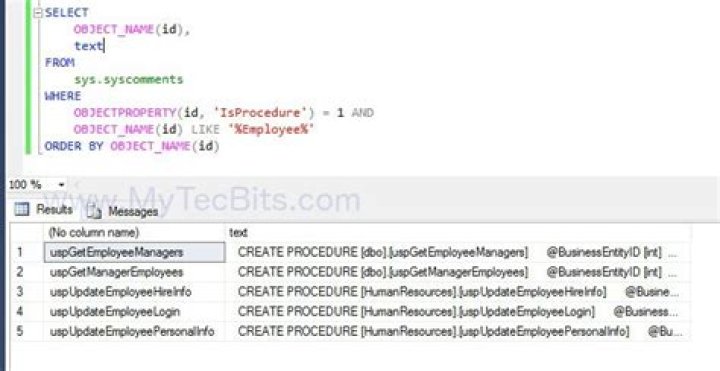
select * from sys.procedures where name like '%name_of_proc%' if you need the code you can look in the syscomments table
select text from syscomments c inner join sys.procedures p on p.object_id = c.object_id where p.name like '%name_of_proc%' Edit Update:
you can can also use the ansi standard version
SELECT * FROM INFORMATION_SCHEMA.ROUTINES WHERE ROUTINE_NAME LIKE '%name_of_proc%' Assuming you're in the Object Explorer Details (F7) showing the list of Stored Procedures, click the Filters button and enter the name (or partial name).

This will work for tables and views (among other things) as well, not just sprocs:
SELECT '[' + s.name + '].[' + o.Name + ']', o.type_desc FROM sys.objects o JOIN sys.schemas s ON s.schema_id = o.schema_id WHERE o.name = 'CreateAllTheThings' -- if you are certain of the exact name OR o.name LIKE '%CreateAllThe%' -- if you are not so certain It also gives you the schema name which will be useful in any non-trivial database (e.g. one where you need a query to find a stored procedure by name).
1You can use this query:
SELECT ROUTINE_CATALOG AS DatabaseName , ROUTINE_SCHEMA AS SchemaName, SPECIFIC_NAME AS SPName , ROUTINE_DEFINITION AS SPBody , CREATED AS CreatedDate, LAST_ALTERED AS LastModificationDate FROM INFORMATION_SCHEMA.ROUTINES WHERE (ROUTINE_DEFINITION LIKE '%%') AND (ROUTINE_TYPE='PROCEDURE') AND (SPECIFIC_NAME LIKE '%AssessmentToolDegreeDel') As you can see, you can do search inside the body of Stored Procedure also.
0When I have a Store Procedure name, and do not know which database it belongs to, I use the following -
Use [master] GO DECLARE @dbname VARCHAR(50) DECLARE @statement NVARCHAR(max) DECLARE db_cursor CURSOR LOCAL FAST_FORWARD FOR --Status 48 (mirrored db) SELECT name FROM MASTER.dbo.sysdatabases WHERE STATUS NOT LIKE 48 AND name NOT IN ('master','model','msdb','tempdb','distribution') OPEN db_cursor FETCH NEXT FROM db_cursor INTO @dbname WHILE @@FETCH_STATUS = 0 BEGIN SELECT @statement = 'SELECT * FROM ['+@dbname+'].INFORMATION_SCHEMA.ROUTINES WHERE [ROUTINE_NAME] LIKE ''%name_of_proc%'''+';' print @statement EXEC sp_executesql @statement FETCH NEXT FROM db_cursor INTO @dbname END CLOSE db_cursor DEALLOCATE db_cursor For SQL Server version 9.0 (2005), you can use the code below:
select * from syscomments c inner join sys.procedures p on p.object_id = c.id where p.name like '%usp_ConnectionsCount%'; Option 1: In SSMS go to View > Object Explorer Details or press F7. Use the Search box. Finally in the displayed list right click and select Synchronize to find the object in the Object Explorer tree.
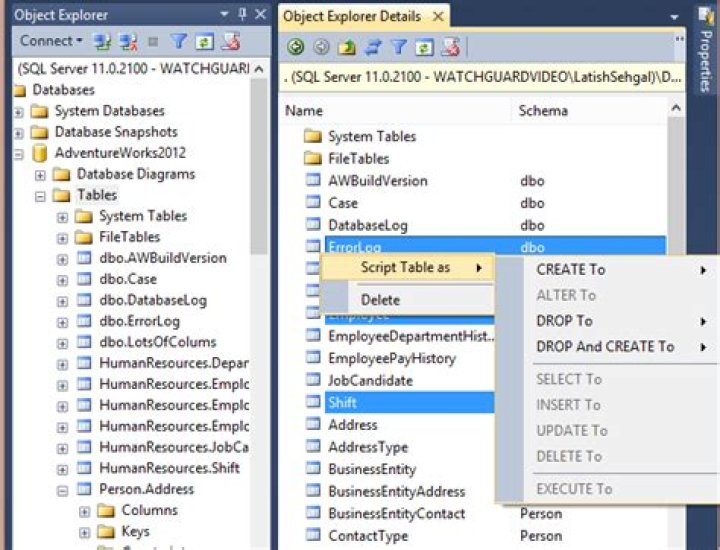
Option 2: Install an Add-On like dbForge Search. Right click on the displayed list and select Find in Object Explorer.

Very neat trick I stumble upon trying some SQL injection, in object explorer in the search box just use your percentage characters, and this will search EVERYTHING stored procedures, functions, views, tables, schema, indexes...I tired of thinking of more :)




