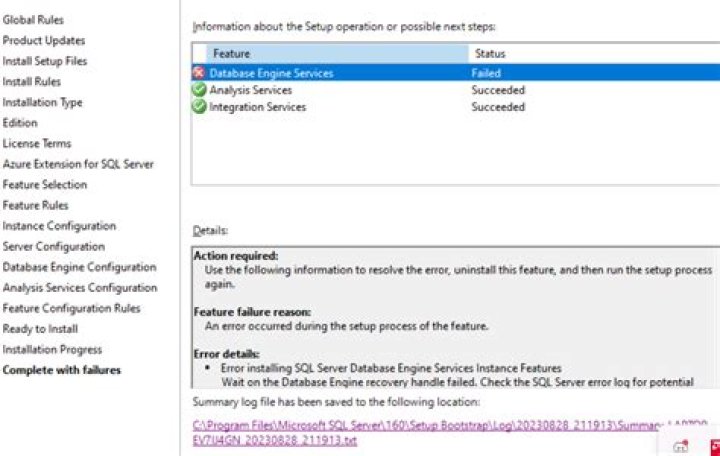

I have installed mssql on Ubuntu 16.04. following are the details of sql server. ms sql (14.0.3015.40-1) i.e SQL server 2017.
when I run the configuration command #sudo /opt/mssql/bin/sqlservr-setup I got error sudo: /opt/mssql/bin/sqlservr-setup: command not found
I have stopped and restarted but of no use.
When I check the status by command #systemctl status mssql-server
I got
mssql-server.service - Microsoft SQL Server Database Engine Loaded: loaded (/lib/systemd/system/mssql-server.service; enabled; vendor preset: enabled) Active: inactive (dead) (Result: exit-code) since Fri 2018-02-02 16:15:29 IST; 4min 20s ago Docs: Process: 28050 ExecStart=/opt/mssql/bin/sqlservr (code=exited, status=200/CHDIR) Main PID: 28050 (code=exited, status=200/CHDIR) Feb 02 16:15:28 chetan-desktop systemd[1]: mssql-server.service: Unit entered failed state. Feb 02 16:15:28 chetan-desktop systemd[1]: mssql-server.service: Failed with result 'exit-code'. Feb 02 16:15:29 chetan-desktop systemd[1]: mssql-server.service: Service hold-off time over, scheduling restart. Feb 02 16:15:29 chetan-desktop systemd[1]: Stopped Microsoft SQL Server Database Engine. Feb 02 16:15:29 chetan-desktop systemd[1]: mssql-server.service: Start request repeated too quickly. Feb 02 16:15:29 chetan-desktop systemd[1]: Failed to start Microsoft SQL Server Database Engine. I have googled and tried all possible options. But unable to start SQL server.
Please guide me through this.
13 Answers
I had the same two problems.
First, I was referencing very old documentation that applied to an early (preview) release for RHEL, and so I was using the wrong command. The correct command is:
/opt/mssql/bin/mssql-conf setup Second, the service was failing to start because my virtual machine did not have enough RAM available (SQL Server on Linux requires at least 2GiB of RAM available.) The documentation I was referred to incorrectly stated that only 0.5GiB was required, this is incorrect and journalctl was not providing any useful information about the start failure.
After configuring available memory to 2GiB and using the correct mssql-conf command I was able to successfully configure and start an MSSQL Server instance on Linux.
References:
- Configure SQL Server on Linux with the mssql-conf tool (Microsoft Docs)
- KB052969: FIX: Minimum memory limit set to 2GB to install or start SQL Server 2017 (Microsoft Support)
- Installation guidance for SQL Server on Linux (Microsoft Docs)
The error says that the executable wasn't found in this path, not that the service couldn't start.
According to the installation instructions for Ubuntu you need to run mssql-conf setup to configure the server :
sudo /opt/mssql/bin/mssql-conf setup not sqlservr-setup
Increasing the RAM size to 3GB on my VM resolved the issue for me.




