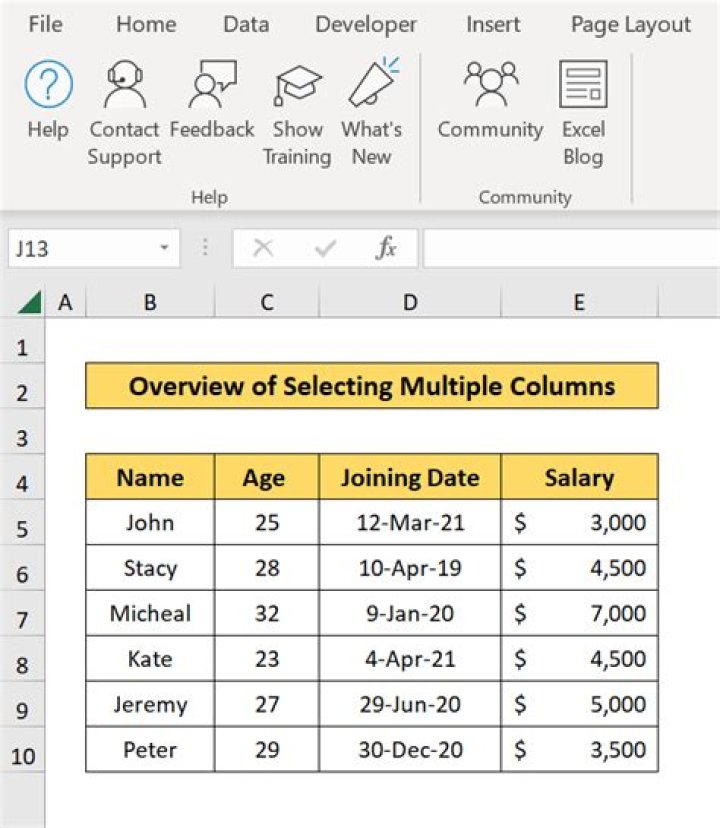

I would like to select multiple columns.
Eg. I want to select column a, b, d, e, g, h
I've tried:
Columns("A, B, D, E, G, H").select I get error message: Type mismatch.
5 Answers
Range("A:B,D:E,G:H").Select can help
Edit note: I just saw you have used different column sequence, I have updated my answer
2Some things of top of my head.
Method 1.
Application.Union(Range("a1"), Range("b1"), Range("d1"), Range("e1"), Range("g1"), Range("h1")).EntireColumn.Select Method 2.
Range("a1,b1,d1,e1,g1,h1").EntireColumn.Select Method 3.
Application.Union(Columns("a"), Columns("b"), Columns("d"), Columns("e"), Columns("g"), Columns("h")).Select Some of the code looks a bit complex to me. This is very simple code to select only the used rows in two discontiguous columns D and H. It presumes the columns are of unequal length and thus more flexible vs if the columns were of equal length.
As you most likely surmised 4=column D and 8=column H
Dim dlastRow As Long Dim hlastRow As Long dlastRow = ActiveSheet.Cells(Rows.Count, 4).End(xlUp).Row hlastRow = ActiveSheet.Cells(Rows.Count, 8).End(xlUp).Row Range("D2:D" & dlastRow & ",H2:H" & hlastRow).Select Hope you find useful - DON'T FORGET THAT COMMA BEFORE THE SECOND COLUMN, AS I DID, OR IT WILL BOMB!!
As a recorded macro.
range("A:A, B:B, D:D, E:E, G:G, H:H").select Working on a project I was stuck for some time on this concept - I ended up with a similar answer to Method 1 by @GSerg that worked great. Essentially I defined two formula ranges (using a few variables) and then used the Union concept. My example is from a larger project that I'm working on but hopefully the portion of code below can help some other people who might not know how to use the Union concept in conjunction with defined ranges and variables. I didn't include the entire code because at this point it's fairly long - if anyone wants more insight feel free to let me know.
First I declared all my variables as Public
Then I defined/set each variable
Lastly I set a new variable "SelectRanges" as the Union between the two other FormulaRanges
Public r As Long Public c As Long Public d As Long Public FormulaRange3 As Range Public FormulaRange4 As Range Public SelectRanges As Range With Sheet8 c = pvt.DataBodyRange.Columns.Count + 1 d = 3 r = .Cells(.Rows.Count, 1).End(xlUp).Row Set FormulaRange3 = .Range(.Cells(d, c + 2), .Cells(r - 1, c + 2)) FormulaRange3.NumberFormat = "0" Set FormulaRange4 = .Range(.Cells(d, c + c + 2), .Cells(r - 1, c + c + 2)) FormulaRange4.NumberFormat = "0" Set SelectRanges = Union(FormulaRange3, FormulaRange4) 



