
I have a scenario where I am using a number of formulas I am comfortable with together and not getting a result. I want to get ANY result where there is a "1" present in a cell. (The 1 is the result of a formula). As well as where the text of a certain column contains an &. ("&/OR")
I have tried a couple formulas
=IF(AND(I1=1,C2="*"&$Q$1&"*"),1," ") ---In this I have tried to put the & in a cell and refer to it
=IF(I1=1,1," ") and then in a new column
=IF(C2="*"&"/"&"*",1," ") Then combining the results of the two? Is anyone noticing what is wrong with it??
3 Answers
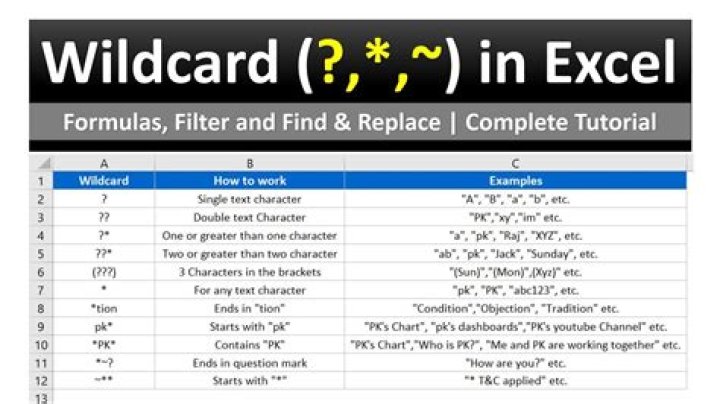
Wildcards aren't recognised with comparison operators like =, for example if you use this formula
=A1="*&*"
that will treat the *'s as literal asterisks (not wildcards) so that will only return TRUE if A1 literally contains *&*
You can use COUNTIF function, even for a single cell, e.g.
=COUNTIF(A1,"*&*")
That will return 1 if A1 contains &, so for your purposes:
=IF(AND(I1=1,COUNTIF($G$1,"*&*")),1,"")
COUNTIFS can also be used to test for multiple conditions:
=COUNTIFS(A1,"word1",A2,"word2") word1, word2 may contain wildcard characters if required
=IF(ISERROR(FIND("&",$Q$1))," ",IF(I1=1,1,"")) or something like
=IF(AND(I1=1,NOT(ISERROR(FIND("&",$G$1)))),1," ") any variation of that really...
0



