I have an xarray DataArray that looks like this below with shape (1,5,73,144,17) and I'm trying to drop or delete the "level" coordinates. So, ultimately, i need the variable to have shape = (1,5,73,144).
stdna Out[717]: <xarray.DataArray 'stack-6e9b86fc65e3f0fda2008a339e235bc7' (variable: 1, week: 5, lat: 73, lon: 144, level: 17)> dask.array<stack, shape=(1, 5, 73, 144, 17), dtype=float32, chunksize=(1, 1, 73, 144, 17), chunktype=numpy.ndarray> Coordinates: * lon (lon) float32 0.0 2.5 5.0 7.5 10.0 ... 350.0 352.5 355.0 357.5 * lat (lat) float32 90.0 87.5 85.0 82.5 80.0 ... -82.5 -85.0 -87.5 -90.0 * level (level) float32 1000.0 925.0 850.0 700.0 ... 50.0 30.0 20.0 10.0 * week (week) int64 5 6 7 8 9 * variable (variable) <U3 'hgt' I've taken a look to the xarray documentation and it's not helping. I've tried different combinations around this idea but i usually get the statement below and the coordinate has not been removed:
s = stdna.drop('level', dim=None) Dimensions without coordinates: level Thank you for your help!
4 Answers
We can use the drop_vars method to drop a coord:
In [10]: da Out[10]: <xarray.DataArray (dim_0: 2, dim_1: 3)> array([[0.15928504, 0.47081089, 0.50490985], [0.6151981 , 0.41735643, 0.2576089 ]]) Coordinates: x (dim_0, dim_1) float64 0.1593 0.4708 0.5049 0.6152 0.4174 0.2576 Dimensions without coordinates: dim_0, dim_1 In [11]: da.drop_vars('x') Out[11]: <xarray.DataArray (dim_0: 2, dim_1: 3)> array([[0.15928504, 0.47081089, 0.50490985], [0.6151981 , 0.41735643, 0.2576089 ]]) Dimensions without coordinates: dim_0, dim_1 Alternatively reset_coords('level', drop=True) will also work.
As discussed in the comments — if we want to reduce the size of an array, then we need to do some slicing or reduction operation. Check out @MichaelDelgado's answer for more details.
5Initially, I looked at the behaviour of drop and found that it does not delete the dimension. It can be used to delete data variables as such.
Then I tried this:
del stdna['level'] I would say the best way would be to try :
stdna.drop_dims('level') There is one more thing I tried :
stdna = stdna.drop([i for i in stdna.coords if i not in stdna.dims]) to see if I can generalize this issue. But don't think this would work well. From docs :
1Late to the party, but in case anyone else comes across this...
The reason you can't drop a dimension like this is because your data is actually indexed by level. In order to "remove" the the level dimension from your data, you need to decide how you would like to reduce the information along this dimension.
You could do this in all kinds of ways. If you want to select a single level from the array, then da.sel is what you're looking for, e.g.:
stdna.sel(level=1000) On the other hand, maybe you're looking to aggregate the data across the level dimension? For example, you could take the average value across all levels:
stdna.mean(dim='level') But without knowing how you want to go from a DataArray that is indexed by level to one that is not, there's no way for xarray to simply "drop" it from the data - the array will still be shaped (1,5,73,144,17).
See the docs on indexing and selecting data or computation: aggregation for more info on these topics.
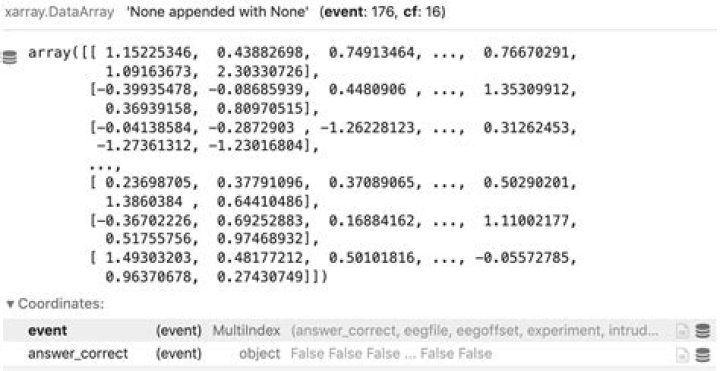
If you have levels nested within the events of your DataArray like so:
You need to use .droplevel() within the MultiIndex. For this example, to drop the Coordinate answer_correct:
da.indexes['event'].droplevel('answer_correct') 



