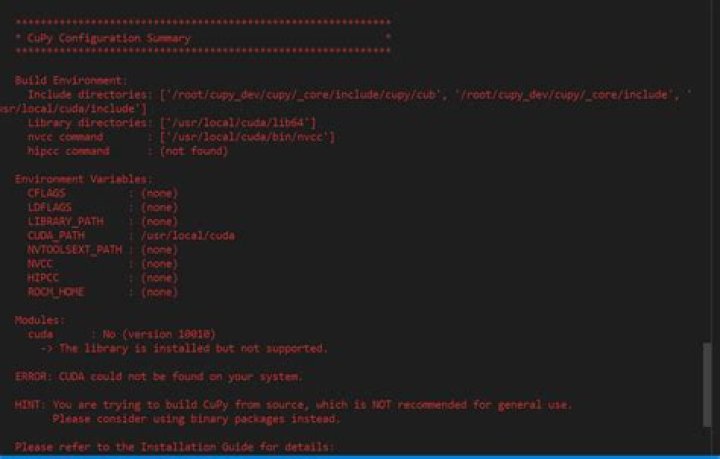

I tried to install cupy via pip install cupy. I get the following error:
Looking in links: /cvmfs/ /cvmfs/ Collecting cupy Using cached Complete output from command python setup.py egg_info: Options: {'profile': False, 'annotate': False, 'linetrace': False, 'wheel_libs': [], 'package_name': 'cupy', 'no_rpath': False, 'no_cuda': False, 'long_description': None} ************************************************** *** WARNING: nvcc not in path. *** WARNING: Please set path to nvcc. ************************************************** ************************************************** *** WARNING: nvcc path != CUDA_PATH *** WARNING: nvcc path: None *** WARNING: CUDA_PATH: /cvmfs/ ************************************************** -------- Configuring Module: cuda -------- cc1plus: warning: command line option ‘-Wstrict-prototypes’ is valid for C/ObjC but not for C++ gcc: warning: /cvmfs/ linker input file unused because linking not done /cvmfs/ file not recognized: Is a directory collect2: error: ld returned 1 exit status Cannot build a stub file. Original error: command 'g++' failed with exit status 1 ************************************************************ * CuPy Configuration Summary * ************************************************************ Build Environment: Include directories: ['/cvmfs/ Library directories: ['/cvmfs/ nvcc command : ['/cvmfs/ Environment Variables: CFLAGS : /cvmfs/ LDFLAGS : /cvmfs/ LIBRARY_PATH : /cvmfs/ CUDA_PATH : /cvmfs/ NVCC : (none) Modules: cuda : No -> Include files not found: ['cublas_v2.h', 'cuda.h', 'cuda_profiler_api.h', 'cuda_runtime.h', 'cufft.h', 'curand.h', 'cusparse.h', 'nvrtc.h', 'nvToolsExt.h'] -> Check your CFLAGS environment variable. ERROR: CUDA could not be found on your system. Please refer to the Installation Guide for details: ************************************************************ Traceback (most recent call last): File "<string>", line 1, in <module> File "/localscratch/tamouze.7243408.0/pip-install-_wUDId/cupy/setup.py", line 65, in <module> ext_modules = cupy_setup_build.get_ext_modules() File "cupy_setup_build.py", line 561, in get_ext_modules extensions = make_extensions(arg_options, compiler, use_cython) File "cupy_setup_build.py", line 374, in make_extensions raise Exception('Your CUDA environment is invalid. ' Exception: Your CUDA environment is invalid. Please check above error log. ---------------------------------------- Command "python setup.py egg_info" failed with error code 1 in /localscratch/tamouze.7243408.0/pip-install-_wUDId/cupy/ Im working on SSH linux server. Im not comfortable with linux environment. My problem looks like the environment is not ok, please how can setup correctly them? I want to use cupy with cahiner
31 Answer
for cuda 9.0:
pip install --pre cupy-cuda90
Or you may want to first do:
1. check you module list : module list
- unload pgi module: module unload pgi/16.9




