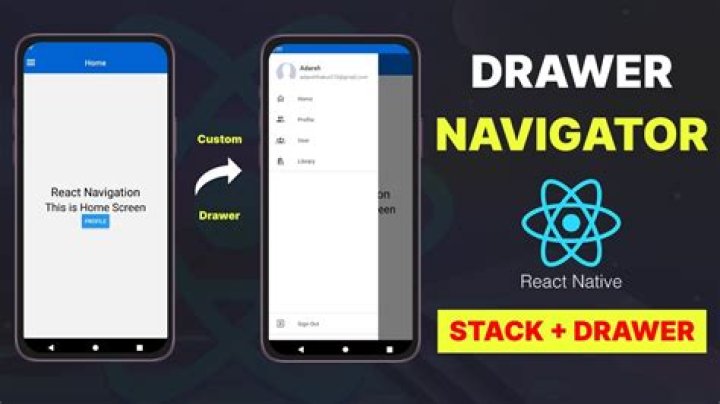

So I'm new to react native and react navigation.
I'm building an app that will have 7 main screens:
- HomeScreen, ProfileScreen, CocktailDetailScreen and PublishRecipeScreen (which I want to be able to access through a drawer navigator).
- LandingScreen, LoginScreen and RegisterScreen (which I don't want to show in the drawer navigator. I just want to show the LandingScreen when the user isn't logged in, and either of the other if the user want's to log in or register).
I've been able to put up a stack navigator that works fine, but I don't understand how to combine this with the drawer navigator I want. I've tried different approaches but I get errors like:
The action 'OPEN_DRAWER' was not handled by any navigator. Is your screen inside a Drawer navigator? or
Uncaught Error: Looks like you have nested a 'NavigationContainer' inside another. Normally you need only one container at the root of the app, so this was probably an error. If this was intentional, pass 'independent={true}' explicitly. Note that this will make the child navigators disconnected from the parent and you won't be able to navigate between them. This is my code so far. App.tsx
import { SafeAreaProvider } from 'react-native-safe-area-context' import useCachedResources from './hooks/useCachedResources' import Navigation from './navigation' export default function App() { const isLoadingComplete = useCachedResources() if (!isLoadingComplete) { return null } else { return ( <SafeAreaProvider> <Navigation /> </SafeAreaProvider> ) } } (navigation) index.tsx
import { NavigationContainer } from '@react-navigation/native' import { createNativeStackNavigator } from '@react-navigation/native-stack' import * as React from 'react' import LandingScreen from '../screens/LandingScreen' import LoginScreen from '../screens/LoginScreen' import RegisterScreen from '../screens/RegisterScreen' import HomeScreen from '../screens/HomeScreen' import ProfileScreen from '../screens/ProfileScreen' import CocktailDetailScreen from '../screens/CocktailDetailScreen' import PublishRecipeScreen from '../screens/PublishRecipeScreen' import Header from '../components/Header' import DrawerNavigator from '../components/DrawerNavigator' import { RootStackParamList } from '../types' export default function Navigation() { const Stack = createNativeStackNavigator<RootStackParamList>() return ( <NavigationContainer> <Stack.Navigator > <Stack.Screen name='LandingScreen' component={LandingScreen} options={{headerShown: false}} /> <Stack.Screen name='LoginScreen' component={LoginScreen} options={{headerShown: false}} /> <Stack.Screen name='RegisterScreen' component={RegisterScreen} options={{headerShown: false}} /> <Stack.Screen name='HomeScreen' component={HomeScreen} options={{ header: () => <Header/> }} /> <Stack.Screen name='ProfileScreen' component={ProfileScreen} options={{ header: () => <Header/> }} /> <Stack.Screen name='CocktailDetailScreen' component={CocktailDetailScreen} options={{ header: () => <Header/> }} /> <Stack.Screen name='PublishRecipeScreen' component={PublishRecipeScreen} options={{ header: () => <Header/> }} /> </Stack.Navigator> </NavigationContainer> ) } header.tsx
import React from 'react' import { useNavigation } from '@react-navigation/native' import { useDrawerStatus } from '@react-navigation/drawer' import { DrawerActions } from '@react-navigation/native' import { StyleSheet, Text, View } from 'react-native' import { AntDesign } from '@expo/vector-icons' const Header = () => { const navigation = useNavigation() return ( <View style={styles.container}> <Text style={styles.title} onPress={() => navigation.navigate('RegisterScreen')}>Mixr</Text> <View style={styles.iconContainer} > <AntDesign name='user' style={styles.icon} size={30} color='white' onPress={() => navigation.dispatch(DrawerActions.openDrawer())} /> </View> </View> ) } const styles = StyleSheet.create({ container: { flexDirection: 'row', alignItems: 'center', justifyContent: 'space-between', backgroundColor: '#E51C27', alignSelf: 'stretch' }, title: { fontSize: 40, fontWeight: 'bold', marginTop: 6, marginBottom: 6, marginLeft: 10 }, iconContainer: { backgroundColor: 'black', borderBottomLeftRadius: 50, borderBottomRightRadius: 50, borderTopLeftRadius: 50, borderTopRightRadius: 50, marginRight: 10 }, icon: { padding: 5 } }) export default Header DrawerNavigator.tsx
import React from 'react' import { createDrawerNavigator, useDrawerStatus } from '@react-navigation/drawer' import { NavigationContainer } from '@react-navigation/native' import HomeScreen from '../screens/HomeScreen' import ProfileScreen from '../screens/ProfileScreen' import CocktailDetailScreen from '../screens/CocktailDetailScreen' import PublishRecipeScreen from '../screens/PublishRecipeScreen' const DrawerNavigator = () => { const Drawer = createDrawerNavigator() return ( <NavigationContainer> <Drawer.Navigator> <Drawer.Screen name='HomeScreen' component={HomeScreen} /> <Drawer.Screen name='ProfileScreen' component={ProfileScreen} /> <Drawer.Screen name='CocktailDetailScreen' component={CocktailDetailScreen} /> <Drawer.Screen name='PublishRecipeScreen' component={PublishRecipeScreen} /> </Drawer.Navigator> </NavigationContainer> ) } export default DrawerNavigator I want to show a header in all of this pages (HomeScreen, ProfileScreen, CocktailDetailScreen and PublishRecipeScreen) and from that header be able to open/close the drawer. I don't quite understand how to link the stack navigator with the drawer.
From a more theoretical point of view, I don't really understand the difference between the stack navigator, the drawer, and other options like tab or bottom navigators.
I mean, besides that the drawer navigator shows in a drawer and the bottom one shows at the bottom. Is there a conceptual difference between them?
1 Answer
I think I figured it out.
What I did is nest the drawer navigator within the stack navigator.
To do so, I passed the Drawer navigator as the component of each of the screens I wanted it to be in.
Like so: (navigation) index.tsx
import { NavigationContainer } from '@react-navigation/native' import { createNativeStackNavigator } from '@react-navigation/native-stack' import * as React from 'react' import LandingScreen from '../screens/LandingScreen' import LoginScreen from '../screens/LoginScreen' import RegisterScreen from '../screens/RegisterScreen' import Header from '../components/Header' import DrawerNavigator from '../components/DrawerNavigator' import { RootStackParamList } from '../types' export default function Navigation() { const Stack = createNativeStackNavigator<RootStackParamList>() return ( <NavigationContainer> <Stack.Navigator > <Stack.Screen name='LandingScreen' component={LandingScreen} options={{headerShown: false}} /> <Stack.Screen name='LoginScreen' component={LoginScreen} options={{headerShown: false}} /> <Stack.Screen name='RegisterScreen' component={RegisterScreen} options={{headerShown: false}} /> <Stack.Screen name='HomeScreen' component={DrawerNavigator} options={{ header: () => <Header/> }} /> <Stack.Screen name='ProfileScreen' component={DrawerNavigator} options={{ header: () => <Header/> }} /> <Stack.Screen name='CocktailDetailScreen' component={DrawerNavigator} options={{ header: () => <Header/> }} /> <Stack.Screen name='PublishRecipeScreen' component={DrawerNavigator} options={{ header: () => <Header/> }} /> </Stack.Navigator> </NavigationContainer> ) } And in the drawer navigator I assign the corresponding screen component to each screen: DrawerNavigator.tsx import React from 'react' import { createDrawerNavigator } from '@react-navigation/drawer'
import HomeScreen from '../screens/HomeScreen' import ProfileScreen from '../screens/ProfileScreen' import CocktailDetailScreen from '../screens/CocktailDetailScreen' import PublishRecipeScreen from '../screens/PublishRecipeScreen' const DrawerNavigator = () => { const Drawer = createDrawerNavigator() return ( <Drawer.Navigator> <Drawer.Screen name='Home' component={HomeScreen} options={{headerShown: false}} /> <Drawer.Screen name='Profile' component={ProfileScreen} options={{headerShown: false}} /> <Drawer.Screen name='CocktailDetail' component={CocktailDetailScreen} options={{headerShown: false}} /> <Drawer.Screen name='PublishRecipe' component={PublishRecipeScreen} options={{headerShown: false}} /> </Drawer.Navigator> ) } export default DrawerNavigator I still find this a bit confusing though, and I guess there's probably a simpler way to write this.
Useful resources I've found on this topic:




