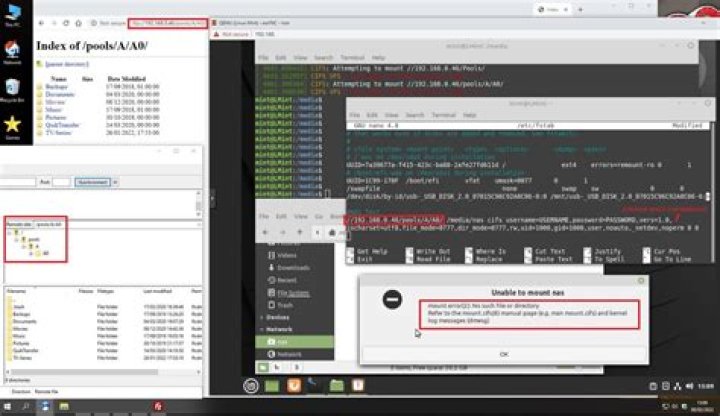

I have a CIFS mount that was working but has broken. It still mounts with sudo mount -a but not at boot. The CIFS share is hosted on openmediavault 5 on a raspberry pi 4. I'm not seeing any errors in the OMV logs.
My fstab entry looks like this:
//192.168.1.97/sharedrive /media/Nas cifs credentials=/home/brad/.smbcredentials,vers=3,_netdev,iocharset=utf8,auto,forceuid,forcegid,uid=1000,gid=5000,file_mode=0777,dir_mode=0777 0 0 DMESG output looks like this:
CIFS: Attempting to mount //192.168.1.97/sharedrive CIFS VFS: Error connecting to socket. Aborting operation. CIFS VFS: cifs_mount failed w/return code = -2 JOURNALCTL output looks like this:
systemd[1]: media-Nas.mount: Mount process exited, code=exited, status=32/n/a systemd[1]: media-Nas.mount: Failed with result 'exit-code'. systemd[1]: Failed to mount Mount CIFS Share. Any help would be hugely appreciated. Thanks!
edit:
output of systemctl status NetworkManager-wait-online.service
systemctl status NetworkManager-wait-online.service ● NetworkManager-wait-online.service - Network Manager Wait Online Loaded: loaded (/lib/systemd/system/NetworkManager-wait-online.service; enabled; vendor preset: enabled) Active: active (exited) since Fri 2021-01-29 17:42:32 EST; 43min ago Docs: man:nm-online(1) Process: 806 ExecStart=/usr/bin/nm-online -s -q --timeout=30 (code=exited, status=0/SUCCESS) Main PID: 806 (code=exited, status=0/SUCCESS) Jan 29 17:42:26 HP-Laptop systemd[1]: Starting Network Manager Wait Online... Jan 29 17:42:32 HP-Laptop systemd[1]: Finished Network Manager Wait Online. output of systemd-networkd-wait-online
systemctl status systemd-networkd-wait-online ● systemd-networkd-wait-online.service - Wait for Network to be Configured Loaded: loaded (/lib/systemd/system/systemd-networkd-wait-online.service; disabled; vendor preset: enabled) Active: inactive (dead) Docs: man:systemd-networkd-wait-online.service(8) edit 2:
systemctl status systemd-networkd-wait-online ● systemd-networkd-wait-online.service - Wait for Network to be Configured Loaded: loaded (/lib/systemd/system/systemd-networkd-wait-online.service; enabled; vendor preset: enabled) Active: active (exited) since Fri 2021-01-29 18:42:00 EST; 3min 54s ago Docs: man:systemd-networkd-wait-online.service(8) Process: 444 ExecStart=/lib/systemd/systemd-networkd-wait-online (code=exited, status=0/SUCCESS) Main PID: 444 (code=exited, status=0/SUCCESS) Jan 29 18:42:00 HP-Laptop systemd[1]: Starting Wait for Network to be Configured... Jan 29 18:42:00 HP-Laptop systemd[1]: Finished Wait for Network to be Configured. EDIT 3:
The output of systemctl status networkd-dispatcher.service systemd-networkd.service
● networkd-dispatcher.service - Dispatcher daemon for systemd-networkd Loaded: loaded (/lib/systemd/system/networkd-dispatcher.service; enabled; vendor preset: enabled) Active: active (running) since Fri 2021-01-29 19:19:51 EST; 1min 20s ago Main PID: 747 (networkd-dispat) Tasks: 1 (limit: 9072) Memory: 19.7M CGroup: / └─747 /usr/bin/python3 /usr/bin/networkd-dispatcher --run-startup-triggers Jan 29 19:19:51 HP-Laptop systemd[1]: Starting Dispatcher daemon for systemd-networkd... Jan 29 19:19:51 HP-Laptop systemd[1]: Started Dispatcher daemon for systemd-networkd. Jan 29 19:19:57 HP-Laptop networkd-dispatcher[747]: WARNING:Unknown index 3 seen, reloading interface list Jan 29 19:20:00 HP-Laptop networkd-dispatcher[747]: WARNING:Unknown index 5 seen, reloading interface list Jan 29 19:20:00 HP-Laptop networkd-dispatcher[747]: WARNING:Unknown index 6 seen, reloading interface list ● systemd-networkd.service - Network Service Loaded: loaded (/lib/systemd/system/systemd-networkd.service; enabled; vendor preset: enabled) Active: active (running) since Fri 2021-01-29 19:19:49 EST; 1min 22s ago TriggeredBy: ● systemd-networkd.socket Docs: man:systemd-networkd.service(8) Main PID: 431 (systemd-network) Status: "Processing requests..." Tasks: 1 (limit: 9072) Memory: 4.1M CGroup: / └─431 /lib/systemd/systemd-networkd 2 Answers
Your fstab entry looks okay and should work fine.
It ,however. appears that the mount is attempted prior to network connectivity becomes available ( systemd's connectivity in particular ). Hence these errors:
CIFS VFS: Error connecting to socket. Aborting operation.
and
systemd[1]: media-Nas.mount: Mount process exited, code=exited, status=32/n/a systemd[1]: media-Nas.mount: Failed with result 'exit-code'. systemd[1]: Failed to mount Mount CIFS Share.
This is due to the service systemd-networkd-wait-online being disabled.
Enable the service like so:
sudo systemctl enable systemd-networkd-wait-online This should execute without errors.
After that reboot your system. Your network share should mount at boot now.
If the share is still not mounting, check:
systemctl status networkd-dispatcher.service systemd-networkd.service And see if either service is disabled and enable them too. Then reboot your system.
10I too was having exact same issue. Though in my case CIFS share is hosted on ASUS RT AC68U with DD WRT 3.0
Here's how I solved the issue:
(1) Enabled these services (as I've disabled these in the past):
sudo systemctl enable systemd-networkd-wait-online sudo systemctl enable systemd-networkd.service sudo systemctl enable NetworkManager-wait-online.service Note: If any of those services are masked, then you would need to first unmask, and then enable it.
You can find more on how to properly unmask here: [1] and [2].
(2) I commented out (removed) fstab entry for CIFS share, and created systemd mount for cifs share:
Note: Create a new file media-admn-nas.mount in the diretory /etc/systemd/system.
The filename must contain the mount point name where the slashes are replaced with “minus”. Mount-directory /media/admn/nas => media-admn-nas.mount
sudo nano /etc/systemd/system/media-admn-nas.mount
[Unit] Description=CIFS Mount Service Requires=network-online.target systemd-networkd.service After=network-online.target network-online.service media-admn-1\x2d6TB.mount remote-fs.target Wants=network-online.target NetworkManager-wait-online.service [Mount] What=//192.168.1.1/nas Where=/media/admn/nas Options=rw,_netdev,auto,cache=none,vers=3.11,credentials=/home/admn/.smbcredentials,forceuid,forcegid,uid=1000,gid=1000 Type=cifs TimeoutSec=15 [Install] WantedBy=multi-user.target Note-1: In my case, media-admn-1\x2d6TB.mount is an additional hard drive where I have mounted the cifs share, so I've added that as After= requirement.
Note-2: As I was still getting errors, I've added TimeoutSec=15
(3) Enable the mount:
sudo systemctl enable media-admn-nas.mount sudo systemctl daemon-reload (4) Reboot: 15 sec after a reboot, CIFS share should be mounted.
(5) Check status:
$ systemctl status media-admn-nas.mount ● media-admn-nas.mount - CIFS Mount Service Loaded: loaded (/etc/systemd/system/media-admn-nas.mount; enabled; vendor preset: enable> Active: active (mounted) since Sun 2021-01-31 10:37:52 IST; 1h 58min ago Where: /media/admn/nas What: //192.168.1.1/nas Tasks: 0 (limit: 19083) Memory: 12.0K CGroup: / 



