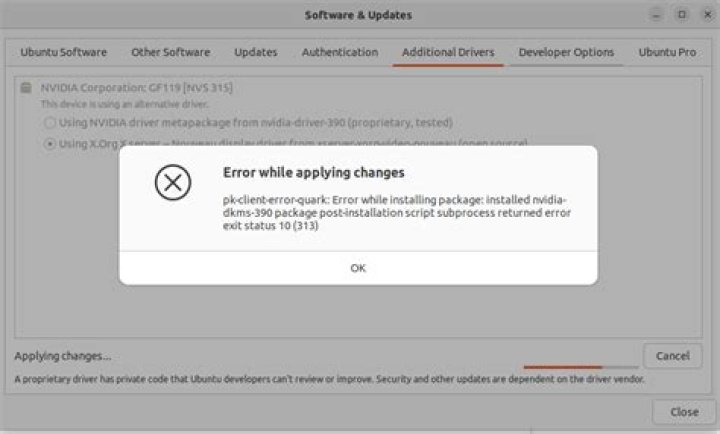

I accidentally uninstalled my active kernel as well as my graphics drivers using this command from a StackExchange suggestion:
dpkg -l 'linux-*' | sed '/^ii/!d;/'"$(uname -r | sed "s/\(.*\)-\([^0-9]\+\)/\1/")"'/d;s/^[^ ]* [^ ]* \([^ ]*\).*/\1/;/[0-9]/!d' | xargs sudo apt-get -y purge After reinstalling the kernel, I am working on the graphics drivers.
ubuntu-drivers devices returns:
== /sys/devices/pci0000:00/0000:00:01.0/0000:01:00.0 == modalias : pci:v000010DEd00001C03sv0000196Esd0000119Fbc03sc00i00 vendor : NVIDIA Corporation model : GP106 [GeForce GTX 1060 6GB] manual_install: True driver : nvidia-driver-390 - distro non-free recommended driver : xserver-xorg-video-nouveau - distro free builtin sudo ubuntu-drivers autoinstall returns
Reading package lists... Done Building dependency tree Reading state information... Done Some packages could not be installed. This may mean that you have requested an impossible situation or if you are using the unstable distribution that some required packages have not yet been created or been moved out of Incoming. The following information may help to resolve the situation: The following packages have unmet dependencies: nvidia-driver-390 : Depends: nvidia-dkms-390 (= 390.48-0ubuntu3) Recommends: libnvidia-compute-390:i386 (= 390.48-0ubuntu3) Recommends: libnvidia-decode-390:i386 (= 390.48-0ubuntu3) Recommends: libnvidia-encode-390:i386 (= 390.48-0ubuntu3) Recommends: libnvidia-ifr1-390:i386 (= 390.48-0ubuntu3) Recommends: libnvidia-fbc1-390:i386 (= 390.48-0ubuntu3) Recommends: libnvidia-gl-390:i386 (= 390.48-0ubuntu3) E: Unable to correct problems, you have held broken packages. sudo apt install nvidia-390 returns
Reading package lists... Done Building dependency tree Reading state information... Done Package nvidia-390 is not available, but is referred to by another package. This may mean that the package is missing, has been obsoleted, or is only available from another source However the following packages replace it: libnvidia-gl-390 nvidia-kernel-source-390:i386 nvidia-headless-no-dkms-390:i386 libnvidia-gl-390:i386 nvidia-kernel-source-390 nvidia-headless-no-dkms-390 E: Package 'nvidia-390' has no installation candidate sudo apt install -f returns:
Reading package lists... Done Building dependency tree Reading state information... Done The following packages were automatically installed and are no longer required: amd64-microcode intel-microcode iucode-tool libc-dev-bin thermald Use 'sudo apt autoremove' to remove them. sudo add-apt-repository ppa:graphics-drivers returns the warning: This PPA is currently in testing, you should be experienced with packaging before you dive in here.
I am not experienced with packaging and do not want to mess something else up again, so I did not run it.
A side question: does anyone know how I can be certain that my kernel is running properly? I.e. that if I restart my computer it will boot?
uname -r returns:
4.15.0-43-generic
So I believe it is functioning. Is there anything else it would be smart to check?
21 Answer
nvidia-390 is part of the graphics-drivers PPA.
Run sudo /usr/bin/nvidia-uninstall to uninstall a manually installed driver, if you still got one.
Remove everything of your old NVIDIA driver (simulate first):
sudo apt remove --purge -s nvidia-* sudo apt remove --purge -s libnvidia-* If only nvidia packages are there to be removed, remove really:
sudo apt remove --purge nvidia-* sudo apt remove --purge libnvidia-* Run sudo apt update and ubuntu-drivers devices again.
If nvidia-390 is still recommended, add your output of sudo ubuntu-drivers autoinstall again.