
/usr/local/lib/python3.6/dist-packages/torch/include/ATen/core/TensorBody.h:262:30: note: declared here DeprecatedTypeProperties & type() const { ^~~~ mmdet/ops/nms/src/nms_cuda.cpp:4:23: error: ‘AT_CHECK’ was not declared in this scope #define CHECK_CUDA(x) AT_CHECK(x.type().is_cuda(), #x, " must be a CUDAtensor ") ^ mmdet/ops/nms/src/nms_cuda.cpp:4:23: note: in definition of macro ‘CHECK_CUDA’ #define CHECK_CUDA(x) AT_CHECK(x.type().is_cuda(), #x, " must be a CUDAtensor ") ^~~~~~~~ mmdet/ops/nms/src/nms_cuda.cpp:4:23: note: suggested alternative: ‘DCHECK’ #define CHECK_CUDA(x) AT_CHECK(x.type().is_cuda(), #x, " must be a CUDAtensor ") ^ mmdet/ops/nms/src/nms_cuda.cpp:4:23: note: in definition of macro ‘CHECK_CUDA’ #define CHECK_CUDA(x) AT_CHECK(x.type().is_cuda(), #x, " must be a CUDAtensor ") ^~~~~~~~ error: command 'x86_64-linux-gnu-gcc' failed with exit status 1 Now all the info I get:
- sys.version 8.2
- /usr/bin/gcc 7
- gcc versio 7.5
Is it normal? What happened? Cuda error? gcc error? How to solve. I'm hurried to use it to run mmdetection program.
12 Answers
The solution is:
conda install pytorch cudatoolkit==10.0 torchvision -c pytorch -y if using branch earlier than v2.0.0.
or:
conda install pytorch cudatoolkit torchvision -c pytorch -y if branch is equal to v2.0.0.
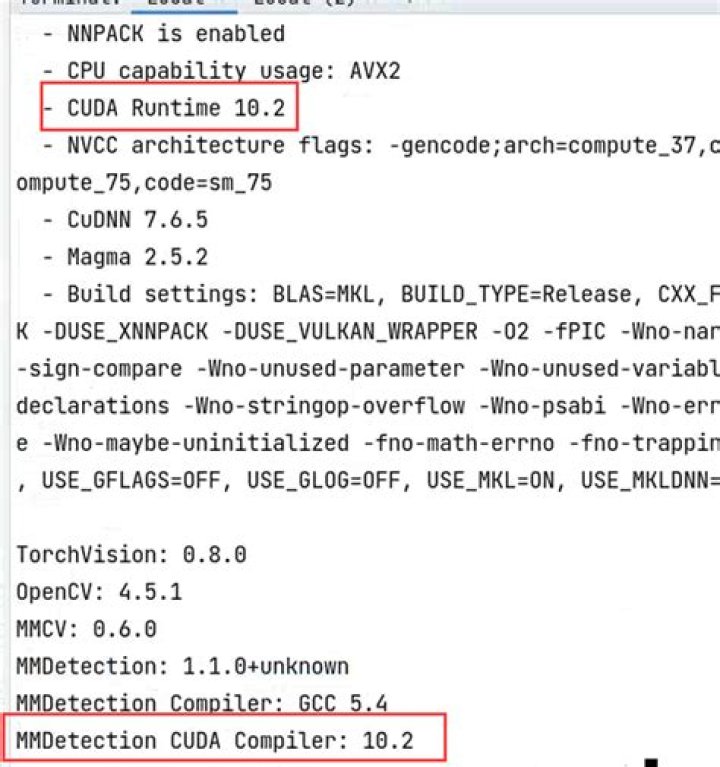
Took me 3 days to figure this out. Basically if you install cudatoolkit==10.0 this will force pytorch to be downgraded to pytorch version 1.4 which makes the whole thing work. Its not at all obvious. And is in my opinion a bug in the mmdetection installation guide.
AT_CHECK is not used in the new version of pytorch.
Solution: Try to replace all AT_CHECK with TORCH_CHECK




