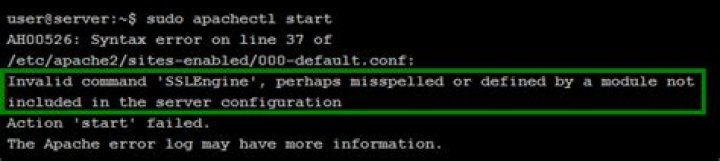
When configure apache2 virtual hosts for ssl/https connection, after adding configuration and enable the configuration with this command " a2ensite pm.university.com.conf " i got this error "Invalid command 'SSLEngine', perhaps misspelled or defined by a module not included in the server configuration". I will answer my own question.
5 Answers
It turned out I did enabled ssl module but i had to do it again and it works, here is the command:
sudo a2enmod ssl
Now restart apache like so service apache2 restart
no more error, FIXED!
1sudo a2enmod ssl and restart the apache service that will do the trick
Invalid command 'SSLEngine', perhaps misspelled or defined by a module not included in the server configuration
Simply:
This error likely happens on apache if your "virtual host" is trying to use SSL but you did not install SSL module on your apache.
Case 1: For Centos (linux distro), run:
yum install mod_ssl openssh Case 2: For Ubuntu or Debian (linux distros), run:
sudo a2enmod ssl And it should install and configure everything (a new file *-ssl.conf should appear in your conf.modules.d folder)
- When you edit the site configuration file, you have to test the configuration before enabling the site just to ensure its Syntax is correct. Use the command below to test the configuration.
apache2ctl configtest or
sudo apache2ctl configtest So if the syntax is correct you get a response similar to the one below 
- If you get the SSLEngine: Invalid command error then run the following command and go back to step one, solve all Syntax errors until it says Syntax OK.
sudo a2enmod ssl - Restart apache using the following command
sudo apachectl restart Hopefully that solves the error.
sudo yum install mod_ssl sudo a2enmod ssl sudo apachectl restart 



